I built VanishInbox partly because I needed it myself. When I was testing the registration flow for an earlier project, I had a shared test@ inbox that three other developers were also using. Two of us would trigger a password reset at the same time, and we'd both be watching the same inbox trying to work out which OTP was ours. The whole thing was slower than just using a personal Gmail account.
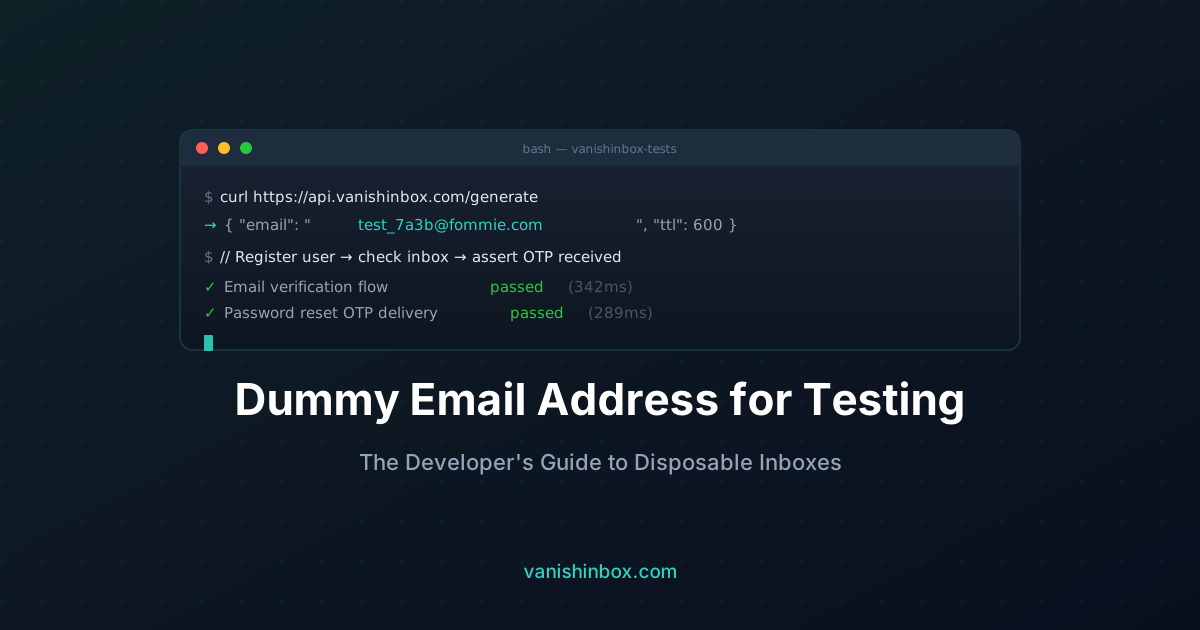
The fix was obvious in retrospect: one address per test run, generated instantly, gone when you're done. No shared state, no coordination overhead, no lingering data. VanishInbox generates a unique address in under a second and accepts real SMTP delivery on five separate domains — which matters more than it sounds when you're testing against services that block known disposable domains.
If you're building any product that sends email — welcome messages, OTP codes, password resets, order confirmations — you need a reliable way to test those flows without using real addresses.
The naive approach is creating a shared [email protected] inbox. This gets messy fast: emails pile up, multiple developers read the same codes, and the inbox eventually becomes a graveyard of stale test data. Worse, you're still tied to a real email account with login credentials to manage.
A dummy email address — a disposable inbox that requires no sign-up and self-destructs after use — is a much cleaner solution. Here's how to use one effectively in your development workflow. For a deeper look at CI/CD integration, HTML template inspection, and spam score testing, see how developers use disposable email for testing.
What Makes a Good Testing Email Address?
Before looking at tools, it's worth defining what you actually need from a test email address:
- Instantly available — no waiting for an admin to create an account
- Receives real SMTP mail — not a fake address that accepts input but silently drops messages
- Readable via browser — so you can inspect the actual email HTML/text
- Isolated — one address per test run, not a shared inbox that mixes sessions
- Disposable — clears automatically so old test data doesn't interfere
Most developer-focused workarounds fail at least one of these. Let's look at the common approaches and where they fall short.
Why Common Approaches Fall Short
Shared team inbox ([email protected])
Works for manual, ad-hoc testing. Falls apart under parallel test runs — two developers testing a password reset flow simultaneously both receive codes in the same inbox, with no way to isolate which belongs to which session.
Gmail's + trick ([email protected])
Clever, but all emails still land in the same Gmail inbox. You need to filter them out manually, and the underlying address is still your real one — meaning it gets stored in whatever service you're testing.
Mailinator
A legitimate option for automated testing. The downside: Mailinator's primary domain (@mailinator.com) is widely blocked by services that check for disposable email domains. You can use Mailinator's private domain feature, but that requires a paid plan. For a full service comparison including Mailinator, Guerrilla Mail, and others, see best disposable email services compared. If you're specifically weighing VanishInbox against Mailinator, see Mailinator alternative.
Self-hosted mail server (MailHog, Mailpit)
The gold standard for team testing environments — but requires Docker setup, local infrastructure, and doesn't work for testing against production services or third-party APIs that send to real external addresses.
VanishInbox
Works exactly like a real email inbox from any SMTP sender's perspective — it accepts and displays live mail. No setup. Multiple domains to avoid blocklists. Ideal for manual and exploratory testing.
The Testing Scenarios Where Dummy Email Shines
Registration and Email Verification
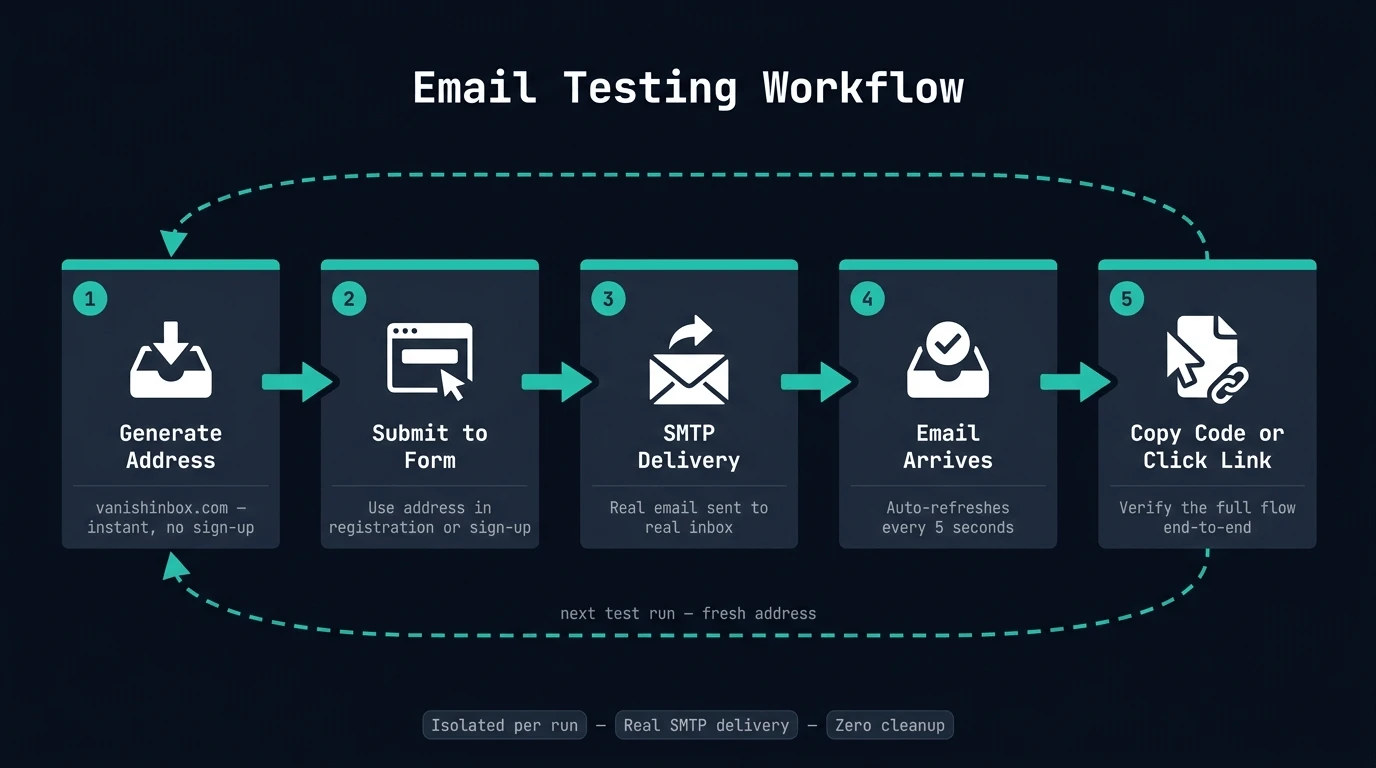
The most common email testing scenario. Your sign-up flow sends a confirmation link or 6-digit code. You need to verify it arrives, contains the right content, and the link/code actually works.
With a disposable address:
- Generate a temp address at vanishinbox.com
- Use it in your registration form
- Watch the confirmation email arrive in real time
- Click the link or copy the code directly from the inbox viewer
- Confirm the activation succeeds end-to-end
This tests the full flow — your mail server, delivery speed, email content, and token validation — without touching any real user data.
OTP and Two-Factor Authentication
Testing OTP delivery is particularly tricky because codes are time-sensitive. Most OTPs expire within 2–10 minutes, meaning your test environment needs to receive and action them fast.
VanishInbox auto-refreshes the inbox every 5 seconds. In practice, OTP emails appear within 10–30 seconds of being sent, giving you plenty of time to copy the code and complete the authentication step.
Useful things to verify in this flow:
- Does the OTP email arrive promptly, or is there a delay?
- Is the code correctly formatted in the email template?
- Does the code expire at the right time?
- What happens if the user requests a second OTP — does the first one invalidate?
Password Reset Flows
Password reset emails are a critical user journey that frequently breaks in subtle ways — wrong token format, expired links sent to users who reset immediately, broken redirect URLs in staging environments.
Testing this with a disposable inbox means you can trigger resets as many times as needed without cluttering a real inbox, and you can inspect the exact HTML and links in the email to catch formatting issues before they reach production.
Welcome and Onboarding Sequences
If you're triggering welcome emails, drip sequences, or onboarding automations via a service like SendGrid, Mailchimp, or Resend — testing these against a real external inbox catches delivery issues that local mail interception tools can't surface.
Specifically: does the email actually clear your ESP's spam filters? Does it arrive in the inbox or spam folder? These questions can only be answered by sending to a real inbox. A disposable address works perfectly here.
Testing Multiple Accounts in Parallel
One of the most useful properties of disposable email for developers: you can generate a fresh unique address for each test case, with zero coordination overhead.
Running ten parallel test users through a registration flow? Generate ten addresses. Each has its own isolated inbox. No collisions, no shared state, no cleanup required.
Choosing the Right Domain for Your Tests
This is where most developers trip up. Many services maintain blocklists of known disposable email domains. If your test is trying to simulate a user registering on a third-party platform, that platform may reject a widely-known temp mail domain.
VanishInbox offers five domains: fommie.com, whoopza.org, fommie.online, fommie.store, and whoopza.store. These are rotating, lower-profile domains that are significantly less likely to appear on blocklists compared to well-known services with single aged domains.
For testing against your own application, any domain works fine. For testing sign-up flows against third-party services, try the less common domains first.
Manual vs Automated Testing
VanishInbox is built for manual and exploratory testing — a developer opening a browser tab, generating an address, and testing a flow themselves. It's not an API-first tool.
For fully automated test pipelines (CI/CD, Playwright, Cypress end-to-end tests), you have a few options:
- Mailpit — self-hosted, Docker-based inbox that captures all outbound mail in a dev environment. The right choice for automated test suites running against local or staging infrastructure.
- Mailtrap — commercial service with an API for reading emails programmatically. Good for integration test automation.
- VanishInbox — best for manual QA, exploratory testing, and any scenario involving real external email delivery.
These aren't mutually exclusive. Many teams use an automated tool for CI pipelines and VanishInbox for manual verification and exploratory QA.
What to Check in Every Email You Test
When you open a test email in VanishInbox, don't just verify the code or link works. Use the opportunity to check:
Rendering — Does the HTML email render correctly? Are images loading? Is the layout broken on a plain-text fallback?
From address — Is your From: field correctly set? Does it show your brand name rather than a raw server address?
Subject line — Is it hitting the right template? Are any variable substitutions (like {{first_name}}) resolving correctly?
Links — Are all links absolute (not relative)? Do they point to production or staging? Is the verification token correctly appended?
Plain text version — Does your email include a plain text fallback? Some clients render only plain text.
Delivery speed — How long did it take to arrive? If it's over 60 seconds, that's worth investigating. Slow OTP delivery is a user experience problem.
A Practical Testing Checklist
Before shipping any feature that touches email, run through this:
- Registration confirmation email arrives within 30 seconds
- Verification link/code works and activates the account
- OTP is correctly formatted and not expired on arrival
- Password reset link is valid and redirects to the correct URL
- Welcome email triggers after account activation (not before)
- Email renders correctly in the inbox HTML viewer
- All links are absolute and point to the correct environment
-
From:name and address are correct - Subject line variables are substituted correctly
- Plain text version is included and readable
- Re-requesting an OTP invalidates the previous one
- Email doesn't arrive in spam (test with a real inbox periodically)
The Bottom Line
A dummy email address for testing doesn't need to be complicated. For most manual and exploratory development workflows, a disposable inbox like VanishInbox covers everything: instant availability, real SMTP delivery, a usable inbox viewer, multiple domains for blocklist avoidance, and automatic cleanup.
It removes the overhead of managing test credentials, isolates test sessions cleanly, and gives you a real view of exactly what your users will receive.