When I built the sandboxed iframe renderer for VanishInbox, I had to make a decision: block all external images by default, or let them load and warn users. Every temp mail service I looked at let them load. The reason is always UX — emails with broken images look broken. But loading external images is exactly how tracking pixels work. An image request fires the moment the email opens, reporting your IP address, device, and open time back to the sender before you've read a single word.
I blocked them. The inbox looks slightly more minimal, but your browser never makes a request you didn't ask for. That decision shaped how I think about the safety question more broadly: temp mail's security depends almost entirely on implementation choices that aren't visible to users. This guide breaks down what those choices are and what they mean for you.
Temporary email services have exploded in popularity — and with good reason. But a question we hear constantly is: is temp mail actually safe to use?
The short answer is yes — for the right use cases. The longer answer depends on what you mean by "safe" and what you're using it for. This guide covers both in full: what temp mail genuinely protects you from, where the real risks lie, how to evaluate any temp mail provider, and the specific situations where you should and shouldn't use one.
What Risks Does a Disposable Email Address Protect You From?
When you give your real email address to a website, you expose yourself to several ongoing risks that most people underestimate:
Spam and marketing lists. Your address gets added to marketing databases, often sold to third parties within hours of sign-up. Even legitimate companies share data with advertising networks as a matter of routine business.
Data breaches. Every database your email lives in is a potential breach point. If a site is hacked, your address and everything linked to it — name, location, browsing behaviour — may end up on dark web marketplaces. The more places your real address exists, the larger your attack surface. See what actually happens when a website sells your email address for how that pipeline works in practice.
Tracking pixels. Marketing emails routinely contain invisible 1x1 pixel images that fire a request to a remote server the moment you open the email, logging your IP address, device type, location, and the time you opened it — without you doing anything. For the full technical picture of how this works, see how companies track you through your email.
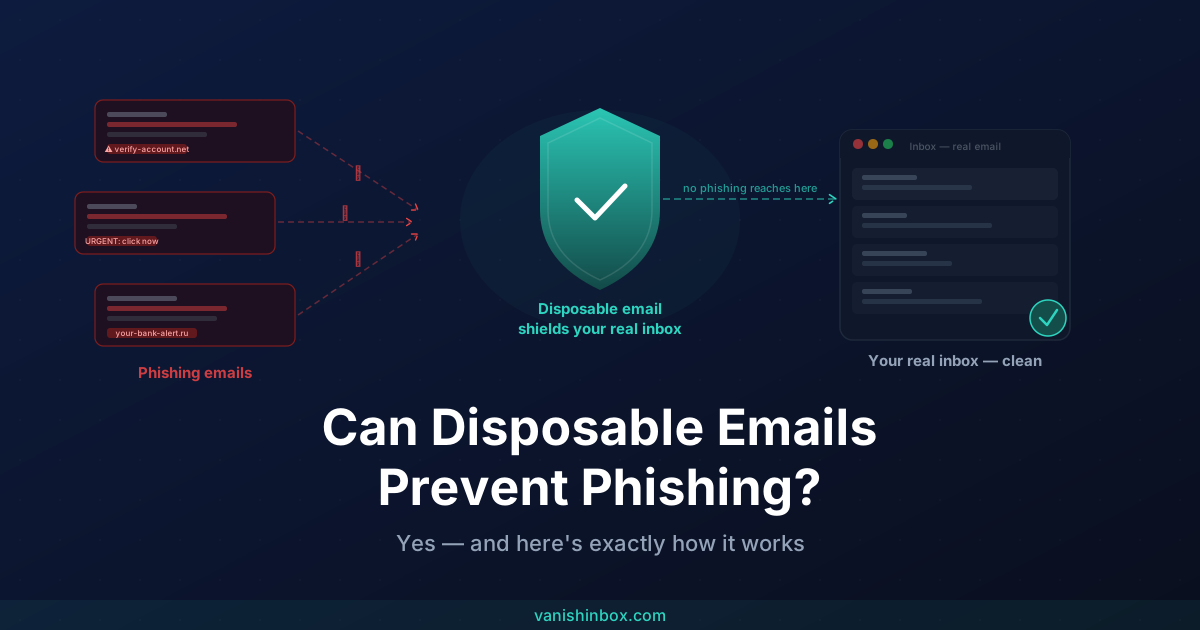
Phishing. Once your address circulates across data broker networks, it becomes a target for impersonation attacks. The more places your address appears, the more phishing attempts you'll receive.
A temporary email address eliminates all of these risks in one step. Because the address expires after 10 minutes, even if a site leaks or sells it, the address no longer exists by the time anyone tries to use it.
What Are the Actual Risks of Using Temp Mail?
Being honest here: disposable email has its own risk profile that you should understand before using it.
Anyone who knows the address can read your emails.
Temporary email inboxes are not password-protected or encrypted. They are, by design, public. If someone guesses or intercepts your temp address during its active window, they can read anything sent to it. This is the fundamental tradeoff — no login means no lock on the door.
This is why you should never use a temp email for:
- Banking or financial accounts
- Password reset emails for important services
- Anything containing sensitive personal information
- Accounts you need long-term access to
- Healthcare, legal, or government services
The address is only active for a limited window.
If you sign up for a service using a temp address and need to log back in later — to reset a password, confirm a secondary verification, or receive an important notification — that address will be gone. You'll be locked out of the account permanently.
Some services detect and block disposable domains.
Websites that use email validation APIs can check whether an address belongs to a known disposable domain and reject it during sign-up. VanishInbox maintains five domains specifically to reduce the chance of all of them being on a blocklist simultaneously — switching domains using the dropdown usually resolves this.
The inbox is shared infrastructure.
Unlike a private email account, a temp mail inbox is running on shared server infrastructure. The provider can technically see incoming emails during the TTL window. At VanishInbox, emails are stored only in Redis with a 10-minute TTL and are never written to permanent storage — but this is something to verify with any provider you choose.
How VanishInbox Specifically Protects You
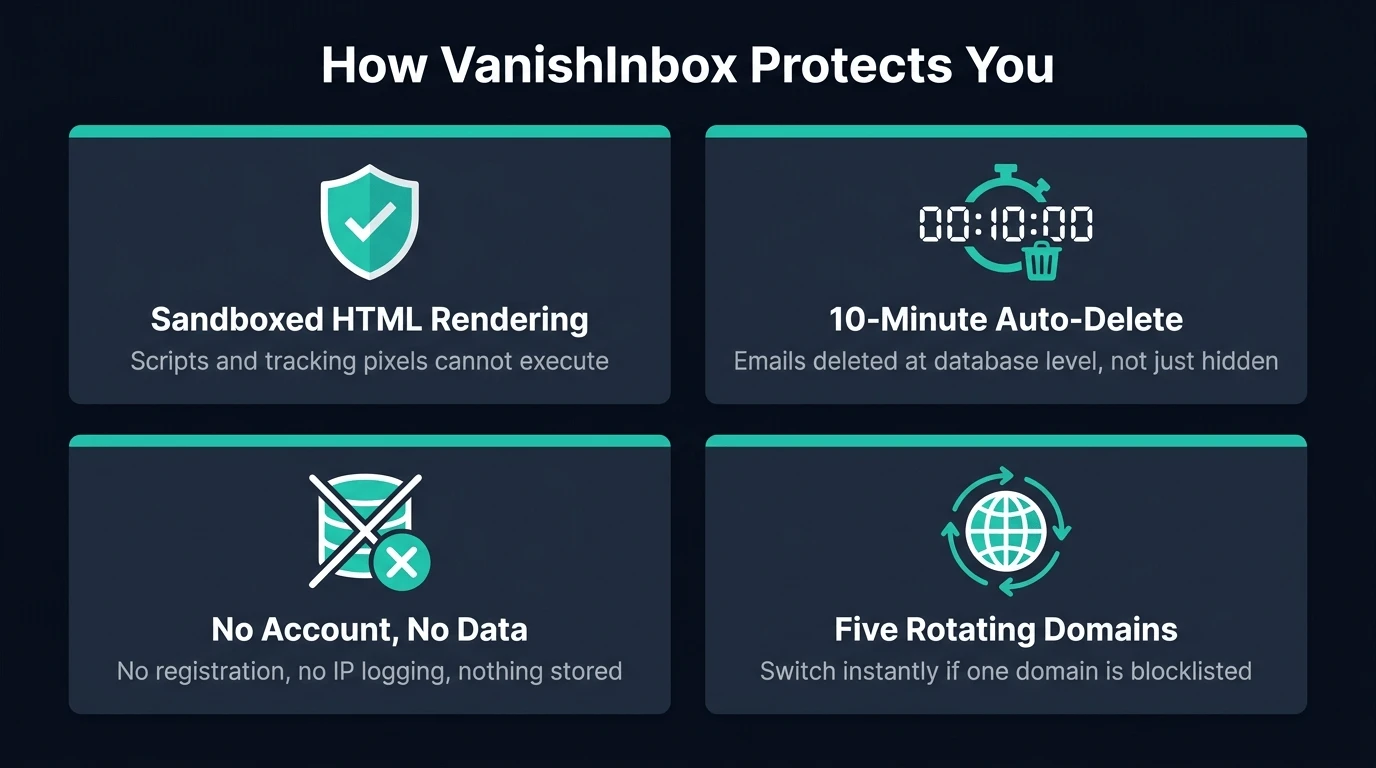
Beyond the basic disposable email concept, VanishInbox includes specific security measures worth understanding:
Sandboxed email rendering. HTML emails are displayed inside a sandboxed iframe — a browser security boundary that prevents any scripts, tracking pixels, or malicious code inside the email from executing or accessing your browser. External images are blocked by default, which stops tracking pixels from firing.
Automatic 10-minute deletion. Emails aren't just hidden or flagged as expired — they're deleted at the database level using Redis TTL expiry. Once the TTL fires, the data is gone and unrecoverable, including by us.
No account, no data. VanishInbox requires no registration and collects no personally identifiable information — no IP address logging, no device fingerprinting, no cookies tied to your identity. There is nothing to breach because there is nothing stored.
Five domains. Having five separate domains means that if one is blocklisted by a particular website, you can switch to another in seconds without losing your username.
How to Tell If a Temp Mail Service Is Trustworthy
Not all disposable email services are created equal. If you're evaluating any provider — including alternatives to VanishInbox — here's what to look for:
Clear deletion policy. The provider should state explicitly how long emails are retained and confirm they are deleted at the storage level, not just hidden from the UI. "Deleted" should mean gone from the database, not just invisible.
No registration required. Any temp mail service that requires you to create an account defeats a large part of the purpose. An account creates a persistent identity that can be tracked, breached, or subpoenaed.
Sandboxed rendering. HTML email can contain malicious scripts and tracking pixels. A trustworthy provider renders email content inside a sandboxed environment that blocks scripts from executing and external images from loading.
No IP logging. Check the privacy policy. Some disposable email services log IP addresses and link them to generated addresses, which partially undermines the anonymity the service is supposed to provide.
Multiple domains. A single domain is a single point of failure. If it gets blocklisted widely, the service becomes unusable. Multiple domains give you options.
Transparent about limitations. Any service claiming to be "completely anonymous" or "100% private" without caveats should raise a flag. Temp mail has genuine limitations; honest providers say so clearly.
For a direct comparison of how the major providers stack up on these exact criteria, see best disposable email services in 2026.
Is Temp Mail Safe for Specific Situations?
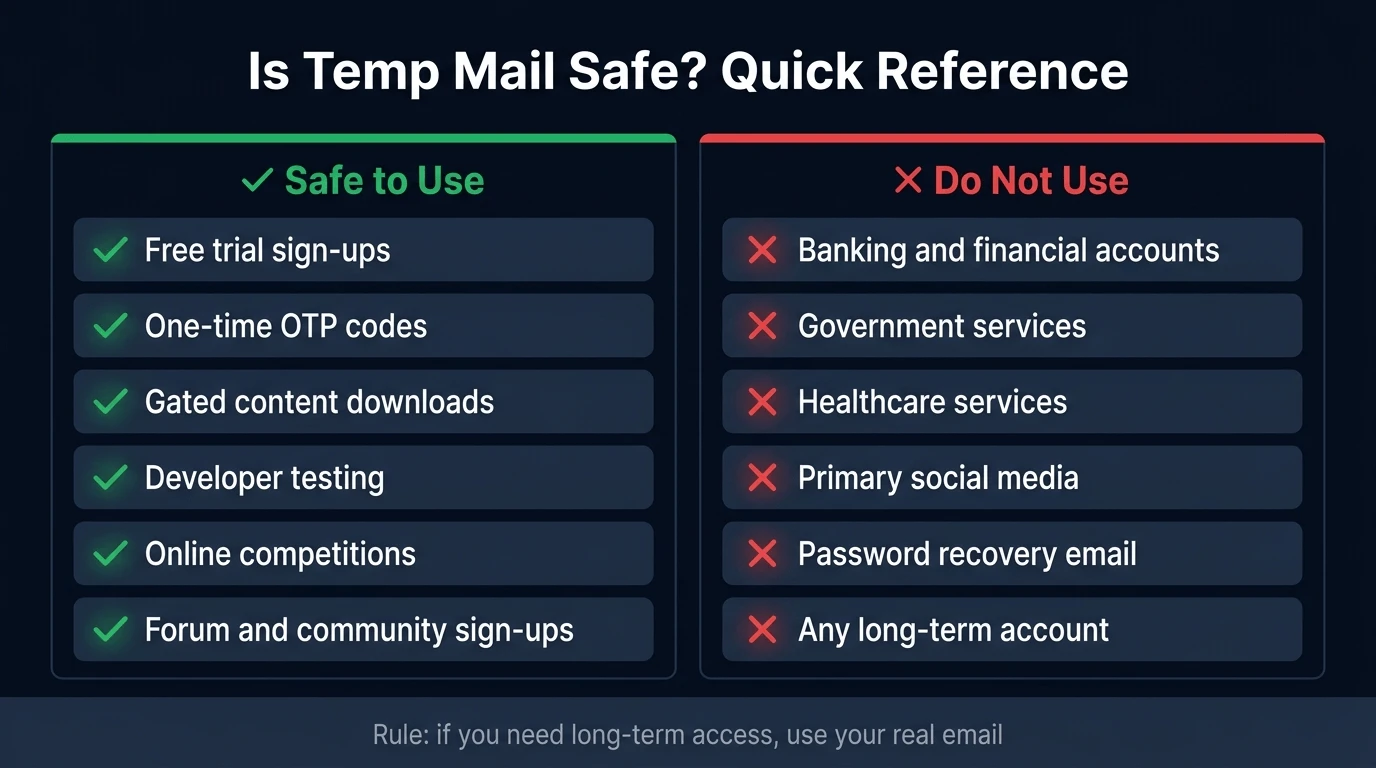
The abstract answer doesn't help much when you're staring at a sign-up form. Here's a direct answer for the most common scenarios:
Free trial sign-ups → Safe and recommended. A temp address means the service can't follow up with marketing after your trial ends, and any eventual breach of their database returns a dead address.
Receiving a one-time verification code (OTP) → Safe. This is the most common and cleanest use case. The code arrives, you copy it, the address expires. The entire flow completes in under two minutes with no residual exposure.
Reddit, Discord, or forum registration → Safe for initial sign-up if you don't care about recovering the account later. If you'll want to reset your password or receive moderation notifications in future, use a permanent alias service instead.
Free software downloads or gated content → Safe. You need the one email to access the content; you don't need the ongoing relationship with the sender.
PayPal, banking, or financial accounts → Not safe. Never use a temp address for financial accounts. You will inevitably need to verify your identity, reset a password, or receive transaction notifications — and you'll be locked out permanently when the address expires.
Gmail, Outlook, or email provider sign-up → Not applicable. Email providers require a recovery email or phone number and will need to reach you at the address you provide. Use your real address or a permanent alias.
Online competitions and giveaways → Safe. A disposable address means you receive the entry confirmation without subscribing to whatever marketing list the competition feeds into.
Developer testing of sign-up flows → Safe and practical. VanishInbox is useful for manually testing email delivery, verification flows, and HTML rendering during development. The Chrome extension makes this even faster — generate a new address without leaving your code editor tab.
Healthcare, government, or legal services → Never. These services require a permanent, verifiable contact point and often send time-sensitive communications you cannot afford to miss.
Common Mistakes People Make With Temp Mail
These are the patterns that lead to frustration or real problems:
Using it for accounts they'll need later. The most common mistake. Someone signs up for a service with a temp address, then six months later tries to reset their password and discovers the email is gone. Use temp mail only for accounts you genuinely don't mind losing access to.
Not watching the timer. VanishInbox addresses last 10 minutes. If you're filling in a long sign-up form and the address expires before the verification email arrives, you'll need to generate a new address and start the process again. Keep the VanishInbox tab open and visible.
Using it for forwarded account recovery. If you've set a temp address as the recovery email for an existing important account, change it now. A recovery email needs to be a permanent address you control indefinitely.
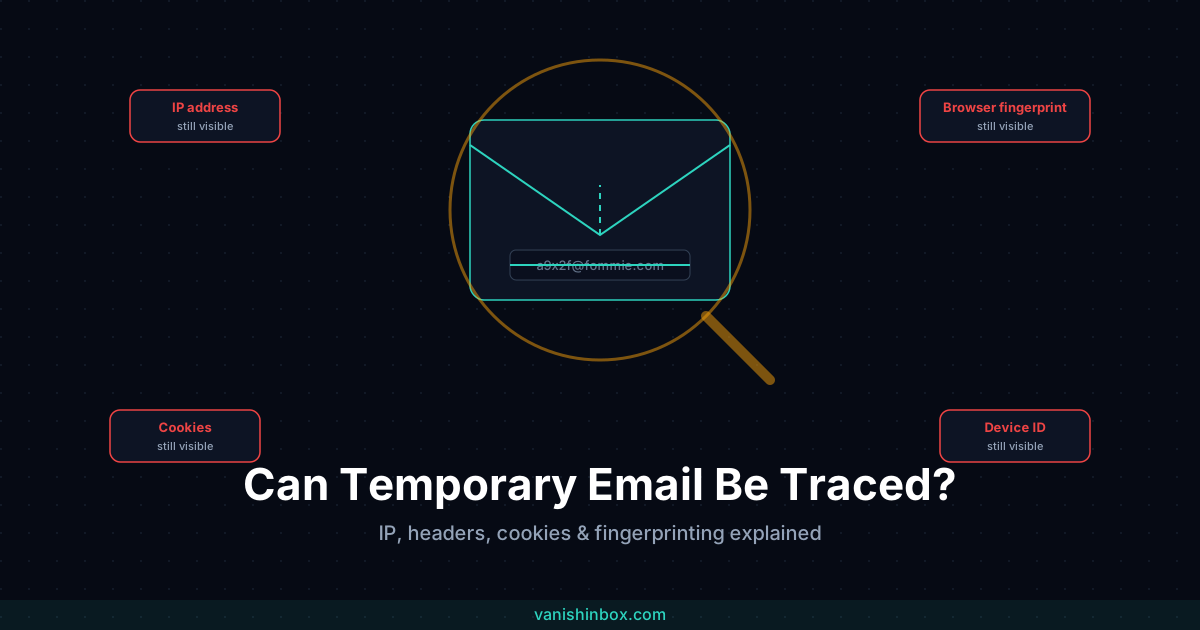
Assuming it provides full anonymity. Temp mail removes your email address from the equation — but it doesn't hide your IP address, browser fingerprint, or any other identifying information you provide during sign-up. If you need stronger anonymity, temp mail is one layer of a broader approach, not a complete solution on its own. See what is browser fingerprinting? for what that specific gap actually involves.
Using predictable usernames. Some people manually type something like [email protected] rather than using the randomly generated address. A predictable username can be guessed. Always use the randomly generated address — the combination of adjective, noun, and number makes it extremely difficult to guess during the active window.
When Is Temp Mail the Right Choice?
The ideal use cases:
- Signing up for free trials you're not sure about
- Accessing paywalled or gated content once
- Receiving a verification code without joining a mailing list
- Testing email delivery as a developer
- Entering online competitions
- Registering on any site you're visiting for the first time and aren't sure you'll return to
For a broader look at the methods available — including permanent alias services for situations where you need something longer-lived — see how to create a fake email address (5 methods).
When Should You Use Your Real Email Instead?
- Creating bank, payment, or financial accounts
- Registering with services you'll use regularly and need to log back into
- Any account where you'll need password recovery
- Professional or work-related sign-ups
- Government, healthcare, or legal services
- Any service sending time-sensitive communications you can't afford to miss
Temp Mail and the Broader Privacy Picture
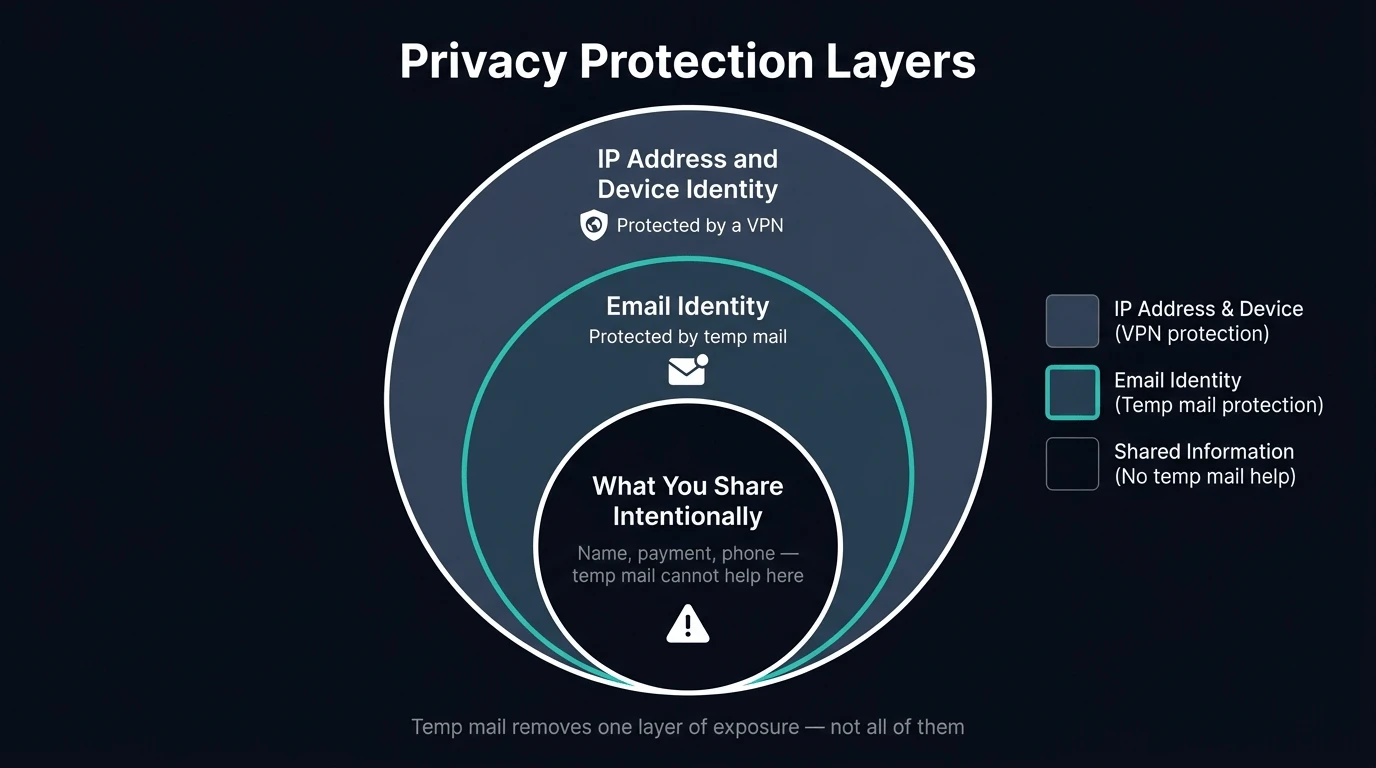
Disposable email is one layer of privacy protection — but it doesn't cover everything. It removes your email address from the equation; it doesn't hide your IP address or device fingerprint. If you're thinking about privacy more broadly, it's worth understanding how temp email compares to a VPN and when you need both — they protect completely different attack surfaces and work better together than either does alone.
For a wider view of protecting your personal information across all the surfaces where it's exposed, see how to protect your personal information online. And if you're weighing a temp address against an email alias for a specific sign-up, see temp email vs email aliases: what's the difference. If you're wondering whether temp mail makes you fully anonymous, can temporary email be traced? breaks down exactly what it hides and what it doesn't.
Frequently Asked Questions
Is temp mail safe for OTP codes?
Yes — this is the most common and safest use case. The code arrives in your VanishInbox inbox within seconds, you copy it, and the address expires. The entire flow is complete in under two minutes with no residual exposure. The inbox is sandboxed so no scripts in the email can execute, and the address is gone before any follow-up targeting could occur.
Can someone else read my temp mail?
In theory, yes — if they know your exact address. Temp mail inboxes are public by design: no password is required to access them, which is what makes them instant and frictionless. In practice, VanishInbox generates addresses using a random combination of adjective, noun, and number, making the chance of someone guessing an active address during its 10-minute window negligibly small. But you should treat the inbox as you would a public letterbox — fine for receiving non-sensitive messages, not appropriate for anything you'd want kept private.
Does temp mail protect you from hackers?
It protects you from one specific attack surface: your email address being harvested and used for phishing, credential stuffing, or spam. It does not protect against malware, compromised Wi-Fi, browser vulnerabilities, or any other attack vector. Think of it as removing your home address from a phone book — useful, but not a complete security solution.
Is temp mail legal?
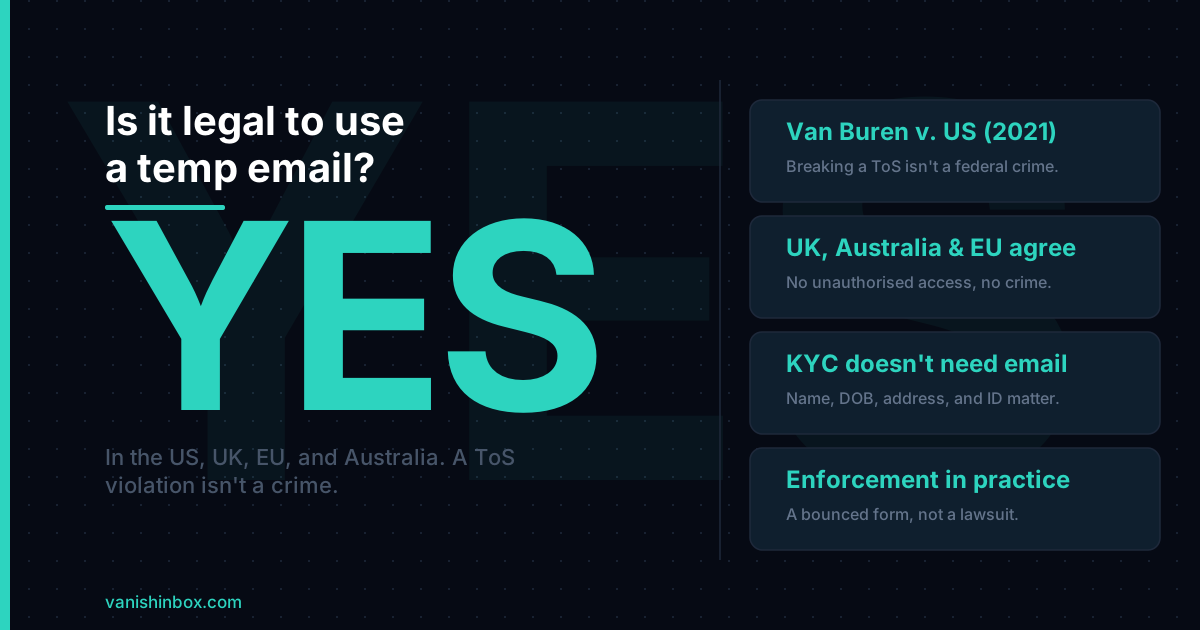
Yes, using a disposable email address is entirely legal in the UK, US, and virtually all jurisdictions. It's a standard privacy tool used by security professionals, developers, and ordinary users worldwide. Some platforms' terms of service restrict the use of disposable addresses for their specific service — that's a contractual question between you and that platform, not a legal one. For the full breakdown, including the actual case law behind that answer and the handful of situations where it can turn into something more serious, see is it legal to use a temp email address?
Will temp mail protect me from data brokers?
Partially. If you use a temp address for a sign-up, that address can't be linked back to your real identity by data brokers — it's already expired by the time any data sharing pipeline runs. However, if you also provided your real name, phone number, or payment details during the same sign-up, those can still be used to profile you. Temp mail removes one data point; it doesn't neutralise all of them.
Does temp mail work with two-factor authentication?
Yes, for email-based 2FA — where a code is sent to your email address to verify a login. The code arrives in your VanishInbox inbox like any other email. The important caveat: if you set a temp address as the 2FA or recovery email for an account you intend to keep long-term, you'll be locked out permanently when the address expires. Only use temp mail for 2FA on accounts you're setting up temporarily or don't mind losing access to.
The Bottom Line
Temp mail is safe for its intended purpose: receiving short-lived, non-sensitive messages without exposing your real identity. For one-time sign-ups, free trials, verification codes, and gated content — it's one of the most effective privacy tools available, requiring zero setup and zero cost.
The risks are real but predictable: don't use it for accounts you need long-term, don't use it for anything sensitive, and don't mistake it for a complete anonymity solution. Used correctly, it eliminates a significant and underappreciated attack surface.
Ready to try it? Generate a free temporary email address →