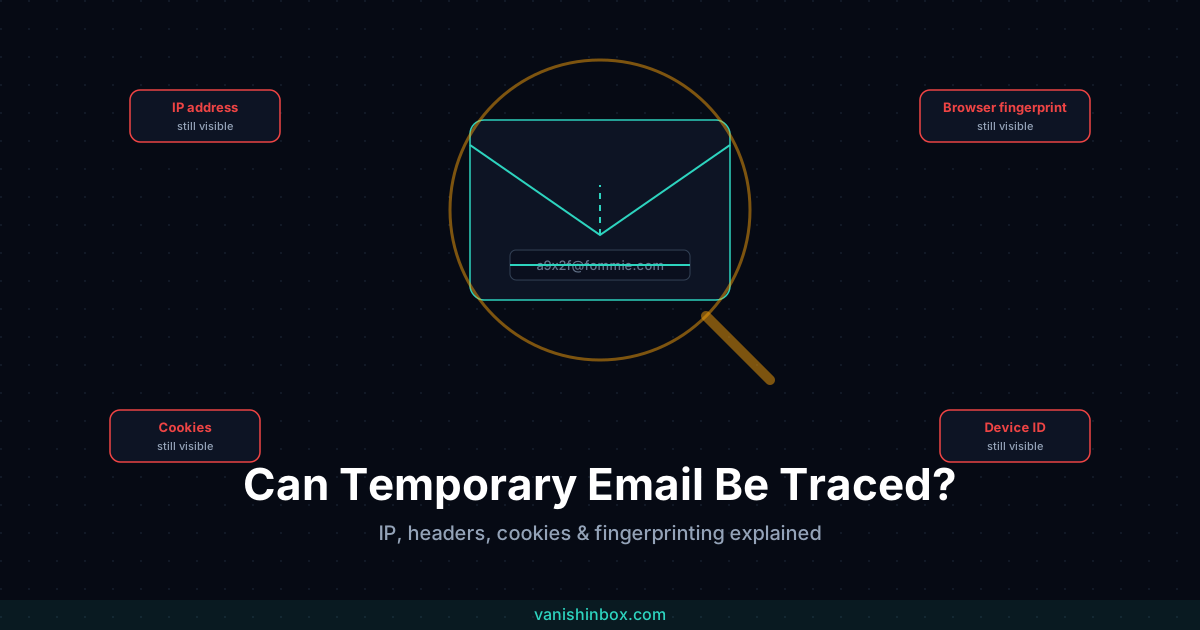
The short answer: yes, you can be traced while using a temporary email address. Just not through the email address itself.
A temp inbox does one job well. It stops your real email from entering a company's database. It does nothing about the four or five other signals a website collects the moment you land on a sign-up page: your IP address, your browser fingerprint, the cookies already sitting in your browser, your device ID. None of those care what email you typed into the form.
"Is temp mail anonymous" gets asked constantly. The answer is partially, and only for one specific thing. This covers what temp email hides, what it doesn't, and what closes each remaining gap.
What "Traced" Actually Means
Traced back to what, and by whom, matters more than the word itself.
One version of the question is whether a website can connect the address you gave them to another account, another sign-up, or a real identity. Temp email solves this. The address expires, it was never linked to your name, and once it's gone there's nothing left to connect.
The other version is whether a website or attacker can work out who you actually are, regardless of what email you used. IP addresses, fingerprinting, cookies, and device IDs answer this second question, and a temp inbox touches none of them. Generate a brand new email every ten minutes, and you're still the same recognisable visitor to every site you touch, because the identifiers doing the recognising were never the email address in the first place.
The sections below cover each of those identifiers: what it reveals, whether temp mail affects it, and what does.
IP Addresses
Your IP address is visible to every site you visit, independent of anything you type into a form. It's how the internet routes a page back to your device, so there's no way to browse without exposing one.
It reveals your approximate city and your internet service provider, sometimes narrower depending on how your ISP allocates addresses. It doesn't reveal your street address or your name directly, but combined with other data points it narrows things considerably.
Your IP gets captured on page load, before you've typed anything. The moment you visit a sign-up page, the server has already logged it, and often so have third-party scripts embedded on that page for analytics, ad tech, or fraud detection. Generating a temp email address and using it changes nothing here, since your IP was recorded before you opened your inbox. A tracking pixel inside an email can log an IP too, when the email is opened, but the exposure that matters most happens on the website itself, at the moment you're filling in the form.
A VPN routes your traffic through a different server and shows sites that server's IP instead of yours. Temp email and a VPN protect completely different attack surfaces. See temp email vs VPN: what's the difference and which do you need for the full breakdown of when you need one, the other, or both.
Email Headers
Every email that arrives in any inbox, temporary or permanent, carries hidden header data recording how it got there: originating server, routing path, timestamps, sometimes the sending server's own IP address. This is separate from anything visible in the email body.
For mail you receive, this data mostly matters for verifying whether an email came from who it claims to. SPF, DKIM, and DMARC results live in these headers, and checking them is the most reliable way to confirm a message isn't spoofed. That process is covered in detail in how to tell if an email is legitimate, including exactly where to find these results in Gmail and Outlook.
The traceability question here runs the other way: does the service itself leak anything through how it handles your inbox? This depends entirely on implementation, and you can't see it from the outside as a user. A poorly built temp mail service might log the IP address that generated an address, store it alongside the inbox, or fail to strip identifying routing data before displaying a message to you. A well-built one won't. At VanishInbox, addresses aren't tied to any account or login, and nothing about the inbox connects back to the device or IP that created it. Hold any provider to that standard rather than assuming it. A service asking you to register, log in, or provide identifying details to use a "disposable" inbox has cosmetic disposability, nothing more.
Browser Fingerprinting
Most guides on temp email skip this entirely, and it's the biggest gap between "my email is disposable" and "I'm anonymous." Sites build an identifier out of your screen resolution, fonts, canvas and WebGL rendering, and a handful of other device signals, none of which have anything to do with the email address you typed in. A new temp address doesn't touch any of it: the same fingerprint follows you from one inbox to the next. Incognito and a VPN don't touch it either. What is browser fingerprinting? covers the full mechanics, including the specific browser settings that reduce it and how this same signal doubles as a fraud-detection tool on the sites doing the blocking.
Cookies and Device IDs
Cookies and device IDs sit between the email layer and the fingerprint layer. Unlike a fingerprint, they can be cleared. Unlike an email address, clearing them isn't automatic just because your temp inbox expired.
First-party cookies get set by the site you're visiting and typically manage your session or preferences. They don't inherently identify you across other sites, but they persist in your browser until you clear them or they expire on their own schedule, often much longer than ten minutes.
Third-party cookies get set by advertising and analytics networks embedded across many different sites, specifically to recognise the same browser across domains. That's the cross-site tracking a temp email address does nothing to prevent. If an ad network's cookie is already in your browser from a completely unrelated site, it can connect your visit here to that other context, regardless of what email address you used on this particular sign-up.
Device IDs are the mobile equivalent: identifiers like Apple's IDFA or Android's Advertising ID, which apps and mobile browsers can access to track behaviour across sessions. A new temp email inside a mobile browser has no bearing on the device ID that browser or app is still reporting.
None of these need your email address to function, and none of them expire on your temp inbox's schedule. Clear cookies, browse in private mode for the session, or use a browser with strict third-party cookie blocking, increasingly the default in modern browsers, if you want to control this layer. The email address you typed into the form doesn't touch it.
What Does Temp Email Hide?
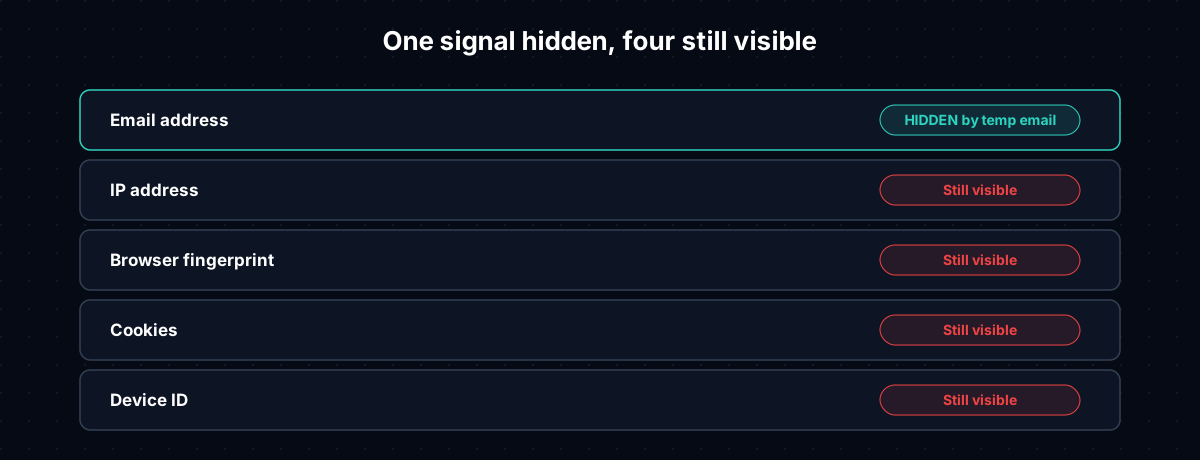
Putting it all together:
| Signal | Hidden by temp email? | What hides it |
|---|---|---|
| Email address | Yes | This is what temp email is for |
| IP address | No | A VPN |
| Browser fingerprint | No | A fingerprint-resistant browser (Firefox strict mode, Brave) |
| Cookies | No | Clearing cookies, private browsing, third-party cookie blocking |
| Device ID | No | Device-level ad tracking limits (iOS App Tracking Transparency, Android's ad ID reset) |
One row out of five. That's not a knock on temp email, it's a scope statement. Removing your email address from a company's database is a real reduction in exposure, and the reason temp mail exists. It was never designed to touch the other four rows, and generating fresh addresses doesn't change that.
Does Leaving an Inbox Open Longer Increase Trace Risk?
A narrower version of this question, separate from the account-access tradeoffs covered in is temp mail safe: does keeping the same temp inbox open for an extended session, or reusing one address across sign-ups, increase how traceable you are?
Not through the email address. That still expires on the same schedule regardless of how long you keep the tab open. But a longer browsing session, touching more sites, gives the other signals more room to accumulate and correlate: IP, fingerprint, cookies picked up along the way. The temp email isn't the leak there. The session is.
Ten temp addresses across ten sign-ups, in the same browser session, on the same IP, with the same fingerprint, still leave a correlatable trail across those ten sites. The email layer looks disconnected. Everything underneath it doesn't.
Reducing Your Trace Footprint
No single tool covers all five rows in the table above. Combine several for a realistic stack.
Temp email handles the sign-up itself, so your real address never enters the database. VanishInbox generates one instantly. A VPN masks your IP address from the sites you visit and your ISP, covered in full in temp email vs VPN. A fingerprint-resistant browser, Firefox with strict tracking protection or Brave, matters for sessions where fingerprinting is a real concern rather than just cookie-based tracking. Clearing cookies or browsing privately handles sessions where you don't want this visit connected to your last one on the same site.
An alias instead of a temp inbox, SimpleLogin, Firefox Relay, Apple Hide My Email, is a different tradeoff for a specific sign-up, covered separately in temporary email vs email aliases.
Layered together, these cover the identifiers that matter. Any single one, used alone, leaves the other layers exposed.
Frequently Asked Questions
Is temp mail anonymous?
No, not fully. It removes your email address as an identifier, a real and useful protection, but it has no effect on your IP address, browser fingerprint, cookies, or device ID. Anonymity requires covering all of those; temp email covers one.
Can a website identify me from a temp email address?
Not from the address itself, since it isn't tied to your name or any account. But the same page that collects the address also sees your IP and browser fingerprint independently, and those can identify you regardless of which email you typed in.
Does incognito or private browsing stop fingerprinting?
No. Private browsing stops your browser from saving history and cookies after the session ends. It doesn't change what your browser reports to a website during the session. Screen size, fonts, rendering behaviour, and the other fingerprinting signals are identical in private and normal windows.
Can hackers access a temporary email inbox?
In theory, if they know or guess the exact address, since temp inboxes are public by design with no password. VanishInbox generates addresses as a random combination that's hard to guess within the active window. That's a different risk from identity tracing. It's about who can read a message, not who can identify you. See is temp mail safe for the full breakdown.
Do I need a VPN if I'm already using a temp email?
Depends what you're protecting against. Temp email and a VPN cover different attack surfaces: one hides your email address, the other hides your IP address and network traffic. If IP-level tracking or your ISP seeing your browsing matters to you, you need both. Full comparison in temp email vs VPN.
The Bottom Line
Temporary email closes one specific gap: it stops your email address from becoming a permanent identifier tied to your identity across every site you sign up for. That's why the tool exists.
It was never built to hide your IP address, your browser fingerprint, your cookies, or your device ID, and generating fresh temp addresses doesn't change that. Those signals need their own tools, layered on top, not the assumption that your email address covers them too.