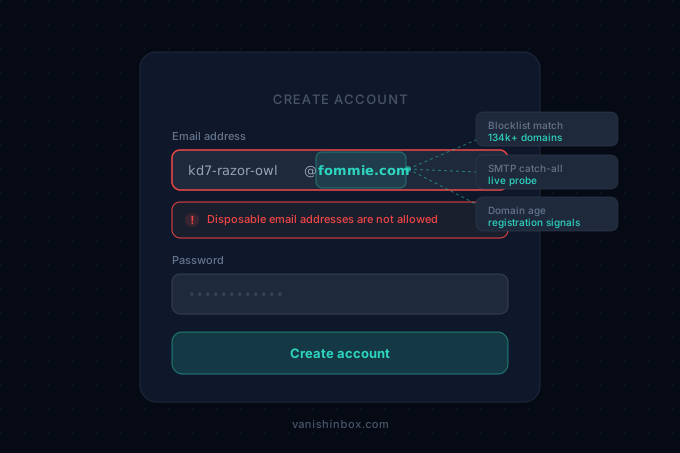
You generate a fresh address, paste it into a signup form, and hit submit. Within a second, a red banner appears: "Please use a valid email address" or "Disposable email addresses are not allowed."
The address is valid. It received an email five minutes ago. The site didn't check whether it works — it already knew what kind of address it was before your verification email could even be sent.
This is deliberate, automated, and happens millions of times per day across thousands of sites. Understanding why it happens — and which sites do it — tells you when to expect rejection and when your temp address will sail through without issue.
How Sites Detect Temp Email
Most sites don't write their own detection. They subscribe to a commercial API — Kickbox, ZeroBounce, IPQualityScore, Abstract API — or they check against one of the open-source blocklists maintained on GitHub. When you submit a form, the site fires a real-time API call with your email domain. The response comes back in milliseconds. If the domain matches, you're rejected before a verification email ever gets queued.
The detection methods stack on top of each other:
Domain blocklists are the foundation. Databases track known disposable email domains — fommie.com, guerrillamail.com, mailinator.com, and tens of thousands more. The open-source disposable-email-domains repo on GitHub lists around 4,000 of the most widely reported ones. Commercial APIs maintain lists of 100,000+ domains, updated continuously as new services appear. Once a domain lands on a major list, every site using that API blocks it automatically.
Catch-all SMTP detection is harder to escape. Most temp mail domains accept any address at their domain — [email protected] works because the server is configured to catch all incoming mail regardless of the local part. Gmail and Outlook reject addresses that don't correspond to actual accounts. When a verification API probes your domain's mail server and finds that every address it tries is accepted, it flags the domain as disposable. This test doesn't rely on a list at all — it's a live infrastructure check.
Domain age and registration signals add another layer. A domain registered six weeks ago with privacy-protected WHOIS data looks different from a domain that's been sending legitimate business email for eight years. Detection services score domains partly on age, registrar patterns, and DNS configuration. New temp mail domains start clean on blocklists, but they score poorly on these signals from day one.
Behavioural analysis is what eventually catches domains that pass the other checks. If a detection service observes hundreds of signups across many sites using addresses from the same domain, and none of those accounts show any real engagement after verification — no logins, no purchases, no replies to emails — the domain gets flagged even without a blocklist match. This is the mechanism that catches domains that were too new to be listed. Volume is itself evidence.
Browser fingerprinting sits alongside all of the above rather than replacing it. The same vendors selling domain reputation data, IPQualityScore among them, also sell device fingerprinting as a separate product, and sites running fraud prevention increasingly buy both. Switching to a fresh VanishInbox domain resets the email-domain signal. It does nothing about the device signal sitting underneath it. What is browser fingerprinting? covers how that identifier gets built and why a new email address never touches it.
The result is a system that's genuinely hard to outrun. A brand-new temp mail domain starts with a clean blocklist record, but that record gets dirty as soon as real people use it enough for the pattern to show.
Why Sites Bother
The frustrating thing about hitting a temp mail rejection is that you're probably not doing what the detection system was built to stop.
Temp email detection exists primarily to combat three specific abuses:
Free trial farming. Freemium businesses build their economics around converting trial users to paid subscribers. A single person running a new trial every two weeks indefinitely — each one using a fresh temp address — directly breaks that model. For a SaaS company with a 14-day trial, even a few hundred people doing this represents real lost revenue. According to email verification industry data, around 12% of form submissions now use disposable addresses. For a company processing 10,000 signups a month, that's 1,200 contacts who will never become customers and whose bounce activity damages the sender's email deliverability with every marketing campaign.
Referral and promo abuse. Services offering signup bonuses, referral credits, or first-purchase discounts need each email to represent a real, unique person. Temp addresses make it trivial to claim the same bonus dozens of times with no friction.
Bot-driven account creation. Automated account creation at scale — for spam, credential stuffing preparation, or platform manipulation — runs on disposable email infrastructure. Blocking known temp mail domains is one of the cheaper fraud prevention measures available.
None of this is about you, the person who just wanted to download a whitepaper without subscribing to a newsletter. But the detection system cannot distinguish your intent from a fraud ring's. You're blocked as collateral damage.
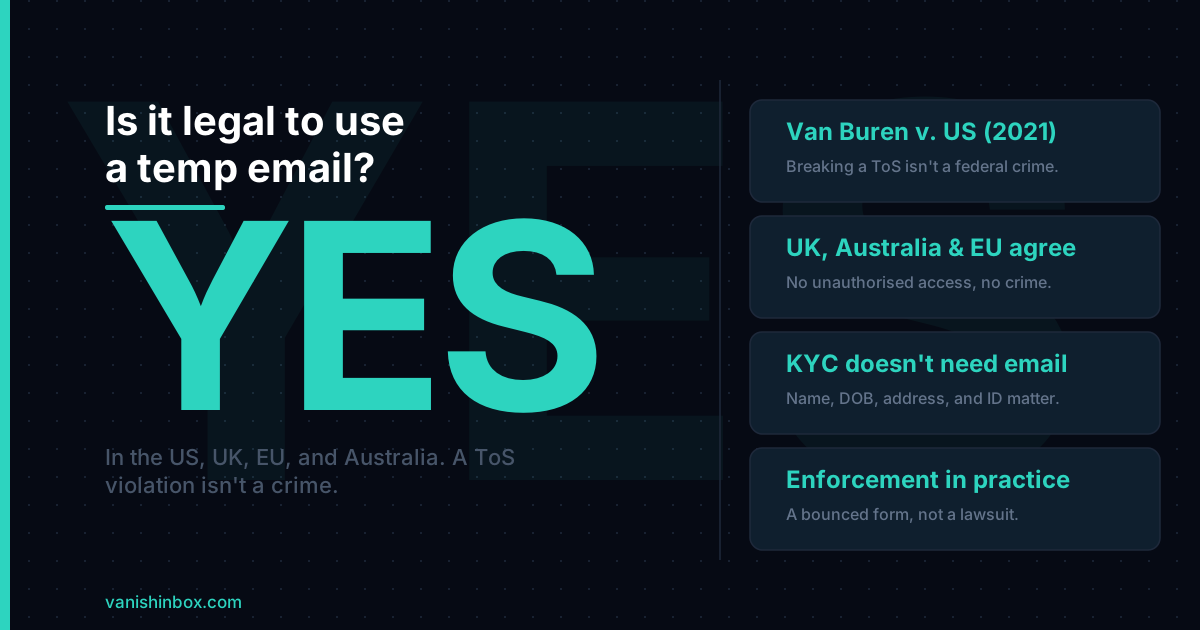
There's also a regulatory driver. Financial services companies, healthcare platforms, and legal services operate under KYC (Know Your Customer) requirements that mandate verified, traceable contact information. A 10-minute inbox doesn't satisfy those requirements regardless of the intent behind it. Blocking temp email for these industries is a compliance necessity, not a business preference. The email address itself was never the field carrying legal weight in KYC in the first place. Is it legal to use a temp email address? breaks down which fields actually matter for identity verification, and why a blocked signup here is a business policy, not a legal issue.
Which Sites Block It Most Aggressively
Not all sites do this. Plenty of websites don't check at all — they accept whatever email you provide, verify delivery if they need to, and move on. The ones that actively block temp email share a common characteristic: they have a specific financial or regulatory reason to care about the identity behind the address.
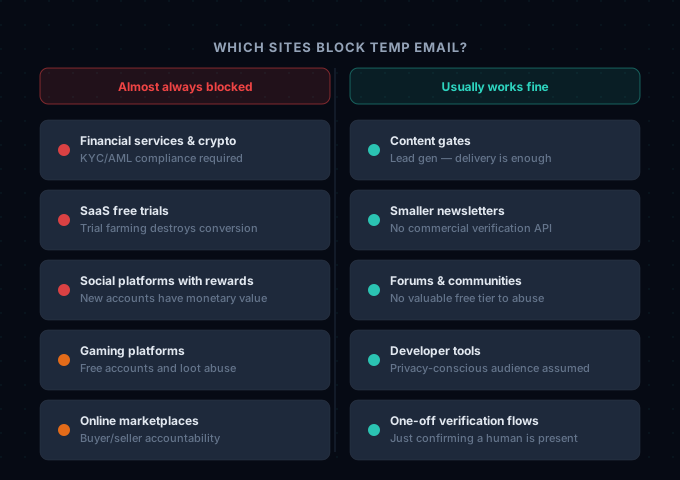
Sites where rejection is near-certain:
- Financial services, crypto exchanges, and trading platforms — KYC/AML regulations make verification mandatory. These sites often also check government ID, which makes the email verification step the least of your problems.
- SaaS products with free trials — the conversion economics depend on each email representing a real person. Enterprise-facing products are especially aggressive because the customer lifetime value justifies expensive verification APIs.
- Social platforms with referral or reward systems — anywhere a new account has monetary value to the creator, temp email detection is a direct fraud countermeasure.
- Gaming platforms with limited free accounts or loot systems — same logic as referral programs.
- Online marketplaces where seller or buyer accountability matters.
Sites where temp email usually works without issue:
- Content gates — "enter your email to download the report." The site wants a lead for future marketing; it often doesn't care whether the address is permanent. The verification email arrives, you click the link, done.
- Smaller newsletters and publications — unless they're running a commercial email platform with built-in verification, they're often not checking at all.
- Forums and communities without valuable free tiers or reward systems.
- Developer tools and open-source project signups where the audience is assumed to be privacy-conscious.
- One-off verification flows where the site just needs to confirm a human is present.
The pattern holds: if you need something specific from the site and that something has monetary value to you or to the site, the site probably checks. If the email is just a box to tick before accessing freely available content, it probably doesn't.
Why It Worked Last Month But Not Today
Temp mail domains start out invisible to blocklists. A domain that was registered two months ago won't appear in any database that's maintaining a list of known disposable services — it hasn't been around long enough to accumulate reports.
But as that domain gets used, the behavioural signals accumulate. Hundreds of signups from the domain, all with zero subsequent engagement. The catch-all SMTP check returns positive. Someone submits the domain to the open-source list and it gets merged. A commercial API's automated scraping picks it up. Within weeks of a domain reaching any meaningful volume, the major detection services have it.
This is why a VanishInbox address that worked reliably six months ago might now hit a wall on some sites. The domain isn't less real, and the inbox still works. The blocklist caught up.
There's also a mechanic most people don't know about: silent rejection. Some sites don't tell you when they've detected a disposable address. The form appears to succeed. A confirmation email never arrives. The account is either never created, created and immediately suspended, or created with invisible feature restrictions. If you submitted a form with a temp address and never got the verification email, this is likely what happened — not a delivery problem.
When to Use VanishInbox, and When Not To
VanishInbox is built for a specific job: getting through a one-time verification without handing your real email to a service you're unsure about. For that job, it's the right tool.
Use it when:
- You're downloading a resource, accessing a trial, or claiming gated content and you don't plan to use the service long-term
- You want to assess whether a service is worth your real email before committing
- The site is asking for email as a lead-generation step, not because you need an ongoing account
- You're testing a service as a developer or power user and need fresh inboxes quickly
Don't use it when:
- You need ongoing access to the account. The inbox expires in 10 minutes, taking password reset access with it
- The service sends time-sensitive notifications you need to receive later
- You're signing up for anything financial, medical, or regulated
- The account uses email-based two-factor authentication you'll need to log back in with
- You're using a trial you genuinely plan to convert to a paid account. That's the exact fraud pattern sites are building detection for, and using a temp address for legitimate trial conversion is unfair to the service
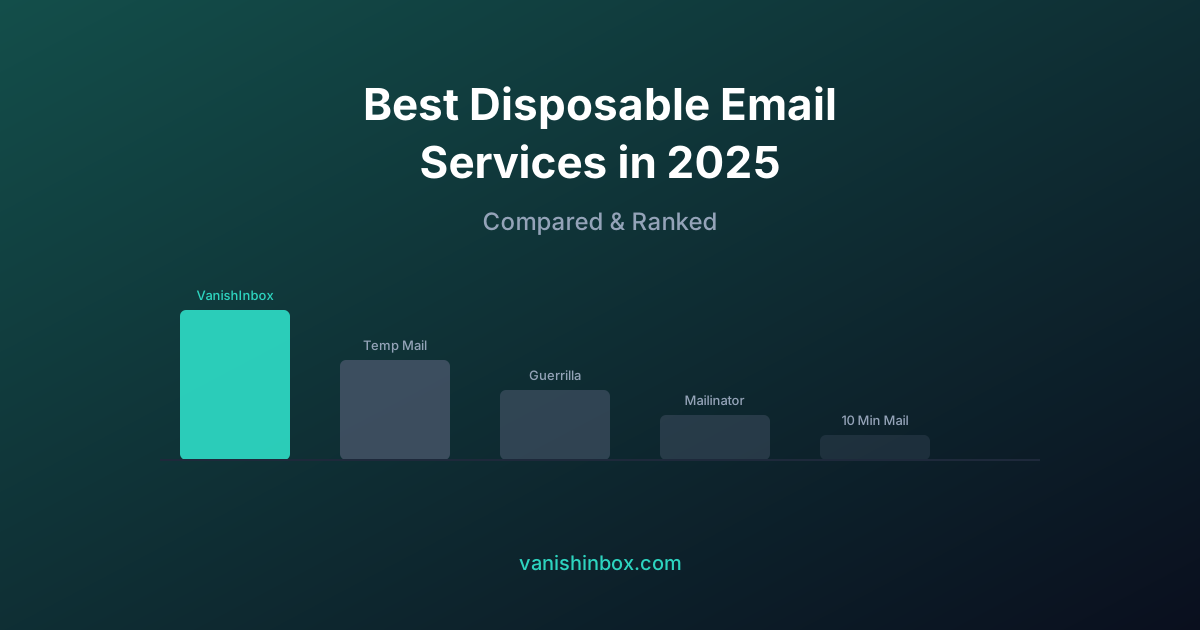
For services you'll use regularly but don't want flooding your primary inbox, a permanent email alias is a better tool than a disposable address. Services like SimpleLogin and AnonAddy give you a forwarding address you own indefinitely and can kill at any time. You get the spam isolation of a disposable address without the access expiry problem. Best disposable email services in 2026 covers where alias tools fit against the disposable options, VanishInbox included.
What To Do When You're Blocked
Switch to a different VanishInbox domain. Generate a new address using the domain selector. Some sites use narrow blocklists that cover the most high-volume temp mail domains but miss others. A less-known domain in the rotation passes their check even if fommie.com doesn't.
Use your secondary email. If you have a separate personal email you keep for lower-trust signups, this is what it's for. Not your primary inbox, but also not an address you care about protecting at the same level.
Step back and ask whether you need the account. Many sites gate content behind signup forms to capture leads, not because you need an account to access the content. If the site won't take a temp address and the content isn't worth your real email, the signup may not be worth doing at all.
Don't try to circumvent verification on services with legitimate reasons to verify. For financial services, identity-linked platforms, and anything where the service has a genuine regulatory need for your real contact information, there's no workaround that's appropriate. Give them your real email or don't sign up.
FAQ
Why does the error say "invalid email" when my address clearly works?
The error message is misleading. Your address is syntactically valid and the inbox receives email fine. The site is rejecting it by policy — the address belongs to a known disposable domain — not because the format is wrong. Most sites use a generic "invalid" error rather than explaining exactly why.
Can the site tell which temp email service I'm using?
Yes. The domain portion of your address is the identifier. If fommie.com is in a blocklist, the site knows the domain the moment you type it. It doesn't need to connect to VanishInbox or verify delivery — the domain alone is the signal.
Does using a VPN help get around temp mail detection?
No. Domain-based blocklists check the email domain you typed, not your IP address. A VPN hides your network location but has no effect on which email domain you submit in a form. For more on what VPNs and temp email each protect against, see temp email vs VPN: what's the difference and which do you need.
Why does it accept the address and then never send the verification email?
This is silent rejection. The site detected the disposable domain but chose not to show an error — possibly to avoid signalling to fraud operators which detection method caught them. The account may not have been created at all, or it was created and immediately flagged. No verification email will ever arrive.
My real email is working fine, but I'd prefer not to use it. What are my options?
A permanent forwarding alias gives you the best of both approaches. You create an alias address that forwards to your real inbox, and you can disable the alias at any time. Since the alias address belongs to a real domain with real infrastructure, it passes almost all temp mail detection. SimpleLogin, AnonAddy, and Apple's Hide My Email all offer this.
The rejection you hit isn't a bug in VanishInbox. It's the point where a site's fraud prevention and your privacy preference are in direct conflict — and the site wins that round. Knowing which sites check and which don't turns a frustrating dead end into a predictable outcome you can work around.
For a broader look at where your email ends up when you do hand it over, see what actually happens when a website sells your email address. For the full picture of when to use a disposable address and when to hold back, see the one rule that keeps your inbox permanently clean.