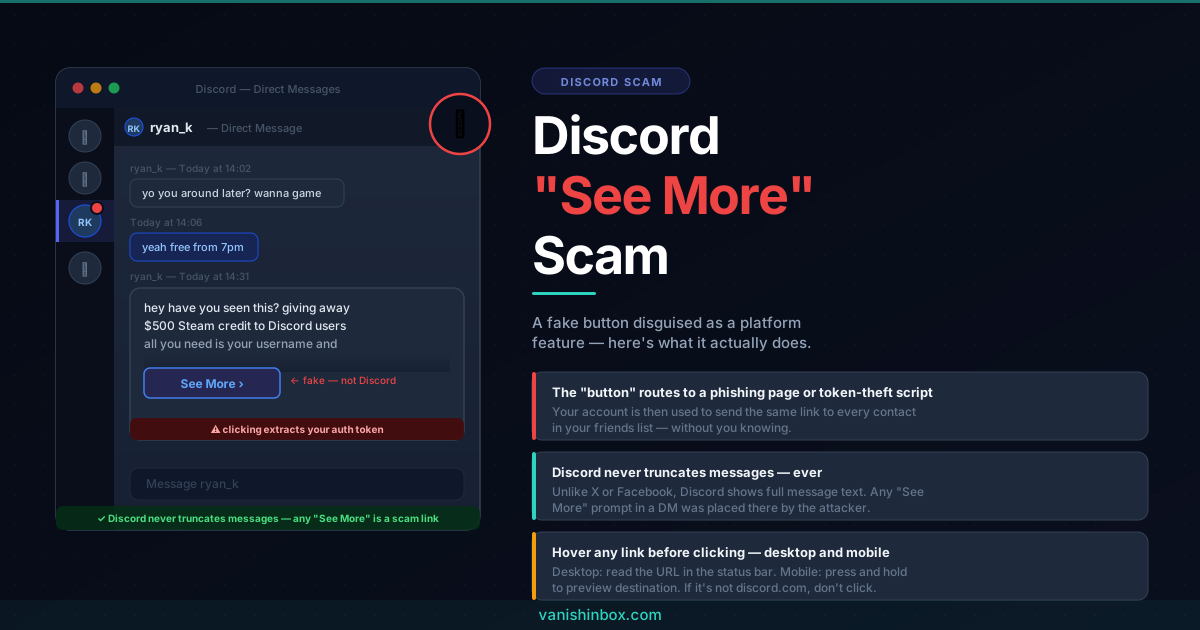
A message lands in your Discord DMs. It looks like it got cut off halfway through. There's a "See More" or "(show more)" link at the bottom, inviting you to read the rest. You click it. Something bad happens.
That's the scam. And it spread to over a million people on X after a VTuber posted a warning about it in May 2026.
This covers what you need to know before it reaches your inbox.
Discord Does Not Have a "See More" Button
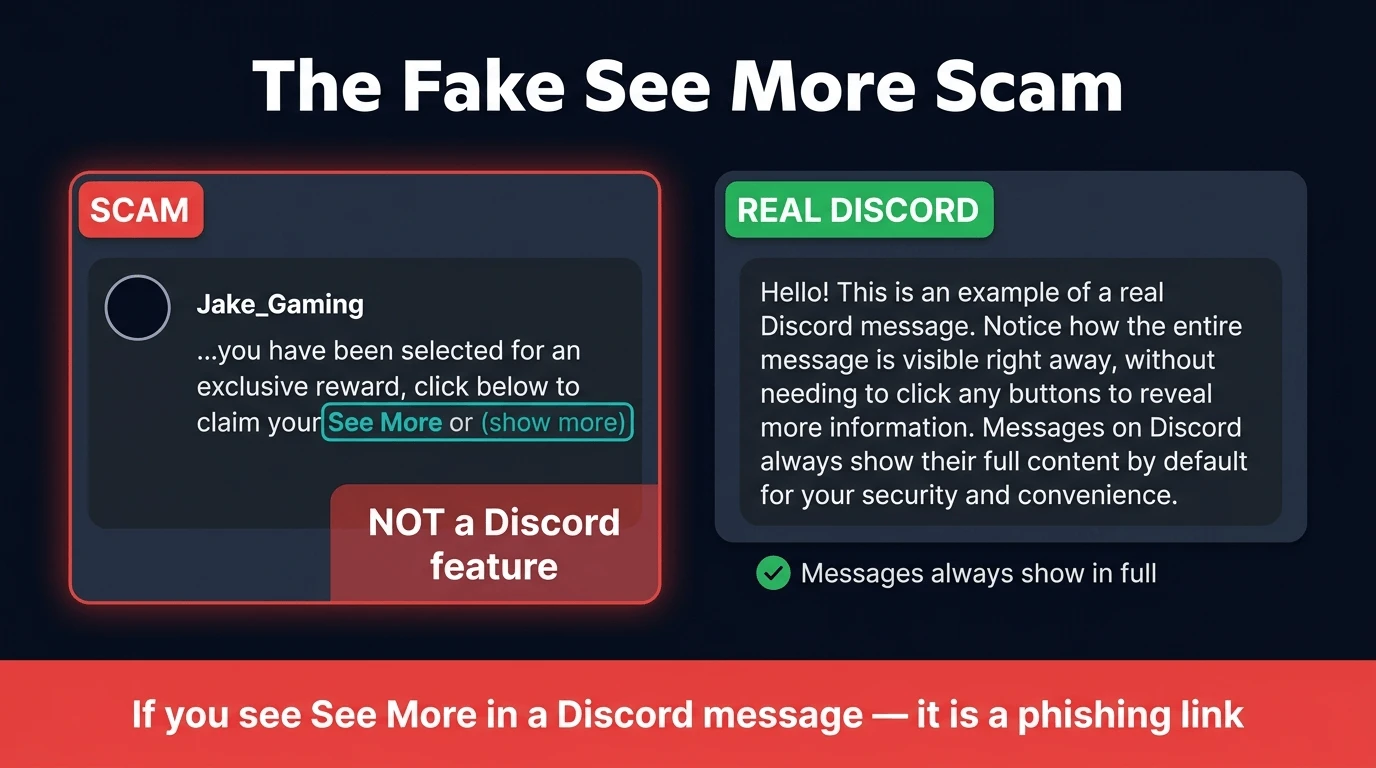
This is the core tell. Discord does not natively truncate messages with a clickable prompt. Platforms like X and Facebook do this: they cut off long posts and ask you to expand them. Discord does not. Messages in your DMs or in a server appear in full, regardless of length.
So if a message in Discord looks like it's been cut off and invites you to click something to read the rest, that element did not come from Discord. The scammer built it themselves, specifically to look like a platform feature you might not question.
The link is not a "see more" button. It is a phishing link.
What Happens When You Click
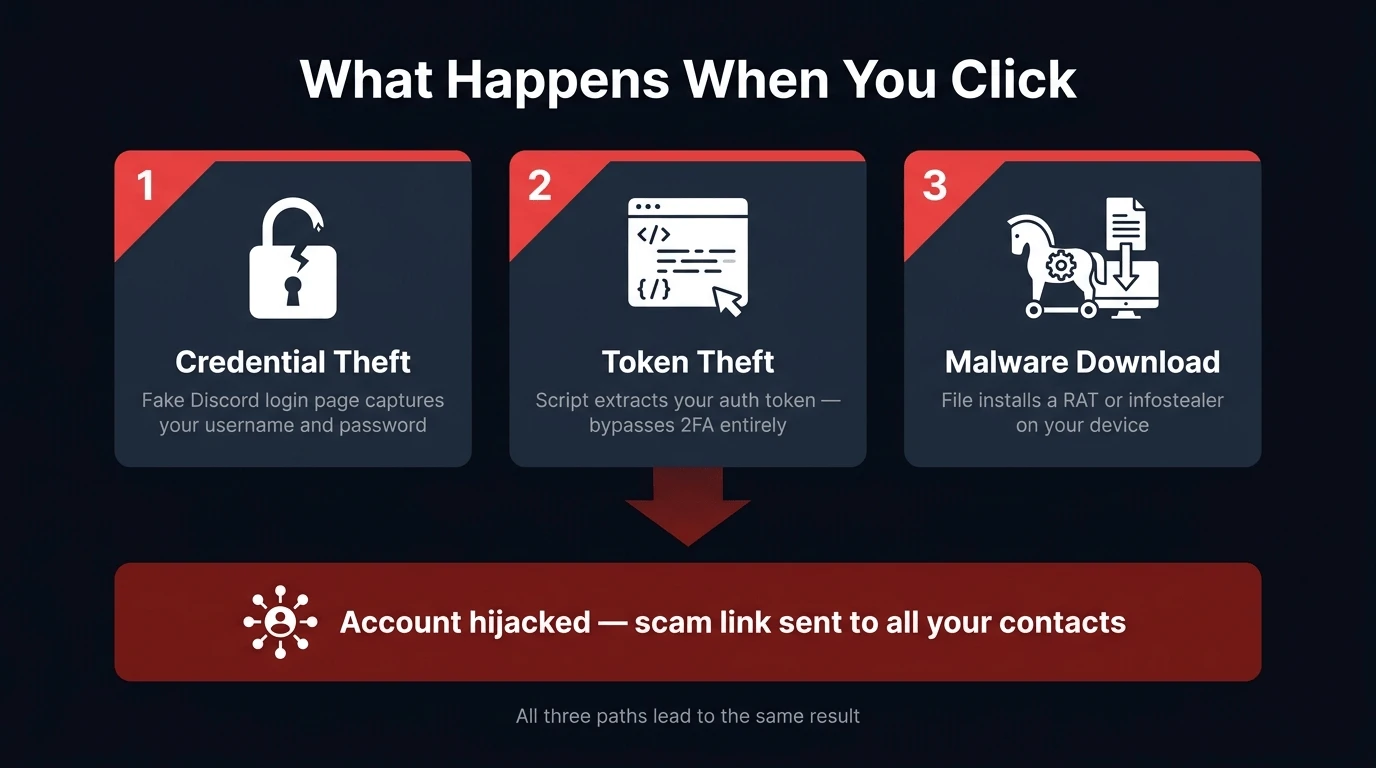
The exact payload varies by campaign, but the outcomes fall into a few consistent categories:
Credential theft. The link routes you to a fake Discord login page. It looks like the real thing. You enter your username and password to "verify your account," or because the page mimics a login wall closely enough that you don't think twice. Those credentials go to the attacker, not Discord.
Token theft. More sophisticated variants skip the login page entirely. Clicking the link executes a script that extracts your Discord authentication token directly from the browser. That token is what keeps you logged in between sessions, and with it, the attacker has full access to your account without ever needing your password.
Malware download. Some variants prompt a file download, framed as a plugin, a "Discord update," or a viewer required to see the full message. Opening the file installs a Remote Access Tool or infostealer on your device.
Whichever route the scam takes, the result is the same: account compromise, used to push the same link to everyone in your friends list.
Why It Works
The scam is effective for a specific reason: it disguises a phishing link as a platform interface element.
Most phishing attempts arrive as something external: a link in a message, an attachment, a button you weren't expecting. Your instinct flags it as potentially suspicious. The "See More" scam bypasses that instinct because it looks like part of the page. It doesn't feel like someone asking you to click a link. It feels like clicking a button that's already there.
That difference in how people process it explains why the warning spread as fast as it did. Once you understand that Discord does not have this feature, the scam is obvious. Before you understand that, it isn't.
How Discord Links Work
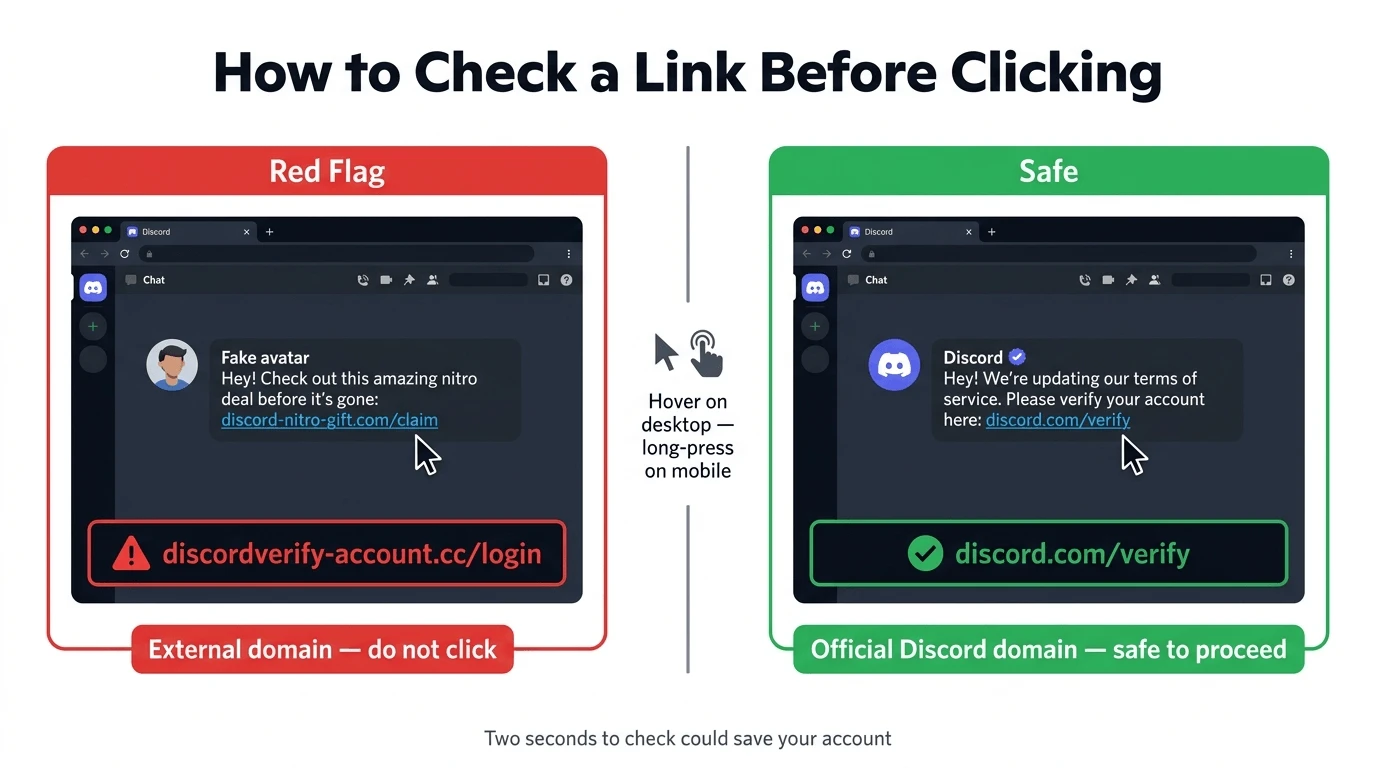
Discord shows you the destination of any hyperlink before you click it. Hover your mouse over a link on desktop and the target URL appears in the bottom bar of your browser. On mobile, press and hold the link to preview it.
If the destination is anything other than a legitimate Discord URL, discord.com, discord.gg, or cdn.discordapp.com, it is not part of Discord's interface. A "See More" prompt that points to an external domain is not a Discord feature. It is a link someone put in a message.
This applies to any "platform feature" that appears inside a Discord message. Buttons, prompts, and interface elements do not live inside message text. If something in a message looks like a button and asks you to click it, it's a link.
The Broader Pattern: Fake Interface Elements as Phishing
The "See More" scam is one variant of a wider technique: disguising phishing links as interface features the target is already used to interacting with.
You'll see the same approach in other scams. A message arrives claiming your account is flagged, with a button that looks like Discord's in-app verification prompt, but the button leads to an external page. A DM from a "Discord Safety" account includes what appears to be an embedded confirmation dialog, and it's the same trick: a link dressed up as UI. The visual presentation borrows credibility from interfaces people trust, and the attacker doesn't need to be technically sophisticated to pull it off. The link only needs to look like it belongs.
Other Discord scams that rely on similar sleight of hand:
The fake moderation message. An account impersonating a server's mod team sends a message saying you've been flagged for a violation, with a "verify your account" link. Discord's actual Trust & Safety team communicates through official channels and your registered email, not through DMs from server members.
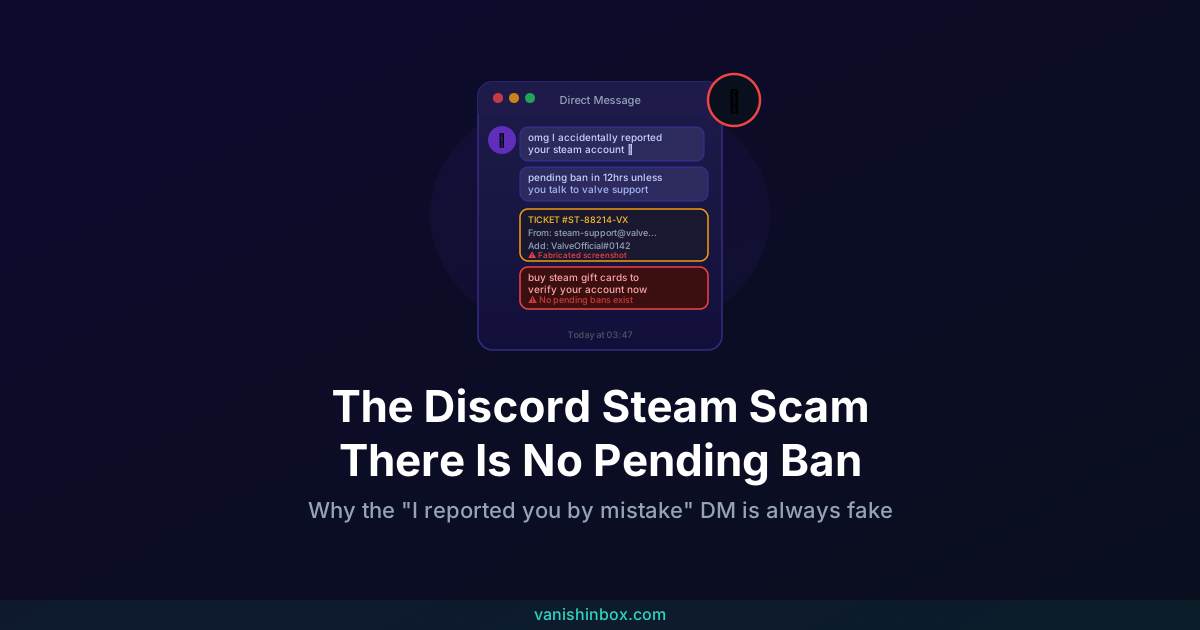
The "I accidentally reported you" scam. Someone DMs you claiming they accidentally filed a report against your account and it's about to result in a ban. They offer a link to "resolve it." This scam relies on panic rather than fake UI elements, but it lands the same place: a fake Discord login page. There is no mechanism by which another user's accidental report would ban your account.
Compromised friend accounts. A link arrives from someone you already know and trust. Their account was taken over through an earlier phishing attempt, the same kind now targeting you. The message feels safe because it came from a real friend. The link is not safe.
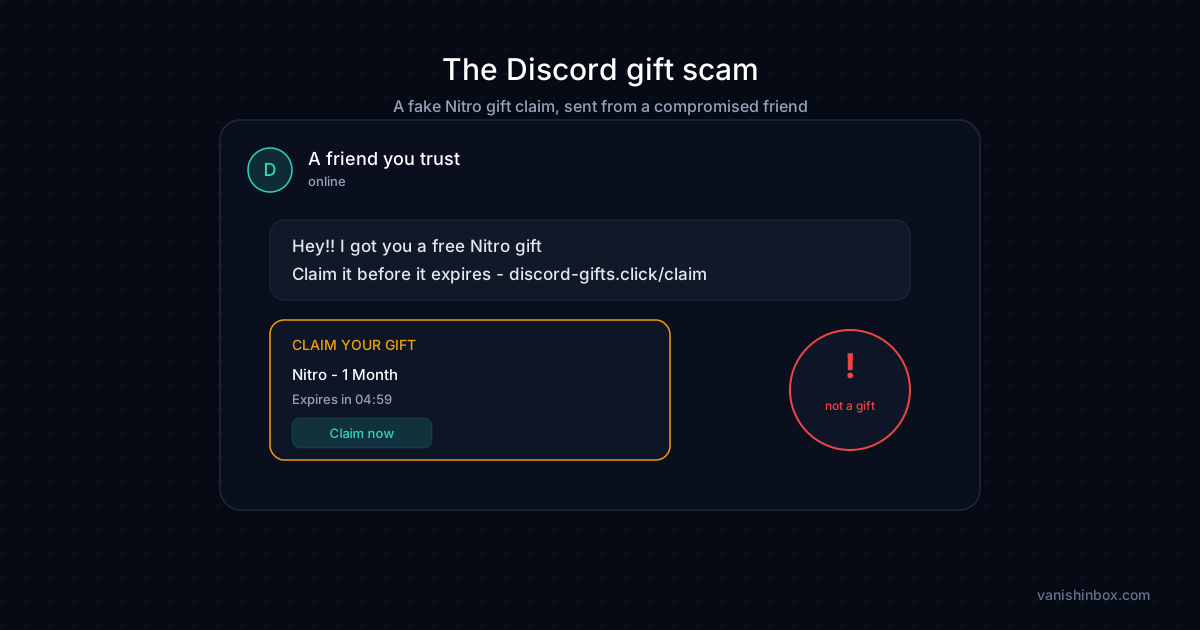
For a detailed look at how the friend-account compromise chain works, see the Discord gaming scam guide, which covers a scam that builds rapport over 24 hours before dropping the malicious link. A close cousin worth knowing is the Discord gift scam, where the fake interface element is a Nitro claim page rather than a "see more" prompt.
What to Do If You Clicked
If you clicked but didn't enter anything or download anything:
Close the tab. On desktop, hover over any page elements before interacting with them to check whether they're real Discord UI or fabricated. Run a malware scan with Malwarebytes or a comparable tool. If your browser redirected you through multiple pages, clear your cookies and cache for those domains.
If you entered your Discord password on the page:
Change your Discord password right away from a trusted device. Go to User Settings → My Account → Change Password. Enable two-factor authentication if it isn't already on, under User Settings → My Account → Two-Factor Authentication. Then go to User Settings → Authorised Apps and revoke access to anything you don't recognise. Finally, go to User Settings → My Account → Log Out All Known Devices. This invalidates any tokens the attacker may have extracted.
Check your recent DM history to see whether anything was sent to your contacts from your account while it was compromised. If it was, send a warning to the people affected through a separate channel.
If you downloaded and opened a file:
Assume your device is compromised. Change passwords for all accounts accessed on that device from a separate, clean device, starting with email and banking. Then factory reset the device. Don't restore from a backup created after you opened the file, as the malware may be inside the backup.
How to Report It
In Discord: Right-click the message and select Report Message, then choose Spam or Scam. You can also right-click the sender's username and report the account directly. For server-level scams, submit to Discord's Trust & Safety team at discord.com/safety.
On X (Twitter): If you see the warning spreading and someone is distributing scam links in replies, use the three-dot menu on the post to report it as a scam.
In the UK: Report to the National Cyber Security Centre at [email protected]. If you lost access to an account or had money taken, file with Action Fraud at actionfraud.police.uk.
In the community: Post the specific phishing domain and the account name to r/discordapp or r/Scams. Getting the link flagged publicly helps others avoid it while Discord's internal reporting works through the backlog.
Habits That Make You a Harder Target
Check link destinations before clicking. On desktop: hover, read the bottom bar. On mobile: press and hold, read the preview. This takes two seconds and works against every link-based scam, not just this one.
Lock down who can DM you. Go to User Settings → Privacy & Safety and adjust "Allow direct messages from server members." Restricting this to servers you trust cuts off most cold-contact scam attempts before they reach you.
Enable two-factor authentication. Even if an attacker gets your password, 2FA blocks them from logging in. Set it up under User Settings → My Account.
Keep your real email address off Discord-adjacent sign-ups. Your Discord account email, game forum registrations, and server sign-ups are all places where your address can end up in data broker databases. When one of those services gets breached or sells its data, your email becomes part of the targeting list for future phishing campaigns. Using a disposable address for those sign-ups means a breach is a dead end rather than another entry in your exposure profile. VanishInbox generates a working inbox in seconds with no account required, taking less time than filling out the form. For how those data pipelines work, see what happens when a website sells your email address. For the full walkthrough, see our guide on using a temp email for Discord.
Be sceptical of urgency. The "See More" scam works because it looks passive, nothing more than a button. Most other Discord scams manufacture urgency instead: your account is about to be banned, your friend needs you to act now, the offer expires in an hour. Urgency in a DM is a signal to slow down, not speed up. For a broader guide to recognising these patterns across platforms, see how to spot a phishing email. The psychological mechanics are identical whether the attack arrives by email, DM, or fake button.
The Simple Rule
Discord does not truncate messages with a "See More" prompt.
If you see one, you're looking at a phishing link. Don't click it. Report the message. Warn whoever sent it. If it came from a friend's account, they need to know they've been compromised.
The warning spread to a million people for a reason: the scam is convincing precisely because it looks like a feature rather than a threat. Now that you know the feature doesn't exist, you won't be fooled by it.
Frequently Asked Questions
Can you get hacked just by receiving a Discord message?
Receiving a message doesn't compromise your account. The risk starts when you interact with it: clicking a link, downloading a file, or entering credentials on a page the link takes you to. Viewing a message is safe. Acting on what it asks you to do is where accounts get compromised.
How do I know if my account was already used to send the scam link?
Check your recent DM conversations. If you see messages you didn't write, particularly short messages with links sent to your friends, your account was compromised. Change your password and enable 2FA right away, then contact the people affected through a separate channel.
I got a "See More" message from someone I know. Does that mean it's real?
No. It means their account was likely compromised by the same scam. The attacker is using their account to send the link to their contacts, including you. Don't click. Contact your friend through a phone call, text, or another platform and let them know their account may have been taken over.
Does hovering over a link on mobile work the same way as on desktop?
Press and hold the link instead of tapping it. Most mobile browsers and email apps will show a preview of the destination URL or offer options to inspect the link. If the preview shows a domain you don't recognise, don't proceed.
What's the real risk of token theft compared to password theft?
Token theft is arguably worse in the short term. An attacker with your password still needs to get past two-factor authentication if you have it enabled. An attacker with your authentication token is already past that stage: the token is proof that authentication already happened. This is why logging out all known devices after a compromise matters, since it invalidates existing tokens and forces reauthentication.
Why would Discord allow this kind of message to be sent?
Discord scans messages for known malicious links and removes accounts running phishing campaigns, but the volume is large and scammers rotate domains to stay ahead of blocklists. No platform catches everything in real time. Reporting helps: each report contributes to the blocklist that protects the next person.
My friend got hacked and now I'm getting weird DMs from them. What should I do?
Don't click anything they've sent. Contact them outside Discord to let them know. Block the compromised account in Discord for now; you can unblock it later once they've recovered access. If they're struggling to recover their account, Discord's support page at support.discord.com covers the account recovery process.
For more on how phishing and social engineering work across platforms, see how to spot a phishing email. If you want to understand how your contact details end up in the databases scammers draw from, what happens when a website sells your email address covers the full picture.