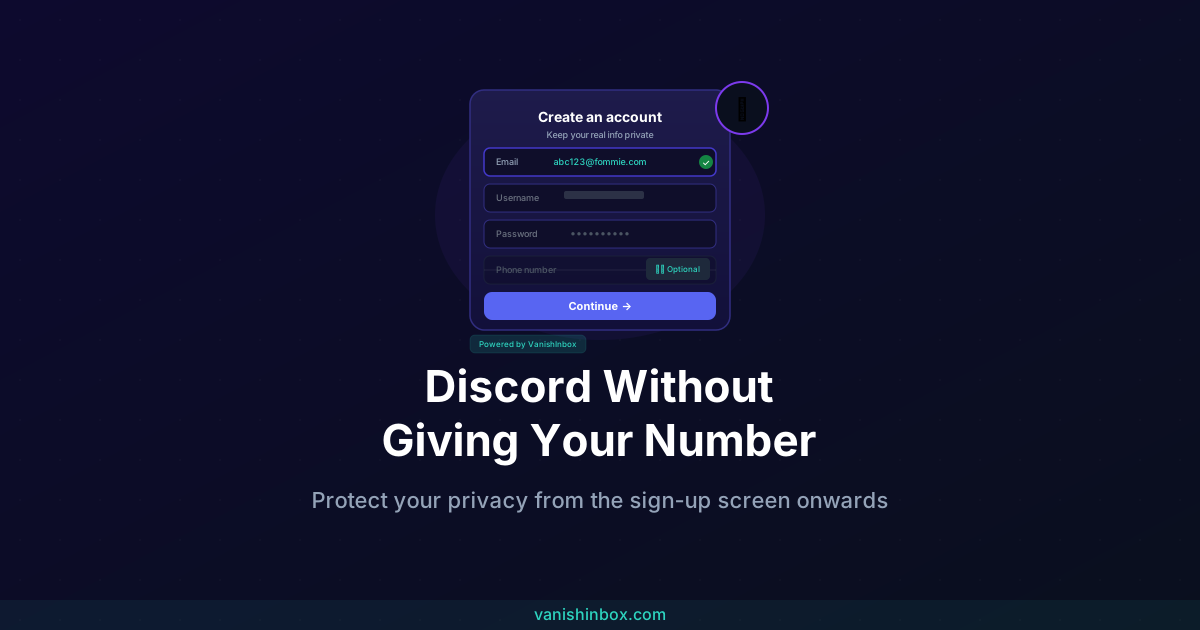
Short answer: a temp email works fine for Discord. Discord's signup only needs to confirm the address is real by sending a verification link. It has no way of checking whether the inbox is permanent, and doesn't care either way. Whether you call it temp mail, a temporary email, or a disposable address, the mechanics are identical.
Phone verification is where it gets more complicated. That's a separate step Discord adds on top for some accounts, and temp mail can't help with that one.
This guide covers how to sign up for Discord using a temp email, what causes phone verification to kick in, and how to configure your account settings properly once you're in.
What Discord Asks For, and Why
At registration, Discord requires a valid email address and asks you to verify it by clicking a link. That's the baseline for every new account.
Phone verification is a separate, additional step that Discord doesn't require by default for most accounts. Specific situations trigger it:
- Your IP address or behaviour pattern matches a known spam or bot signature
- You're trying to access features on certain servers that have enabled phone verification as a server-level requirement
- Discord suspects multiple accounts are being created from the same device or network
- Your account has been flagged for suspicious activity
Phone verification isn't automatic. Something specific triggers it. If you're creating a single account, using it normally, and not trying to bypass bans, most users go through the entire sign-up process without being asked for a phone number at all.
How to Sign Up for Discord With a Temp Email
The email address Discord asks for at sign-up doesn't need to be your personal inbox. It just needs to be real: able to receive the verification email Discord sends.
A temp email address is exactly the right tool here. You get a working inbox, receive the verification link, click it, and your Discord account is created. The temp address expires, and your real email stays entirely out of Discord's systems.
Here's the process:
- Go to VanishInbox. A working email address is generated immediately, no sign-up needed.
- Copy the address (something like
[email protected]) - Go to Discord's registration page and paste the disposable address into the email field
- Complete the rest of the registration form (username, password, date of birth)
- Switch back to VanishInbox. Discord's verification email arrives within seconds.
- Click the verification link in the email
- Your account is confirmed
That's it. Discord has verified that the inbox exists, you've clicked the link to confirm it, and your personal email address has never been involved.
One separate thing to be aware of: once you close the VanishInbox tab and the 10-minute session ends, you won't be able to receive future emails to that address, including any account recovery emails from Discord. If you want to be able to recover the account later, consider updating the email in Discord's settings to a permanent address you control after you've completed sign-up.
What If Discord Asks for a Phone Number?
If Discord requests phone verification, your options are more limited. Here's the honest picture.
Why Discord is hard to bypass for phone verification specifically
Discord actively works to prevent abuse of its platform, and a significant part of that effort involves blocking virtual and temporary phone number services. Services like TextNow, Google Voice, and most temporary SMS apps are on Discord's blocklist and won't successfully complete verification. This isn't an accident. Discord maintains this list on purpose.
What does and doesn't work
Google Voice numbers work for some users in some regions but are inconsistent. Paid SMS verification services (which provide genuine SIM numbers rather than VoIP lines) have higher success rates but come with a cost and their own privacy trade-offs.
The most straightforward approach, if you want to avoid giving a personal number, is understanding what triggers the request in the first place, then avoiding those triggers.
How to reduce the chance of being asked for phone verification
- Don't create multiple accounts from the same IP address or device
- Don't join a large number of servers immediately after signing up
- Don't send messages rapidly or with patterns that resemble spam
- Avoid servers that have explicitly enabled phone verification as a requirement (these are typically larger communities that have opted into extra security)
Most users who create a single account and use it normally never see the phone verification screen at all.
Privacy Settings to Configure Once You're In
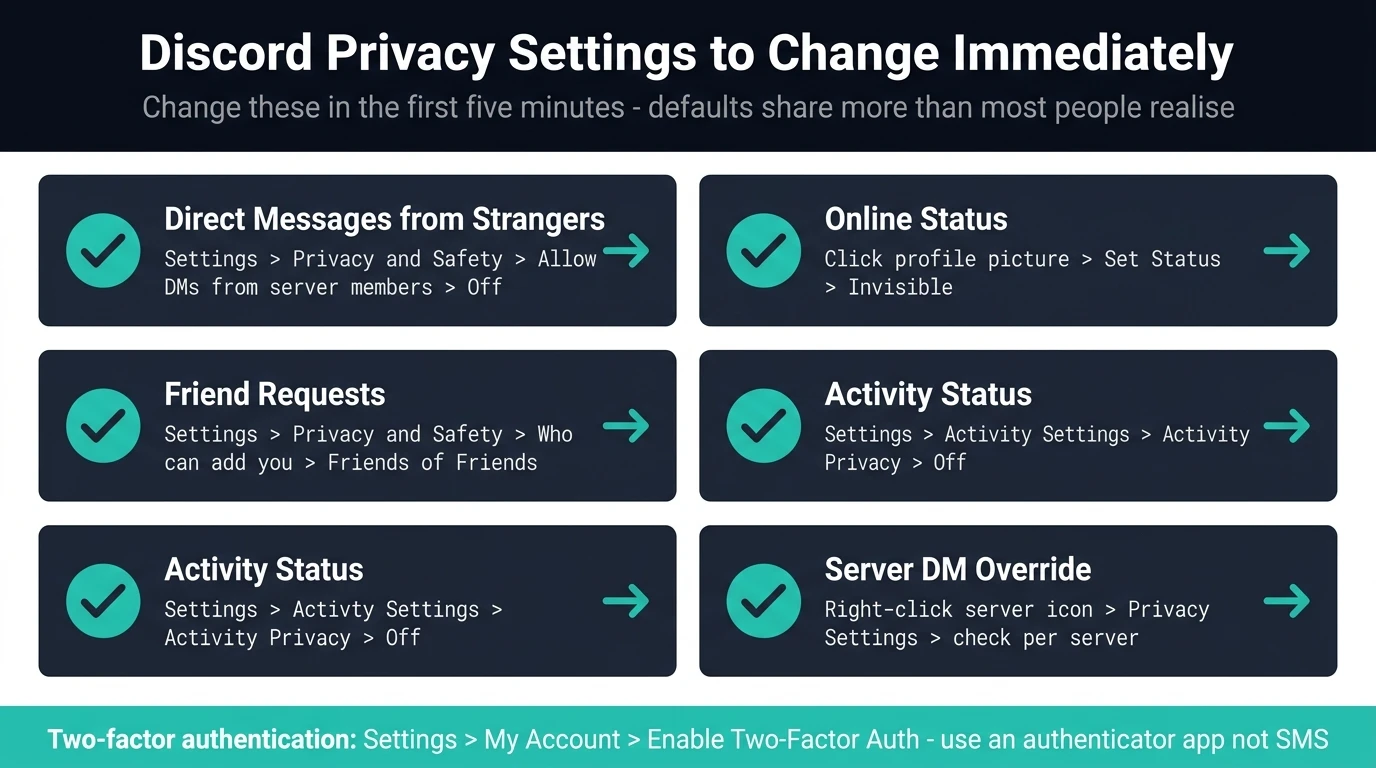
Creating an account with a disposable email is only the first step. Discord's default settings share more than most people realise. Here's what to change right after signing up.
Direct messages from strangers
By default, anyone on a mutual server can send you a direct message. Change this to Friends Only:
Settings → Privacy & Safety → Allow direct messages from server members → Off (or Friends Only)
Server-specific DM settings
Even with the global setting changed, individual servers can override it. When you join a new server, check the server's privacy settings by right-clicking the server icon → Privacy Settings.
Your online status
Discord shows your online status to anyone on a mutual server by default. If you'd prefer not to broadcast when you're active:
Click your profile picture at the bottom left → Set Status → Invisible
Who can add you as a friend
Settings → Privacy & Safety → Who can add you as a friend → adjust to Friends of Friends or No One depending on your preference
Activity status
Discord shows what game or application you're using to your friends list by default. Turn this off:
Settings → Activity Settings → Activity Privacy → Turn off "Display current activity as a status message"
Two-Factor Authentication Without a Phone Number
Discord supports two-factor authentication (2FA), which adds meaningful security to your account. You can enable it without linking a phone number by using an authenticator app instead.
Apps like Google Authenticator, Authy, or 1Password generate time-based codes that Discord accepts for 2FA. The setup process:
- Settings → My Account → Enable Two-Factor Auth
- Discord will show a QR code
- Open your authenticator app and scan the QR code
- Enter the 6-digit code the app generates to confirm
Discord also gives you a set of backup codes when you enable 2FA. Store these somewhere safe (a password manager is ideal). These codes let you get back into your account if you lose access to your authenticator app.
Why This Matters Beyond Discord
Discord is one example of a broader pattern. Platforms routinely collect email addresses at sign-up, not just for verification, but as a persistent identifier that gets stored, sometimes sold, and occasionally breached.
When you use your real email for every sign-up, you create a data trail across every service you've ever registered with. That trail is what data brokers compile into profiles. Those profiles fuel spam, targeted phishing, and the kind of scam calls and texts covered in other posts on this blog.
Using a disposable email for Discord, or any platform where you don't need a long-term account relationship, keeps your real address out of that trail. VanishInbox takes thirty seconds and requires no account of its own. For a full explanation of how email addresses move through data broker systems and end up in the wrong hands, see what actually happens when a website sells your email address. The friend request and giveaway scams covered in our Discord gaming scam guide are a direct example of what that exposed data eventually gets used for, as is the Discord Steam scam, which opens with a fake account report to pressure Steam users into handing over gift card codes.
If you want a more systematic way to decide which addresses to protect and which ones it's fine to use, see the one rule that keeps your inbox permanently clean.
Frequently Asked Questions
Does temp mail work for Discord verification?
Yes. Discord's verification step checks one thing only: that the email address can receive and confirm a link. A temp email inbox does that exactly the same way a personal inbox would. Discord has no mechanism to detect that an address is temporary at the point of signup.
Is it safe to use a temporary email for Discord?
Safer than using your personal address, in most respects. You're not handing Discord, or whichever data broker eventually buys or leaks its user data, a real address tied to the rest of your online life. The trade-off is account recovery: once the temp inbox expires, you lose the ability to reset your password through it, so switch to a permanent address afterward if you plan to keep the account long-term. For a broader look at the safety trade-offs, see is temp mail safe to use?
Does Discord ban accounts that use disposable email addresses?
Not for that reason alone. Discord's ban triggers are behavioural: spam, harassment, ban evasion, bot activity. Using a disposable email to register is not against Discord's terms of service. The account itself needs to comply with the rules; the email it was created with is not the concern.
Can I change my Discord email to a permanent address after signing up with a disposable one?
Yes, and it's a good idea if you want to use the account long-term. Settings → My Account → Email → Edit. You'll need to verify the new address. Do this before the disposable inbox expires if you want a smooth transition.
What happens if I forget my password and my disposable email has expired?
If you have 2FA enabled, you can use a backup code to get in and then update your email. If you don't have 2FA or backup codes, account recovery without access to the registration email is very difficult. Discord support may be able to help but cannot guarantee it. This is why setting up 2FA or switching to a permanent email after initial sign-up is worth doing.
Is phone verification permanent once Discord has my number?
Once you've added a phone number to your Discord account, it stays linked unless you remove it. You can remove it under Settings → My Account → Phone Number → Remove. Note that some features or servers may then become inaccessible again until you re-add a number.
Are authenticator apps safer than SMS 2FA?
Yes, meaningfully so. SMS-based 2FA can be intercepted through SIM swapping attacks, where someone convinces your mobile carrier to transfer your number to a SIM they control. Authenticator apps generate codes locally on your device and aren't vulnerable to SIM swapping. If you have the choice, use an authenticator app over SMS for 2FA.
What if I want to use Discord for a community or business? Should I still use a disposable email?
For a community you intend to run long-term, use a permanent email you control, ideally one dedicated to that purpose. A disposable address is ideal for trying a platform or joining communities where you don't need long-term access. For anything you're building or managing, treat the account like a business asset and set it up with proper recovery options from the start.