You get an email from your bank. Your account has been flagged. Click here immediately to verify your details or access will be suspended. It looks right. The logo matches. The language sounds professional.
It's a phishing attempt.
Phishing is one of the most common ways accounts get compromised — and it works precisely because the emails are designed to look legitimate. The good news is that the patterns are consistent. Once you know what to look for, spotting them takes seconds.
What Is a Phishing Email?
Phishing is an email designed to trick you into doing one of three things: handing over your login credentials, making a payment, or opening an attachment that installs malware. The name comes from "fishing" — casting a wide net and waiting for someone to take the bait.
Most phishing emails impersonate a brand or organisation you'd trust: your bank, PayPal, HMRC, Amazon, your mobile provider, or a government department. They use urgency, fear, or the promise of something valuable to push you into acting before you stop to think.
The technique is old. The execution has got significantly better.
The Seven Signs of a Phishing Email
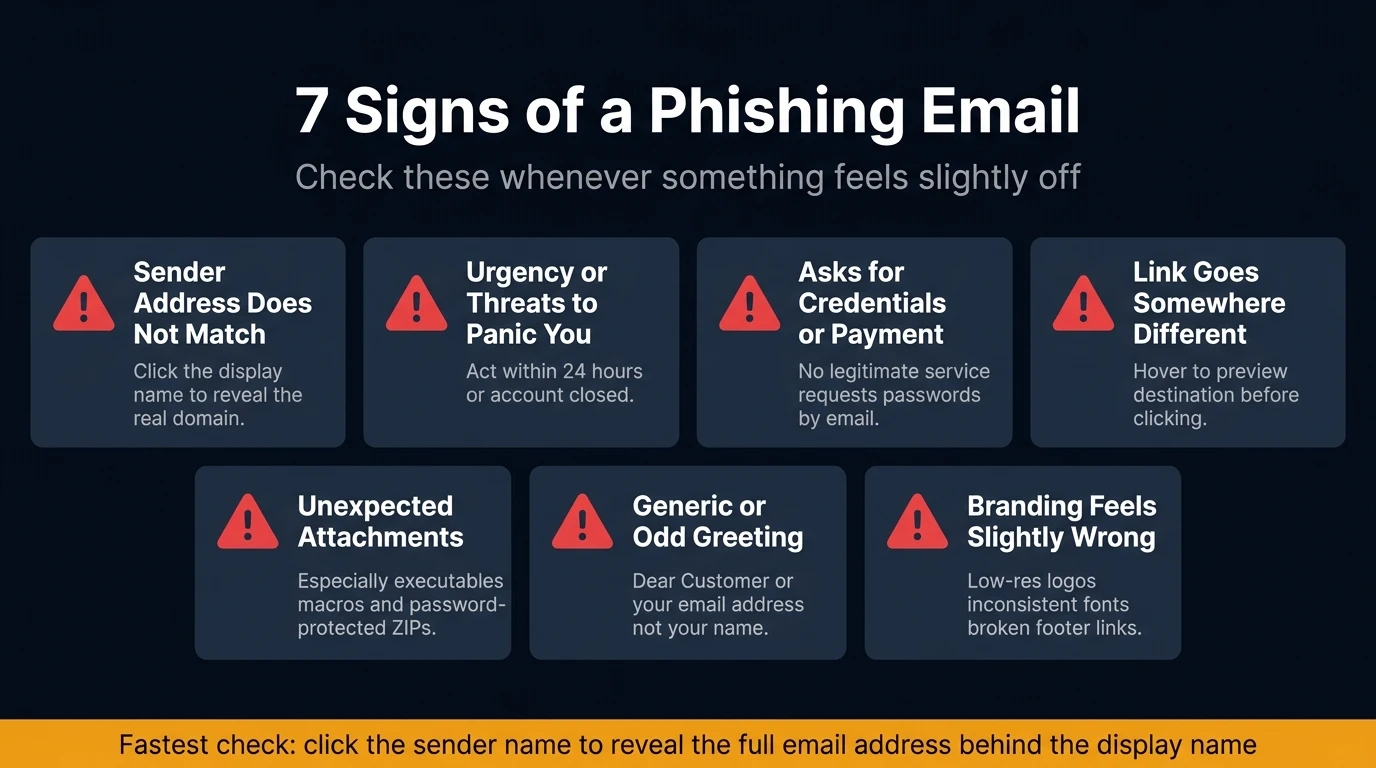
Check these in order when anything feels slightly off about an email.
1. The sender address doesn't match the display name
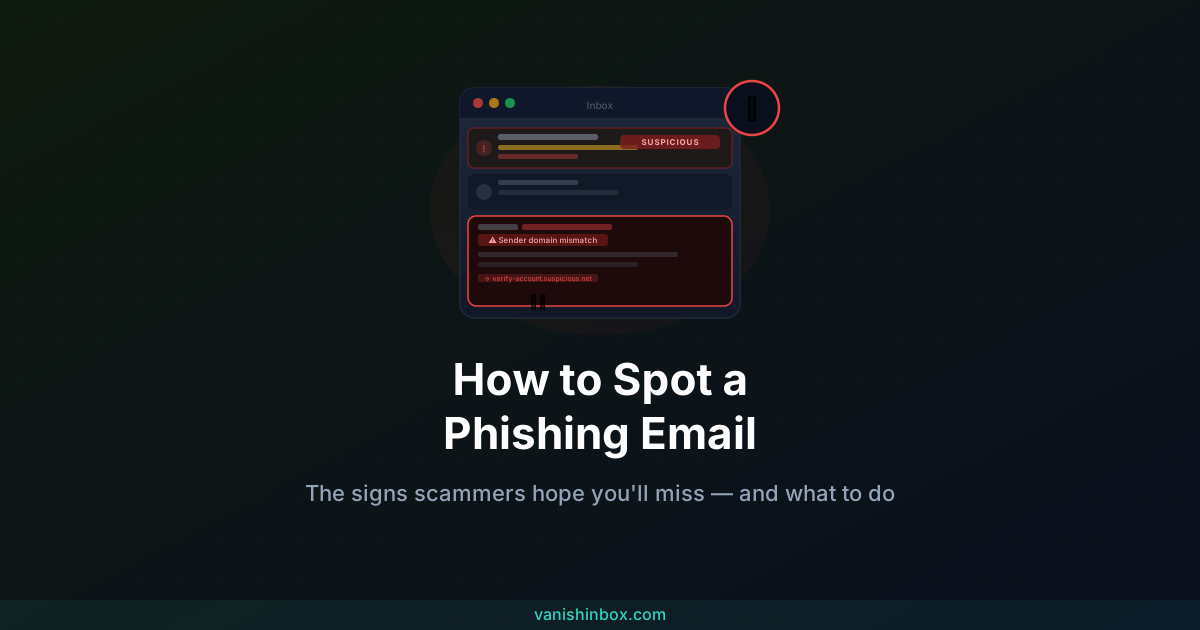
This is the most reliable red flag and the fastest to check. The display name — the friendly name you see in your inbox — can be set to anything. "PayPal Support" could actually be sending from [email protected]. Always click on the sender name to see the full email address, then look at the domain. If it doesn't match the real company's domain exactly, it's suspicious.
Watch for: subtle misspellings (paypa1.com, amazon-support.net), added words (account-verify.barclays.co.uk), and completely unrelated domains ([email protected]).
2. Urgency or threats designed to panic you
Subject lines like "URGENT: Your account will be closed in 24 hours" or "Unauthorised login detected — act now" are engineered to shut down your critical thinking. Legitimate companies send notices with clear timelines and options. They don't demand you act within hours or face permanent consequences.
If the email makes you feel rushed or scared, treat that feeling as a signal to slow down, not speed up.
3. A request for credentials, payment, or personal data
No legitimate service will ask for your password, full bank details, or National Insurance number over email. Ever. If an email asks you to enter a password, confirm card details, or provide identity documents by clicking a link, it's a phishing attempt regardless of how official it looks.
4. Links that go somewhere different to what they show
The text of a link can say anything — www.yourbank.com — while the actual destination is credentials.fake-login.net. On a desktop, hover your mouse over any link before clicking and look at the URL that appears in the bottom of your browser window. On mobile, press and hold the link to preview the destination.
If the destination doesn't match what you'd expect, don't click.
5. Unexpected attachments
If you didn't request a file, treat any attachment with suspicion — even from a sender you recognise, since email addresses can be spoofed. The riskiest file types are executables (.exe, .scr, .js), macro-enabled Office documents (.docm, .xlsm), and password-protected ZIP files. PDFs can also carry risks. When in doubt, don't open.
6. Generic or oddly personalised greetings
Mass phishing uses "Dear Customer", "Dear User", or your email address as the greeting — a sign the message was generated in bulk. Spear phishing goes the other way, including your full name, employer, or a recent transaction to seem credible. Neither is proof the email is real. Legitimate companies use your account name consistently, every time.
7. Branding, formatting, or wording that feels slightly wrong
Phishing templates often have low-resolution logos, inconsistent fonts, footer links that don't work, or legal text copied imperfectly from a real email. The body copy might read naturally at a glance but contain slightly unusual phrasing. Trust that instinct — if something feels off, check before acting.
A Practical Check Before You Click Anything
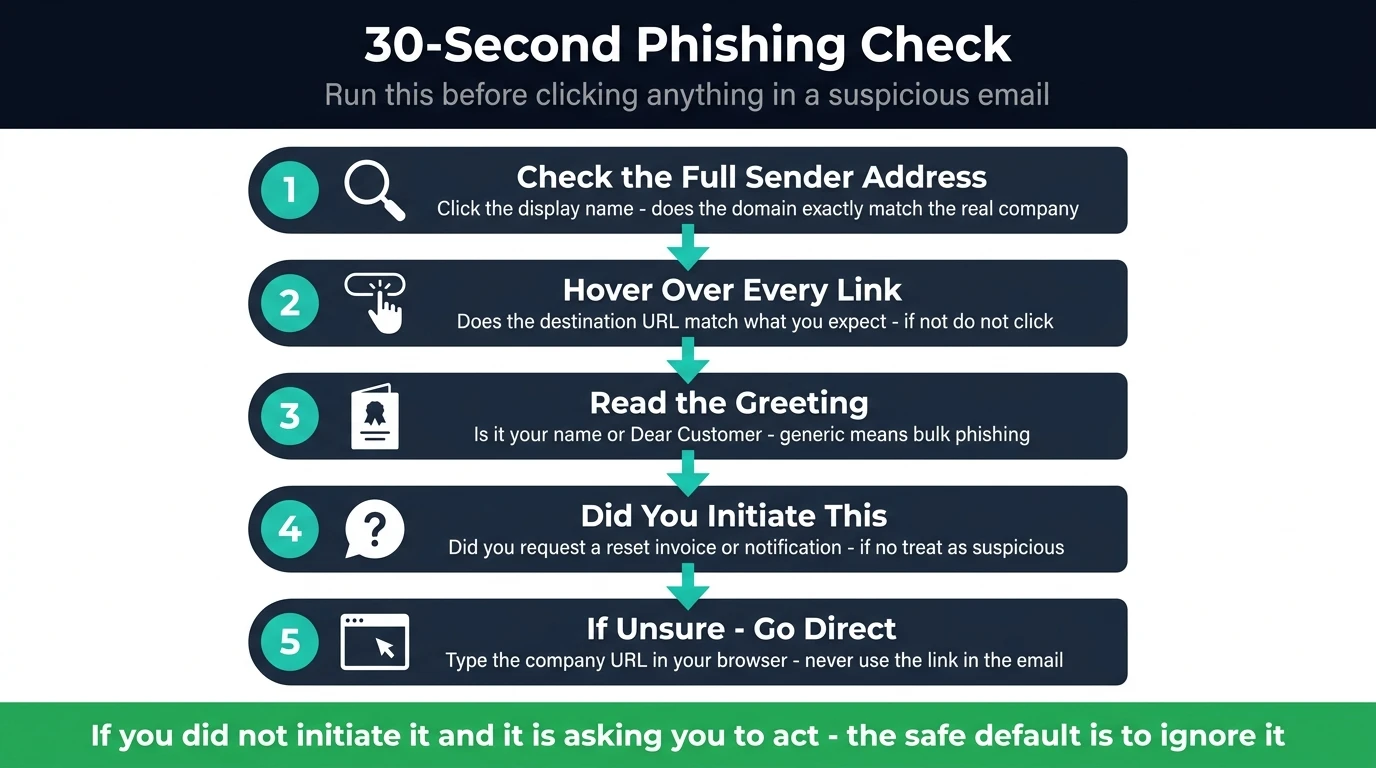
When a suspicious email arrives, this takes about thirty seconds:
- Check the sender's full address — not just the display name
- Hover over any link — does the destination match what you'd expect?
- Read the greeting — is it addressed to you by name, or generically?
- Ask whether you initiated this — did you request a password reset, an invoice, or this notification?
- If still unsure, go directly to the company's website — type it in your browser, don't click the link
If you didn't initiate the contact and the email is asking you to do something — click, pay, confirm, download — the safe default is to ignore it and contact the organisation through a channel you already know.
The Different Types of Phishing Attack
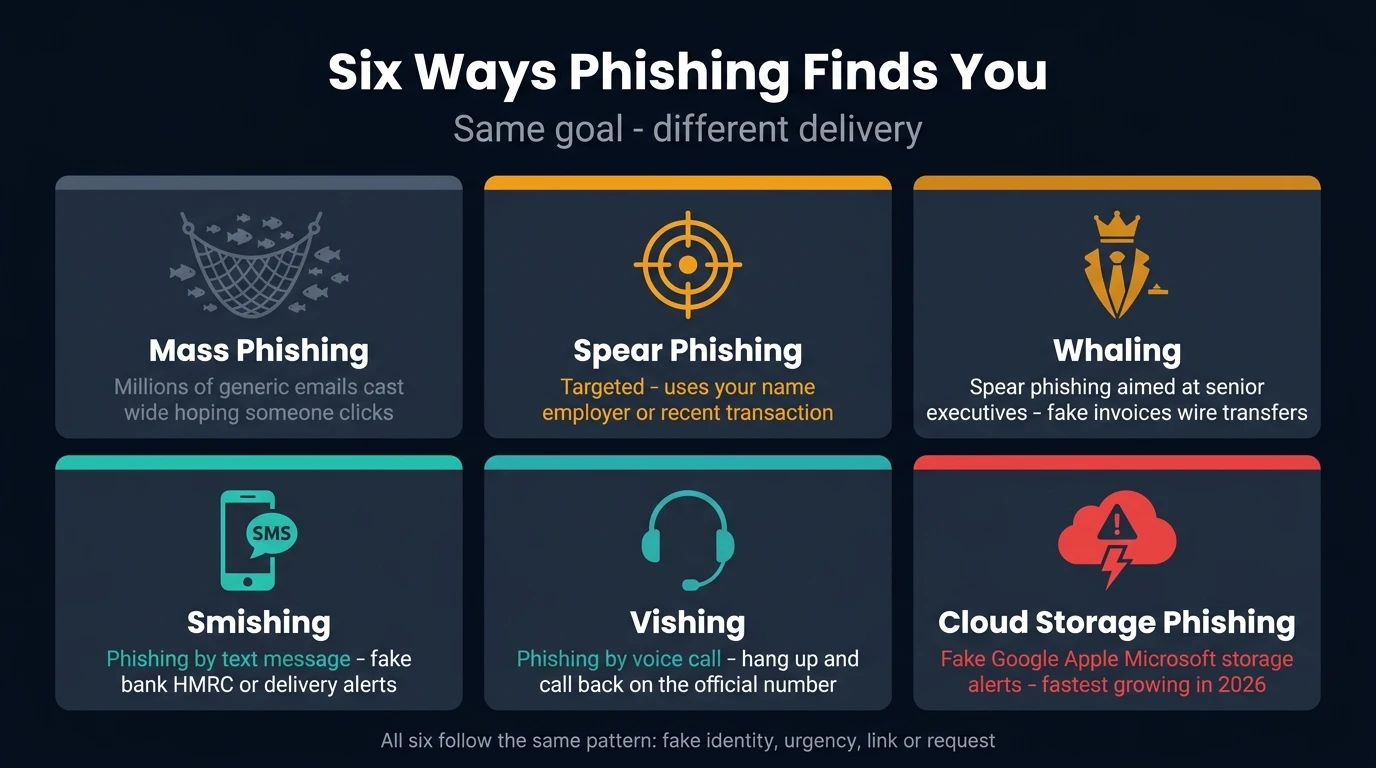
Not all phishing works the same way. Knowing the variants helps you spot the one you're dealing with.
Mass email phishing is the most common — broad, generic messages sent to millions of addresses hoping a percentage clicks. Poor grammar and generic greetings are common because volume matters more than quality. Spam filters catch a lot of these.
Spoofed sender phishing is a variant worth knowing specifically. Rather than impersonating a brand, scammers forge the "From" field to display your own email address — making it look like the message came from yourself. These are sometimes called "note to self" scams, and they typically carry ransom demands rather than credential-stealing links. For a full breakdown of how this works and what to do, see the note to self email scam explained.
Spear phishing is targeted and researched. The attacker knows your name, employer, role, or a recent transaction and uses that detail to build a convincing email. These are harder to spot precisely because they feel personal. They're common in business settings — often impersonating a colleague or supplier.
Whaling is spear phishing aimed at senior executives. The bait is typically an urgent invoice, a legal threat, or a wire transfer request, using language that matches the executive's actual work context.
Smishing is phishing by SMS. The same principles apply — fake sender, urgent call to action, suspicious link — but on a smaller screen with less space to spot the signs. Never click a link in an unexpected text from your bank, HMRC, or any delivery service.
Vishing is phishing by phone call. The caller claims to be from your bank's fraud team, HMRC, or a tech support company and creates urgency around a fake problem. The rule: hang up and call back using the official number from the company's real website. Never call back a number the caller gives you.
Crypto wallet phishing is a high-value variant that targets hardware wallet owners specifically. Scammers impersonate Ledger — exploiting a 2020 data breach that leaked over a million customer email addresses — and send emails claiming a recovery phrase has been compromised and needs verification. The fake site collects every word entered. For a full breakdown of how every active variant works and what to do, see the Ledger email scam explained.
Cloud storage phishing is one of the fastest-growing variants in 2026. Emails impersonating Google, Apple, or Microsoft claim your storage is full or a payment has failed, threatening to delete your photos and files on a specific date unless you click and upgrade. The links route through genuine cloud infrastructure to bypass spam filters, then land on fake dashboards that run animated "storage scans" always showing 100% full. For a full breakdown of this campaign and how to spot it, see the cloud services scam explained.
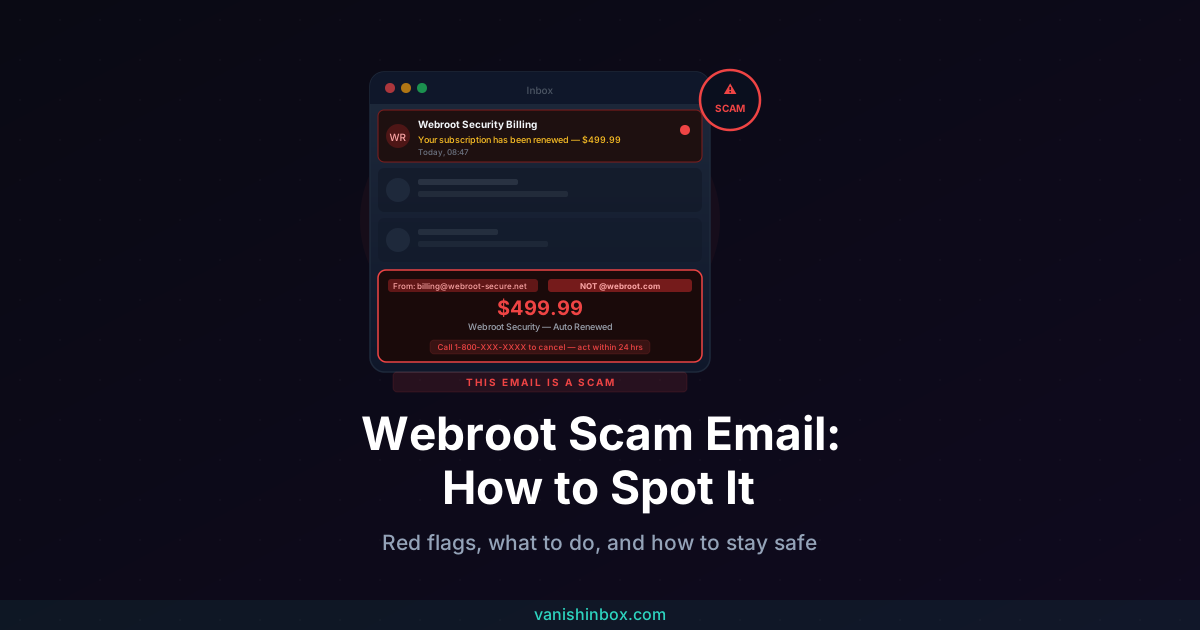
Renewal and tech-support phishing skips the link entirely and goes straight for a phone call. The email claims a security or antivirus subscription just auto-renewed for a large amount, with a number to call to dispute it. The same call centers run this script under rotating brand names, so the Webroot version and the Geek Squad version read almost identically once you know what to look for. See the Webroot scam email explained or the Geek Squad scam email explained for the full breakdown of either variant.
Risky Attachments and Links: Quick Reference
When deciding what to do with a link or file:
Links: Hover first, always. If the domain doesn't match, don't click. Use a URL checker (like Google's Safe Browsing or VirusTotal's URL scanner) to inspect suspicious links without visiting them — paste the URL in, don't click through.
Attachments you didn't ask for: Don't open. Verify the sender by a separate channel — phone or a known email address — before downloading anything. If you must open a file from an uncertain source, use an online previewer that doesn't execute embedded code.
Password-protected ZIPs sent unsolicited: A common trick to bypass antivirus scanning. The password is usually in the email body. Don't extract the contents.
Office documents asking you to "Enable macros": Macros are small programs that run automatically. Legitimate documents almost never need you to enable them. If an unexpected document prompts this, close it.
How Your Email Address Gets on Phishing Lists
Phishing campaigns don't guess email addresses at random. They work from lists — and those lists come from data breaches, data broker databases, and the trail of sign-ups your primary email has accumulated over the years.
Every time you use your main email address to sign up for a service, enter a competition, or register on a site you're not sure about, that address enters a system. When that system breaches or sells its data, your address lands in a list that eventually reaches people running phishing campaigns.
The practical way to limit this: use a disposable email address for any sign-up where you don't need a long-term relationship. VanishInbox generates a working inbox instantly with no account required. Use it for a one-off sign-up, receive whatever confirmation you need, and then it's gone — your real email never appears in that service's database, which means it's never in the breach when that database leaks.
This doesn't stop all phishing, but it substantially reduces how widely your primary address circulates. The more your real address is confined to accounts you actually trust, the less likely it is to appear on a phishing campaign's target list. For the full picture of how email lists get built and sold, see what actually happens when a website sells your email address.
What to Do If You Spot a Phishing Email
If you haven't clicked anything:
- Don't reply, click any link, or open any attachment
- Report it using your email client's built-in reporting tool (Gmail, Outlook, and Apple Mail all have one)
- Forward it to the organisation being impersonated — most major banks and services have a dedicated abuse address
- In the UK, forward to the NCSC at [email protected]
- Delete it
If you clicked a link but didn't enter anything:
Run an antivirus scan on your device as a precaution. Some phishing pages can deliver tracking or exploit browser vulnerabilities on visit alone. Monitor any accounts you were logged into at the time for unusual activity.
If you entered your credentials:
Change the password for that account immediately, from a different device if possible. Enable two-factor authentication if it isn't already on. Check whether you use the same password elsewhere — if so, change those too. Contact the company's real support team to flag that your account may be compromised.
If you entered payment details:
Call your bank immediately. Explain what happened and ask them to flag the account. Most banks can freeze a card and issue a new one quickly. Keep a note of when you called and who you spoke to, and file a report with Action Fraud (UK) or the FTC (US).
Ongoing Habits That Make You a Harder Target
Phishing doesn't stop — but these habits compound over time to significantly reduce your risk:
Use a password manager. It generates strong, unique passwords for every account and won't autofill on a fake domain — which means even if you end up on a phishing page, your credentials won't auto-populate.
Enable two-factor authentication on everything that matters. Even if a phisher captures your password, 2FA means they can't access your account without the second factor.
Use disposable email for untrusted sign-ups. Keep your primary address reserved for accounts where the relationship genuinely matters. VanishInbox makes this a thirty-second habit rather than a friction point.
Check before you act on anything urgent. The urgency in phishing emails is manufactured. A real bank or government department will not revoke your account because you took ten minutes to call them and verify.
For a broader look at reducing how much of your contact data is in circulation, see the one rule that keeps your inbox permanently clean.
Frequently Asked Questions
Can phishing emails come from addresses I recognise?
Yes. Email sender addresses can be spoofed to display a trusted address. They can also come from genuine accounts that have been compromised — so a message from a real contact's address can still carry a malicious link or attachment. Always check the content and context, not just the sender.
I hover over links on desktop — what do I do on mobile?
Press and hold the link (long-press) — most mobile email apps and browsers will show a preview of the destination URL or offer an option to inspect it. If you can't preview the destination, the safest approach is to not tap it and instead navigate to the service directly through its app or by typing the URL yourself.
Is a padlock (HTTPS) in the browser bar proof the site is legitimate?
No. HTTPS means the connection between your browser and the site is encrypted — it says nothing about whether the site itself is genuine. Phishing sites routinely use HTTPS. A padlock is not a trust signal for the site's identity.
Why do some phishing emails have obvious spelling mistakes?
Intentionally. Poorly written phishing emails filter out sceptical recipients early — anyone alert enough to notice a grammar error is unlikely to complete the scam. By the time the message reaches someone who doesn't notice, the scammer is dealing with a more credulous target. It's an efficiency mechanism, not carelessness.
Can I report phishing emails to help others?
Yes, and it genuinely helps. Your email provider uses reports to train spam filters. The NCSC in the UK ([email protected]) aggregates reports to take down phishing sites. The FTC in the US ([email protected]) does the same. Reporting takes thirty seconds and has a real effect on how quickly phishing campaigns get shut down.
My company received a phishing email. What should I do differently from a personal one?
Report it to your IT or security team immediately before doing anything else — they may need to assess whether the same message reached others, whether any credentials were exposed, and whether the campaign was targeted. Don't forward it to colleagues to warn them without IT guidance, as this can spread malicious content.
One of the most effective phishing campaigns currently active uses fake party invitations from a legitimate-looking platform to spread through social trust networks. For a detailed breakdown of how it works and what to do if you've already clicked, see the Punchbowl scam email explained.
If you want to go deeper on the technical side — reading authentication headers, checking SPF and DKIM results in Gmail, and verifying whether a domain is real before you do anything else — see how to tell if an email is legitimate.