Your university email address is not like any other inbox you own. It unlocks student discounts, course portals, library databases, financial aid communications, and official university correspondence, often for the entire duration of your degree, and sometimes beyond.
That's exactly why it's a target.
Every time you hand over your .edu address to sign up for a student deal, enter a competition, or access a free tool, you're exposing a high-value inbox to a data ecosystem you have almost no control over. This guide covers the risk in plain terms, what happens to your address after you submit it, and how a simple change in habit protects your university inbox from the damage that builds up over four years.
Why Your .edu Address Is More Valuable Than You Think
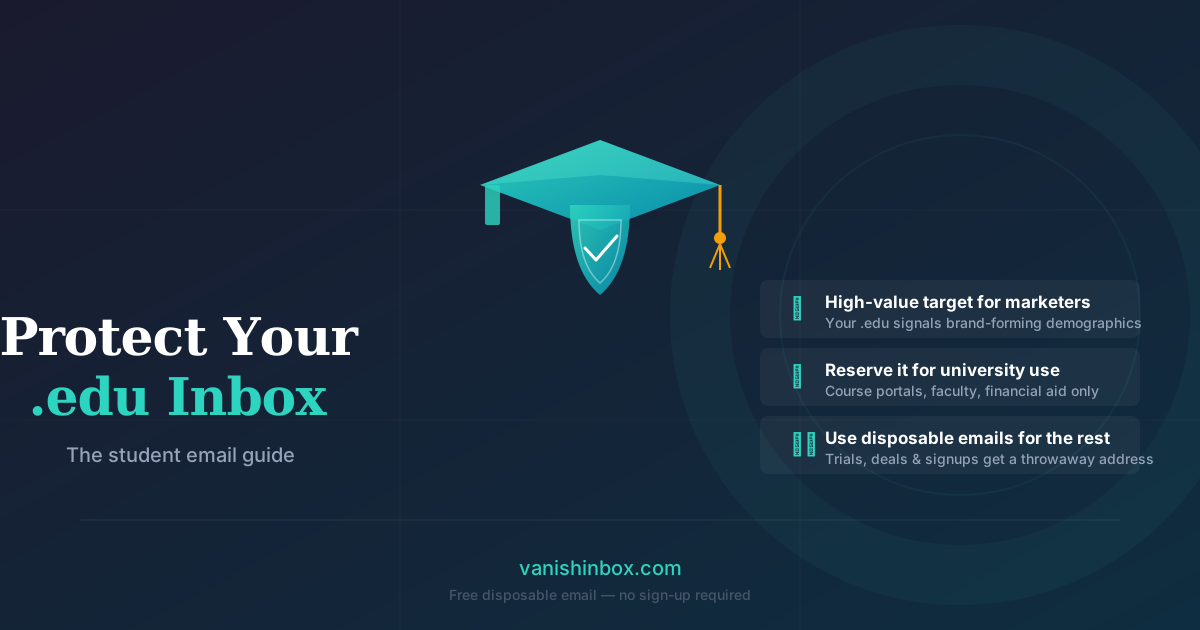
From a marketing perspective, .edu addresses are gold. They signal:
- A verified, active email user (universities validate addresses)
- A demographic with predictable buying patterns (textbooks, tech, food delivery, streaming)
- An audience that's brand-forming, since habits built in university often last decades
Companies that offer "student discounts" aren't being purely generous. They're buying access to a captive audience at the exact moment brand loyalty forms. The discount is the acquisition cost. Your email address is the product.
That's why student-focused platforms often share or sell email lists. Your .edu address gets passed from the app you signed up for to an analytics partner, to a mailing list provider, and eventually circulates in data broker databases long after you've forgotten the original signup.
What Happens to Your .edu Address Over Four Years
In year one, your university inbox is clean. You get lecture reminders, timetable updates, and a handful of welcome emails.
By year three, if you've been using your .edu for external signups, the picture looks different: marketing emails, weekly digests from services you tried once, promotional blasts from brands you vaguely remember, all competing with the emails that matter.
By graduation, some students find their university inbox, often kept active for a year or more post-graduation, has become nearly unusable for anything important, because the signal-to-noise ratio has collapsed entirely.
The damage isn't only inconvenience. If your .edu address appears in a data breach (and breaches at student-facing platforms are common), that address ends up on dark web lists. From there it becomes a vector for phishing emails, including ones that impersonate your university's IT department, financial aid office, or student loan provider.
The Services Most Likely to Abuse Your .edu Address
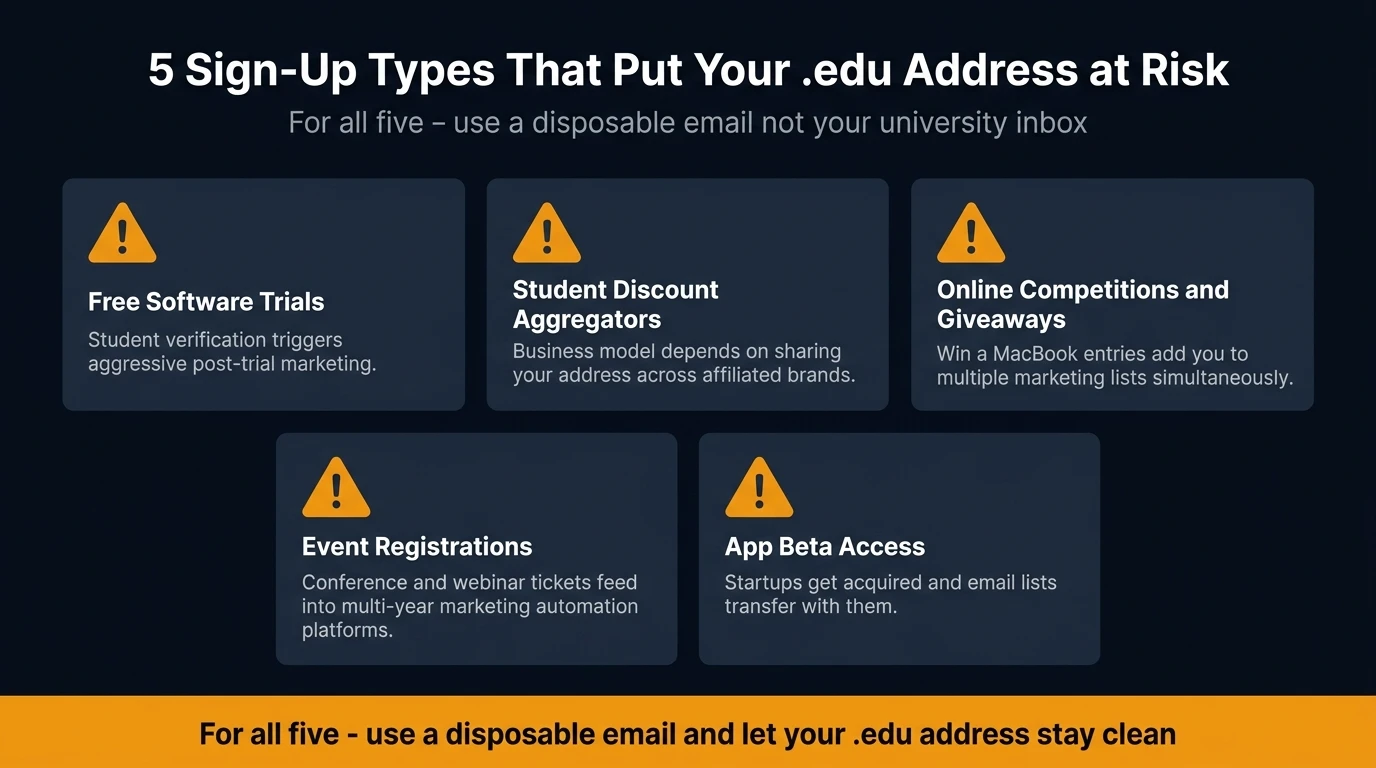
Not all student signups are equal. Here's where the risk is highest:
Free software trials with student verification. Many SaaS tools offer free tiers to students via verification services like GitHub Education or direct .edu confirmation. After your trial ends or your student status lapses, these companies often continue emailing, and some are aggressive about it.
Student discount aggregators. Sites that compile student deals typically require an email to register. Their business model often depends on email volume, so they may share your address across affiliated brands.
Online competitions and giveaways. "Win a MacBook, just for students!" These almost universally result in your address being added to multiple marketing lists simultaneously.
Event registrations. Student-priced conference, webinar, or workshop tickets often feed into marketing automation platforms with multi-year retention policies.
App beta access. Startups targeting the student market frequently offer early access in exchange for an email address. Many of these companies get acquired, and their email lists transfer with them.
The Simple Rule That Protects Your .edu Inbox
Use your .edu address for exactly one category of things: anything that officially requires it.
Course portals. University login systems. Communications from your faculty, student services, or library. Financial aid and student loan correspondence. Anything where the university itself is the sender or the recipient.
For everything else, every signup, every trial, every discount, every giveaway, use a disposable email address.
Your .edu inbox is for things that matter. A throwaway address is for everything that might not. This three-tier approach works beyond university too; see the one rule that keeps any inbox permanently clean for the full system.
How to Use a Disposable Email for Student Signups
VanishInbox's temp edu email tool generates a temporary .edu.pl address instantly, no account, no sign-up, no personal information required. Here's how to use it for a typical student scenario:
Claiming a student software discount:
- Visit the software's student verification page
- Open VanishInbox in a new tab; your disposable address is ready immediately
- Enter the disposable address in the verification field
- Switch back to VanishInbox, receive the verification email, click the link
- Complete the signup: the software is unlocked, the disposable inbox is discarded
The software account itself can be tied to whatever email you prefer (your real one, or another address you control). The .edu verification step, the one that usually generates the most downstream marketing, is handled entirely by the throwaway address.
For a step-by-step walkthrough of the verification process itself, see how to use a temporary email address for any sign-up.
What About Services That Require Ongoing Access?
Some services legitimately need to reach you more than once: a streaming platform you're actively subscribed to, a university-affiliated tool with real ongoing value, a professional network you're building.
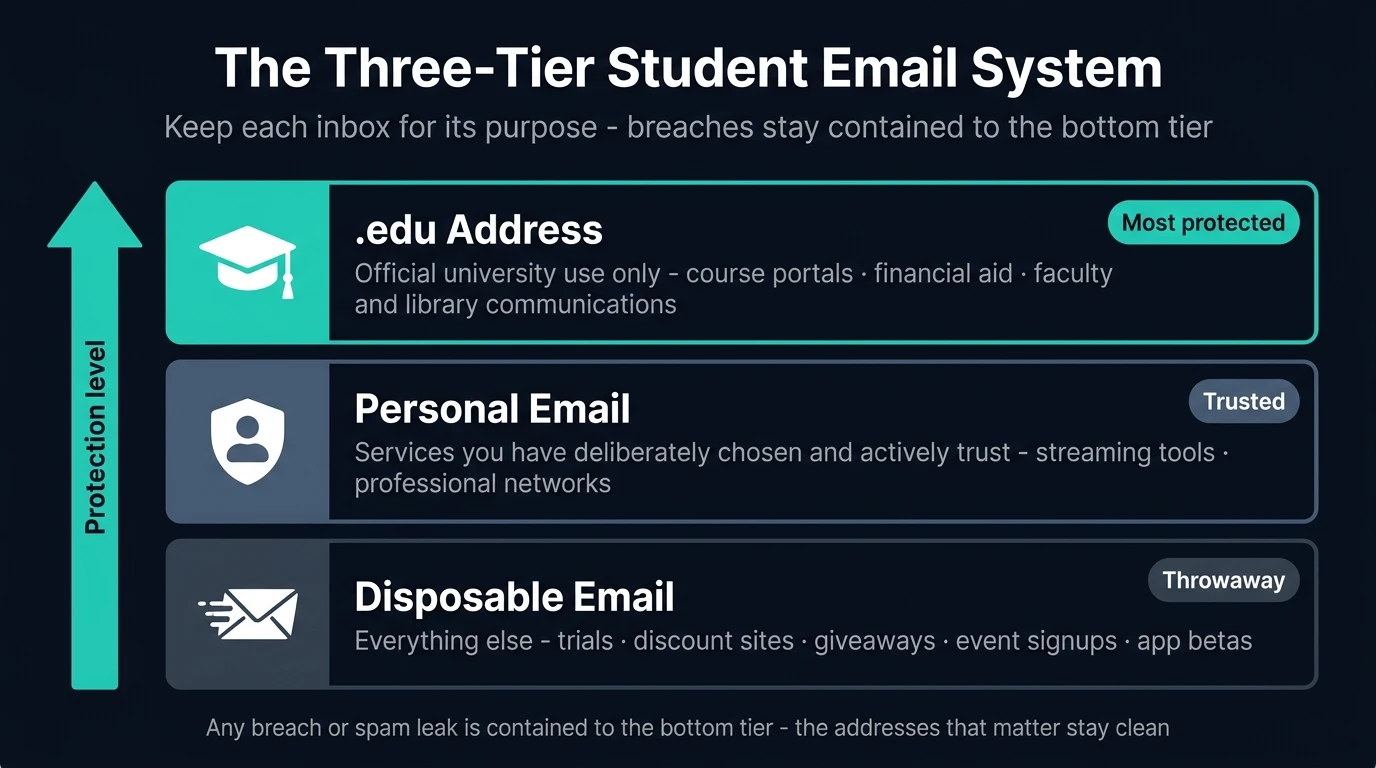
For these, consider a separate personal email account (Gmail, Proton, or similar) that you use only for services you've actively chosen and trust. This creates a three-tier system:
.edu→ official university use only- Personal email → services you've deliberately chosen and trust
- Disposable email → everything else, every trial, every one-off signup
This structure keeps your important inboxes clean, and contains any breach or spam leak to a throwaway address that no longer exists.
What If a Service Blocks Disposable Email Addresses?
Some services, particularly student verification platforms, actively detect and block disposable email addresses. This is common with services trying to prevent abuse of student pricing.
In this case, you have a few options:
Use a less-known domain. VanishInbox offers multiple domains. If one is blocked, switch to another; the dropdown selector makes this instant.
Use your personal email instead of your .edu. If a disposable address is blocked, the right fallback is your personal inbox, not your university one. A marketing list getting your Gmail is far less damaging than getting your .edu.
Check whether the verification is necessary. Some sites ask for .edu verification but don't enforce it strictly. If the verification step is optional, skip it.
The Longer-Term Case for Protecting Your .edu Inbox
Most students don't think about this: in the years after graduation, your university email may become an important professional reference point. Alumni networks, former classmate connections, and occasional university communications often flow through that address.
If you've spent four years filling it with marketing noise, that address becomes hard to use for legitimate reconnection and communication right when its alumni value is highest.
Treating your .edu as a protected inbox from day one keeps it useful long after you've left campus.
Frequently Asked Questions
Can I use a disposable email for GitHub Student Pack?
GitHub Education and similar programs require a verified .edu address because they're checking institutional affiliation, not just email ownership. For these, you'll need your real university address. The good news is that platforms like GitHub have strong privacy policies and don't sell your data. Save your disposable email for the less trustworthy signups.
Is it against university policy to use a disposable email externally?
Using a disposable email for non-university signups is your own decision and involves no university systems. You're choosing not to hand your .edu address to third parties, which is exactly what your university's own IT and data protection teams would recommend.
What if I need to receive ongoing emails from a service I signed up for with a disposable address?
VanishInbox addresses are built for one-time verification, not long-term use. If you later decide you want ongoing communication from a service, update your email address in that service's account settings to your personal email. The initial signup was the risky part; once you're through it, you can update to a real address if needed.
Will websites detect that I'm using a disposable email?
Some websites check against known disposable email domains and block them. VanishInbox offers multiple domains, and switching takes a second. If one domain is blocked, try another. If all are blocked, use your personal email as a fallback, not your .edu.
Does using disposable emails affect my ability to recover accounts?
Yes: you won't be able to use a disposable address for password recovery, because the inbox expires. This is intentional. For any account you intend to keep long-term, make sure the recovery email is a permanent address you control. Use disposable addresses only for signups where you're not planning ongoing access.
How long does VanishInbox keep my emails?
VanishInbox uses a 10-minute deletion policy enforced at the database level. Emails are automatically removed and are unrecoverable after that point. There's no account to breach and no email history to leak.
Your .edu address is worth protecting. It's connected to your academic record, your financial aid, and your professional identity as a graduate. Treat it like the high-value inbox it is, and let disposable addresses take the risk for everything else.