You open your email and there it is again — newsletters you never subscribed to, promotions from brands you've never heard of, and offers that somehow know exactly what you were browsing last week. You hit unsubscribe. More arrive. You mark them as spam. Still more arrive.
It feels endless, because in many ways it is. But your inbox didn't get this way by accident. There's a well-oiled machine behind every unsolicited email — and once you understand how it works, you can actually do something about it.
How Spam Finds You in the First Place
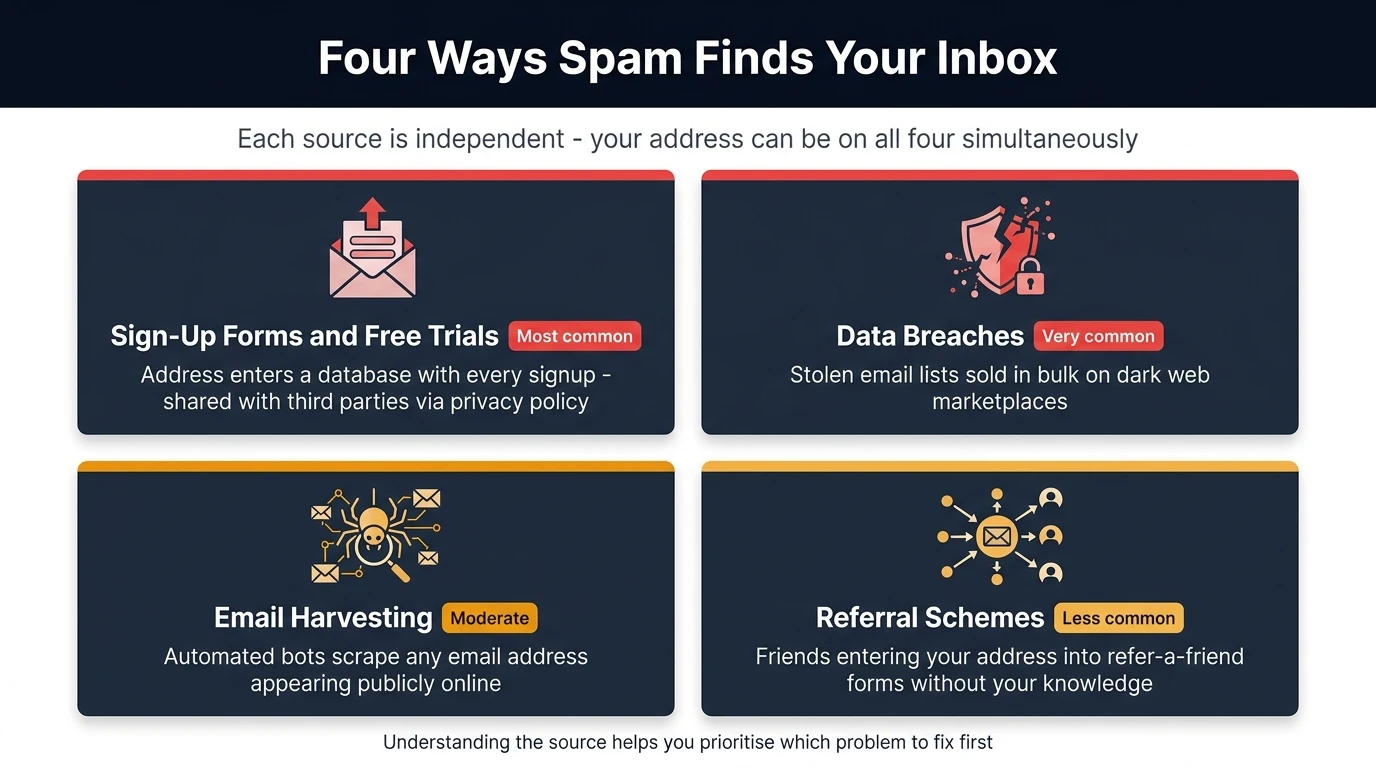
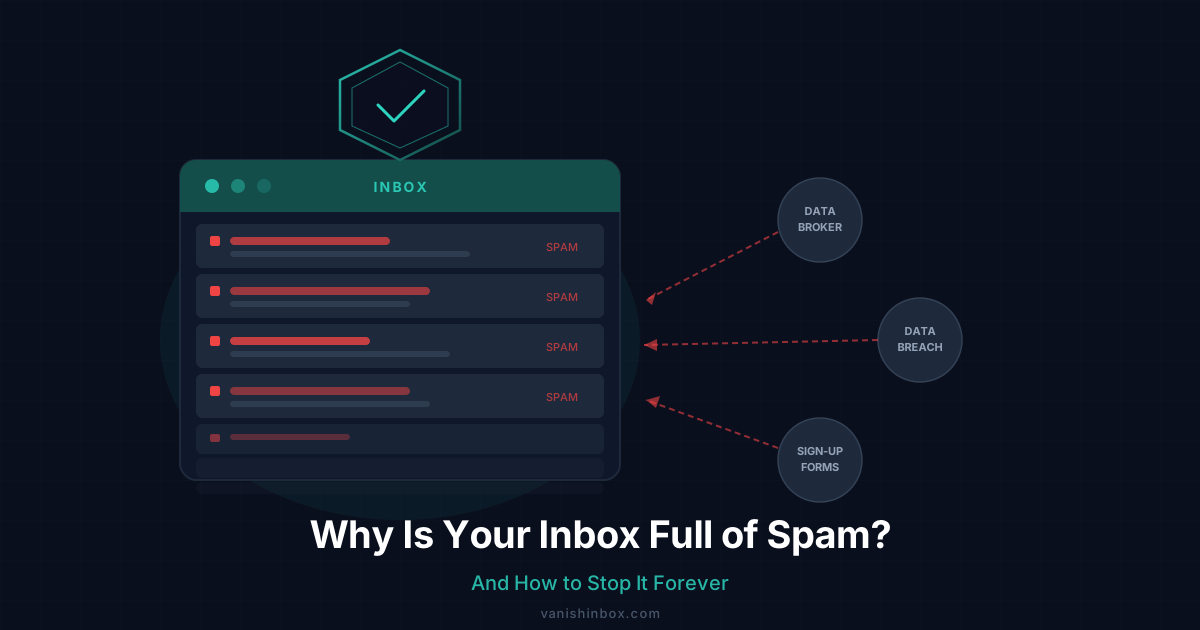
Most people assume spam is random. It isn't. The overwhelming majority of unsolicited email traces back to a handful of specific moments where your email address left your control.
Sign-Up Forms and Free Trials
The most common source by a significant margin. Every time you enter your email address on a website — to claim a discount, access a free download, start a free trial, or read a gated article — that address enters a database. Free newsletters are one of the subtler sources: even when you subscribe intentionally, your address often ends up in places you didn't expect — see the hidden cost of free newsletters for how that works. What happens next depends entirely on the website's privacy policy, which almost nobody reads.
Most privacy policies contain language like "we may share your information with trusted third-party partners" or "we work with advertising networks to deliver relevant offers." This is the legal cover for selling your data. By clicking "I agree," you consented — even if you never read it.
Data Breaches
Every database your email address lives in is a potential breach point. When a company is hacked, the stolen data — including email lists — often ends up on dark web marketplaces where spammers purchase it in bulk.
This is why you sometimes receive spam from categories completely unrelated to anything you've ever signed up for. Your email reached a spammer not through a site you visited recently, but through a breach at a site you used years ago and barely remember.
Email Harvesting
Automated bots crawl the internet constantly, scraping any email address that appears in public — forum posts, comment sections, business directories, GitHub repositories, and social media profiles. If your email has ever appeared in plain text anywhere online, it has almost certainly been harvested.
Referral Schemes and "Forward to a Friend"
Some websites use referral mechanics that capture your contacts' email addresses. If someone enters your address into a "refer a friend" form, you're now in that company's database without ever directly interacting with them.
Dictionary Attacks
Spammers also guess. Automated tools generate millions of common address patterns — [email protected], [email protected], [email protected] — and blast them all. Any address that doesn't bounce gets kept on the list permanently. If your email follows a predictable naming convention, it may be on spam lists even if it has never been breached or harvested.
The Data Broker Ecosystem Explained
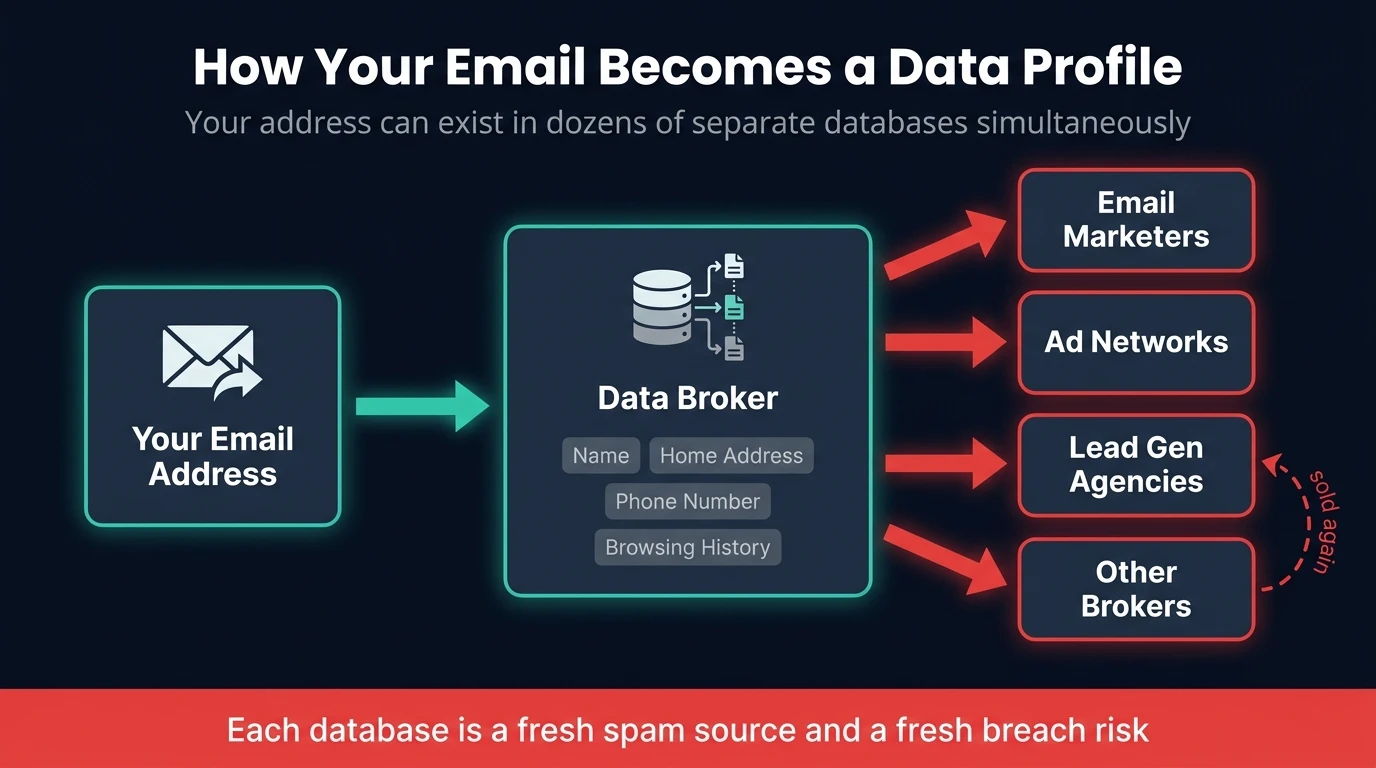
Once your email address enters the data broker ecosystem, it rarely leaves. Data brokers — companies like Acxiom, Experian Marketing Services, and Oracle Data Cloud — use your email as a cross-referencing key to link your activity across different websites, apps, and devices.
The result is a detailed profile that might include your name, home address, phone number, estimated income, purchase history, browsing behaviour, and interests. This profile is sold again and again to email marketing companies, ad networks, lead generation agencies, other data brokers, and affiliate marketers. Here's exactly what happens after a website sells your email address and where it ends up.
Your email address can exist in dozens of separate databases simultaneously. Each is a fresh source of spam — and a fresh breach risk.
Why Unsubscribing Often Makes Things Worse
This is the most counterintuitive piece of advice you'll read today: clicking unsubscribe on spam frequently does more harm than good.
Legitimate companies — ones operating within email marketing regulations — are required to honour unsubscribe requests. When you click unsubscribe on a reputable marketing email, it works.
But spam operators aren't reputable. When you click unsubscribe on spam from an unknown sender, you're doing two things: confirming your email address is active and monitored by a real person, and confirming that you open emails. This makes your address significantly more valuable. You may then be sold on to higher-tier lists as a "verified active address" — resulting in more spam, not less.
The rule: Unsubscribe only from brands you recognise and have a genuine relationship with. For anything else, mark as spam and do not click anything inside the email.
Why Email Filters Only Go So Far
Spam filters have improved dramatically. Gmail, Outlook, and Apple Mail all use machine learning to catch the majority of spam before it reaches your inbox. But spam operators have evolved in parallel.
Modern spam is often personalised — it includes your name, references your location, or mentions topics relevant to your browsing history (your data profile was used to tailor it). Personalised emails pass through filters more easily because they resemble legitimate correspondence.
Filters are a useful last line of defence, but they're not a solution. The problem is upstream.
The Email Tracking Problem Nobody Talks About
Even before spam becomes a volume problem, email tracking is already eroding your privacy.
The majority of marketing emails contain tracking pixels: invisible 1×1 images that load silently when you open an email. When that image loads, it sends a signal back to the sender confirming:
For a full breakdown of exactly how this mechanism works — what data fires, how link tracking differs, and how to block it — see how companies track you through your email.
- Your email address is active
- When you opened the email
- Your approximate location (from your IP address)
- What device you used
This data is used to refine targeting — but it's also sold as part of your data profile. Every marketing email you open is quietly reporting information back about you.
How Spam Sources Compare
Understanding where your spam comes from helps you prioritise which problem to fix first.
| Source | How Common | How It's Prevented |
|---|---|---|
| Sign-up forms & free trials | ⭐⭐⭐⭐⭐ Very common | Use a disposable email address |
| Data broker reselling | ⭐⭐⭐⭐⭐ Very common | Disposable email + broker opt-outs |
| Data breaches | ⭐⭐⭐⭐ Common | Use unique emails per service |
| Email harvesting | ⭐⭐⭐ Moderate | Avoid posting email publicly |
| Referral/forward schemes | ⭐⭐ Less common | Ask contacts not to share your email |
How to Actually Stop Spam — Strategies That Work
There's no single magic solution, but combining these approaches dramatically reduces spam and prevents it accumulating further. For a complete breakdown of every method that actually works, see our guide to stopping spam emails for good.
1. Use Disposable Email Addresses for Sign-Ups
This is the most effective preventative measure available. Instead of giving your real email to every website you encounter, use a temporary disposable address for anything you're uncertain about — free trials, one-time downloads, online competitions, first-time sign-ups.
When the disposable address expires, so does any spam sent to it. Even if it's sold to a data broker, the address no longer exists. It can't be used to track you, build a profile on you, or flood your inbox. If you're wondering whether this approach is actually secure, here's an honest breakdown of whether temp mail is safe to use. And for a step-by-step walkthrough of using one for the most common scenario, see how to use a temporary email address for verification.
VanishInbox generates a free disposable address instantly — no account required. It works for 10 minutes, receives emails in real time, and then disappears entirely at the database level.
2. Create a Dedicated "Junk" Email Address
For services you'll actually use but don't fully trust, maintain a separate email address for lower-priority sign-ups. Use your primary email only for things that genuinely matter: work, banking, government services. When the junk address becomes unusable, abandon it and create a new one.
3. Opt Out of Data Brokers
Major data brokers offer opt-out mechanisms. The process is tedious — there are hundreds of brokers and each has its own process — but systematically working through the largest ones reduces the reach of your existing data profile.
Services like DeleteMe or Privacy Bee automate this process for a fee, submitting opt-out requests across hundreds of brokers on your behalf.
4. Use Email Aliasing for Ongoing Accounts
Email aliasing services let you create unique addresses for each service you sign up to, all forwarding to your real inbox. If one alias starts receiving spam, you know exactly which service sold your data — and you can disable that alias without affecting any other accounts. SimpleLogin and Apple's Hide My Email are the most widely used options.
5. Enable Tracking Protection
If your email client supports it, enable mail privacy protection. Apple Mail's privacy protection hides your IP address and prevents senders from knowing when you've opened an email. This limits how effectively senders can profile you, even when you do open legitimate emails.
6. Stop Clicking Unsubscribe on Unknown Senders
As covered above — for emails from senders you don't recognise, never click unsubscribe. Mark as spam and move on.
Strategy Comparison at a Glance
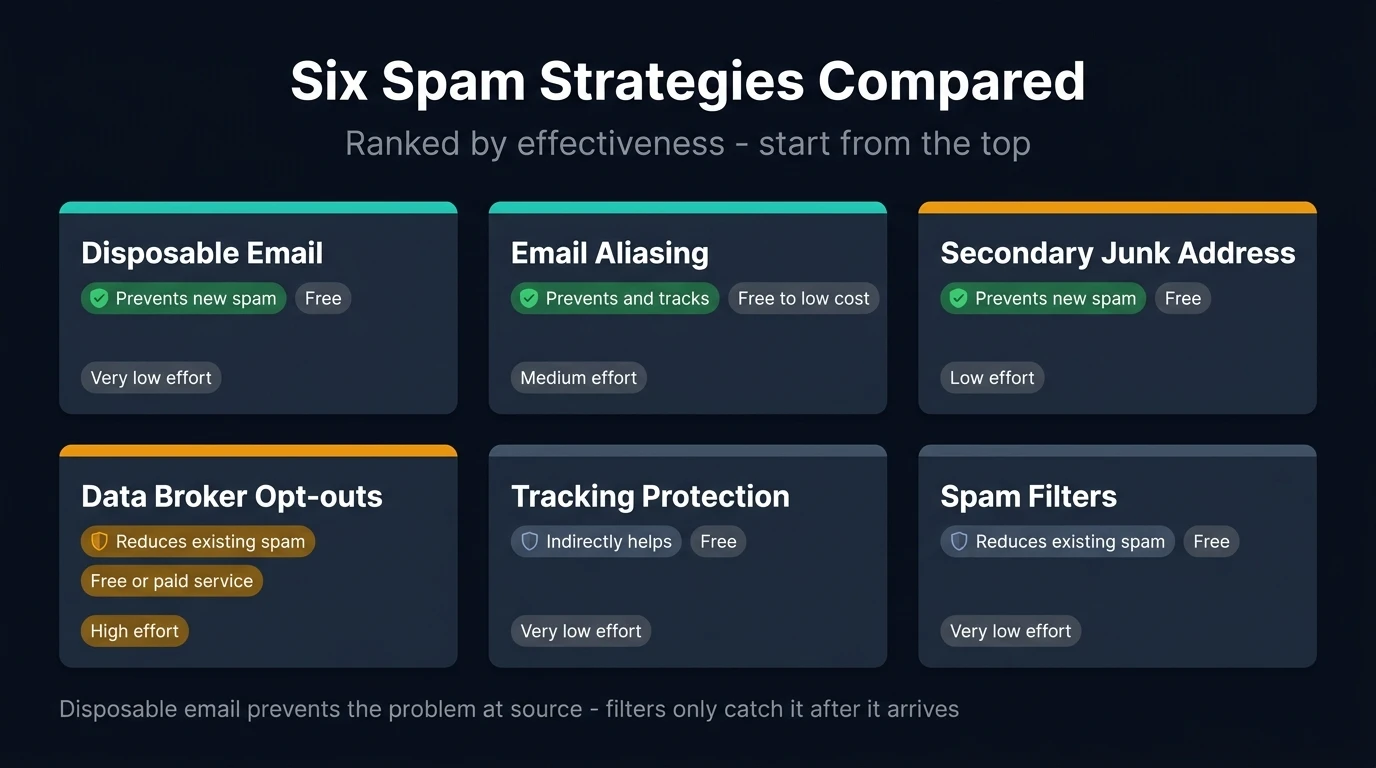
| Strategy | Prevents New Spam | Reduces Existing Spam | Cost | Effort |
|---|---|---|---|---|
| Disposable email | ✅ Yes | ❌ No | Free | Very low |
| Secondary "junk" address | ✅ Yes | ❌ No | Free | Low |
| Data broker opt-outs | ⚠️ Partially | ✅ Yes | Free–£10/mo | High |
| Email aliasing | ✅ Yes | ❌ No | Free–£2/mo | Medium |
| Tracking protection | ⚠️ Indirectly | ❌ No | Free | Very low |
| Spam filters | ❌ No | ✅ Yes | Free | Very low |
The Bigger Picture: Your Email Address Is Your Identity
Part of what makes spam so persistent is that your email address has become a universal identifier — it's how you log in to most services, how you receive important notifications, how people contact you professionally. Because it's connected to everything, protecting it matters more than most people realise.
Every time you give your real email to a service that doesn't need it permanently, you're creating a thread that connects your identity to that service indefinitely. If that service is breached, sold, or chooses to monetise its user list, that thread runs directly back to you.
The most pragmatic response is to treat your real email address as a valuable resource rather than a throwaway detail on a form. The most effective long-term fix is a simple filter applied before you submit any form — one rule that keeps your inbox permanently clean.
Summary: What Actually Works
Eliminating spam from an established inbox is difficult — too much data is already in circulation to fully recall. But preventing the accumulation of further spam is entirely achievable.
The hierarchy of what works, in order of effectiveness:
- Disposable email addresses for any sign-up you're uncertain about — prevents the problem at the source
- A dedicated secondary email for lower-priority accounts — limits the blast radius when that address gets sold
- Data broker opt-outs — reduces the reach of your existing data profile over time
- Email aliasing — gives you control and visibility over which services share your data
- Never unsubscribing from unknown senders — stops you confirming your address is active
- Tracking protection — limits the data you provide just by opening emails
- Spam filters — the final safety net, but not a long-term solution on their own
Spam exists because it works well enough to be profitable. The best way to make it stop working on you is to make your email address as difficult to abuse as possible — starting with never giving it to anyone who doesn't genuinely need it.