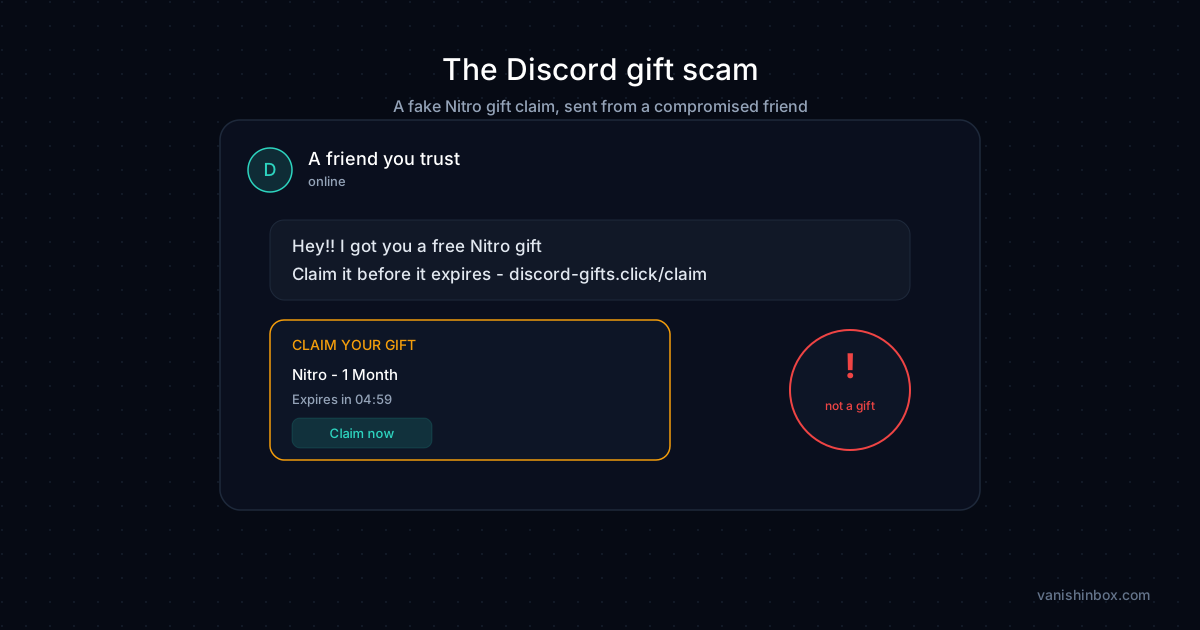
A DM lands from a friend. "Hey, I got you a free Nitro gift." There's a link, a countdown, maybe even a little gift inventory graphic with your name and avatar already filled in. It looks personal. It looks real.
There's no gift. There's a claim page built to steal your Discord login, and in the newer variants, your account can be taken over the moment you scan a QR code, no password needed at all.
This guide covers exactly how the fake Nitro gift scam works, the specific difference between the credential-theft version and the QR-hijack version, how to tell a real Nitro gift or trial from a fake one, and what to do at each stage if you've already interacted with one.
What the Discord Gift Scam Is
Discord Nitro is the platform's paid subscription tier: custom emojis, bigger upload limits, better streaming quality, profile customisation. It costs money, which is exactly why it works as bait. People do gift Nitro to friends legitimately, so an unsolicited Nitro gift doesn't feel as absurd as, say, an unsolicited inheritance.
The scam exploits that plausibility. A message arrives claiming you've been gifted Nitro or selected for a giveaway. It includes a link. The link leads to a page that mimics Discord's actual gift-claim interface closely enough to pass a quick glance, sometimes down to a fake "gift inventory" showing your own name and profile picture already loaded in.
From there the scam splits into two mechanisms, and the distinction matters for what you should do if you've clicked.
Two Ways the Scam Steals Your Account
The login page version. The claim page asks you to sign in to Discord to "verify" and receive your gift. It looks like Discord's real login screen. Whatever you type there, username, password, sometimes even a 2FA code if the page fakes that step too, goes straight to the attacker.
The QR code version. This one skips the password entirely. Discord has a real feature that lets you log in on desktop by scanning a QR code with your phone's Discord app, which authenticates the session instantly with no password required. Scam pages abuse this exact feature: the QR code on the fake claim page is the attacker's own login QR code, not yours. Scan it, and you've logged the attacker into your account. There's no password to steal because you handed over an active session directly.
Either path ends the same way. Once the attacker has access, they use your account to send the identical gift scam to everyone on your friends list, which is why so many people first meet this scam through someone they trust.
Why It Almost Always Comes From a Friend's Account
Cold messages from strangers get ignored. A message from someone already on your friends list does not. That's the entire reason this scam spreads through compromised accounts instead of bot spam alone.
The chain works like this: one account gets compromised, usually through this exact scam or a similar credential-theft attempt. The attacker doesn't announce the takeover. Instead they use the account to message everyone in its friends list with the same gift link, without drawing attention to what's happening. Some of those people click, some of those accounts get compromised in turn, and the cycle repeats. The account owner often has no idea anything happened until a friend messages back asking why they sent a weird Nitro link.
You're not evaluating a stranger's claim here. You're evaluating a message from someone whose judgement you already trust, sent through an account that looks completely normal in every other way, which is exactly what makes the scam land.
How to Tell a Real Nitro Gift From a Fake One
Genuine Nitro gifts and trials follow rules that scam links don't bother replicating, because replicating them correctly would make the scam harder to run.
Real gift links use the discord.gift domain, nothing else. Any claim page on a different domain, however close the spelling looks, is not Discord's.
Real Nitro gifts and trials happen inside the Discord app itself, not through an external website that asks you to log in again. If you're already logged into Discord on your device, a genuine gift doesn't require you to re-authenticate on a separate page.
Share Nitro trials can only come from a paying Nitro subscriber. Discord's trial-sharing feature lets eligible Nitro members send a small number of two-week friend passes, and an unredeemed trial expires and returns to the sender after ten days. If the account "sending" you a trial isn't a paying Nitro member, whatever they sent isn't a real trial. You can check this by looking at whether their profile shows Nitro badges or boosts, though a compromised account may still show these if the real owner is a genuine subscriber, so this check alone isn't conclusive if anything else about the message feels off.
There is no countdown on a real gift. Discord doesn't put an expiry timer on receiving something you've been given. Urgency is manufactured specifically to stop you from checking any of the above before you click.
The Red Flags at a Glance
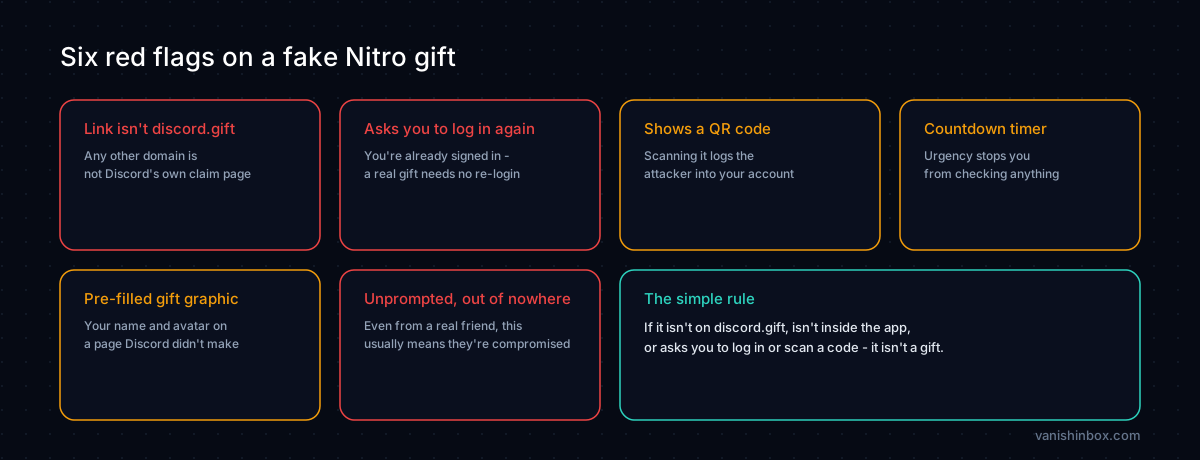
Check any unexpected Nitro gift or giveaway message against this list before doing anything else:
The link isn't discord.gift. This is the single fastest check. Hover the link on desktop or press and hold on mobile to preview the destination before tapping it.
It asks you to log in again. You're already signed into Discord on your device. A genuine gift never requires a fresh login on an external page.
It shows a QR code as part of "claiming." Discord's QR login exists for signing your own devices in. It is never a step in receiving a gift.
There's a countdown timer. Manufactured urgency exists to stop you from checking the domain, the sender's subscription status, or anything else.
A fake "gift inventory" graphic with your name pre-filled. This is designed to feel personal and official. Discord doesn't generate this kind of promotional graphic for individual gifts.
It came from a friend out of nowhere, with no prior conversation. Even a real friend's account sending this unprompted is more likely to mean their account is compromised than that they suddenly decided to gift you something.
How to Report a Fake Nitro Gift Message
In Discord: Right-click the message and select Report Message, then choose Scam or Fraud. You can also right-click the sender's username to report the account directly if it's still visible.
To Discord's Trust & Safety team: For server-wide distribution or bot-driven campaigns, submit a report at discord.com/safety.
Warn your friend: If the message came from someone you know, contact them through a different channel, text, a call, another platform, and let them know their account is very likely compromised. Their Discord DMs may still be actively sending the scam.
Report to Action Fraud (UK): If you lost money or your device was compromised, file at actionfraud.police.uk. US-based users can file the equivalent report with the FTC at reportfraud.ftc.gov.
What to Do If You've Already Interacted With One
The right response depends on exactly what you did, so work through the version that matches what happened.
If you clicked the link but didn't log in or scan anything:
Close the page. Don't enter anything if you haven't already. Run a malware scan with a reputable tool as a precaution, since some scam pages attempt browser exploits on load alone.
If you entered your Discord password on the fake page:
Change your Discord password right away from a device you trust. Go to User Settings → My Account → Change Password. Enable two-factor authentication if it isn't already active, under User Settings → My Account → Two-Factor Authentication. Then check User Settings → Authorised Apps and revoke anything you don't recognise. Finally, go to User Settings → My Account and select Log Out All Known Devices, which invalidates any session tokens the attacker may already hold.
If you scanned a QR code on one of these pages:
Treat this as an active takeover happening right now, not a risk to mitigate later. The moment you scanned it, the attacker's device was logged into your account. Go to User Settings → My Account → Log Out All Known Devices right now, from your own logged-in session if you still have one. Then change your password and enable two-factor authentication. If you're already locked out, use Discord's account recovery process at support.discord.com.
Either way, check your DM history once you're back in control. Look for messages sent to your contacts that you didn't write. If you find any, send a warning to those people through a different platform, since your account may have already reached them with the same scam.
Other Discord Scams Worth Knowing
The fake Nitro gift is one of several Discord scams built around the same basic move: unsolicited contact, borrowed trust, then a link. Recognising the shared pattern helps more than memorising any single version.
The Discord friend request scam uses a slower approach, building a fake relationship over 24 hours before suggesting a game download that turns out to be malware. The fake MrBeast giveaway scam borrows a celebrity's name instead of a gift to create the same sense of unearned reward. The Discord "See More" scam disguises a phishing link as a platform feature that doesn't exist at all.
All four rely on the same underlying weakness: a message from someone or something you already trust, asking you to act quickly on a link. Slowing down is the one habit that defeats every version.
Keep Your Real Email Off the Lists These Scams Draw From
Account takeovers don't start with the gift message. They start earlier, with your Discord account email sitting in a database somewhere it shouldn't be. Your Discord registration email, game forum sign-ups, and server verification steps are all places your real address can end up exposed through a breach or a data sale, and once it's out there, it becomes part of the profile scammers use to target you and your friends list more precisely.
Using a disposable email address for Discord and gaming-adjacent sign-ups turns a breach or sale of that data into a dead end instead of another entry in your exposure profile. VanishInbox generates a working inbox in seconds with no account required, so your real address never touches the platforms these campaigns eventually leak from. For how that data pipeline works, see what happens when a website sells your email address. For the full signup walkthrough, see our guide on using a temp email for Discord.
A Simple Rule for Nitro Gifts
If a Nitro gift or giveaway link isn't on discord.gift, isn't happening inside the app itself, or asks you to log in or scan a QR code to "claim" it, it isn't a gift. Close it, report it, and if it came from a friend, tell them their account needs attention.
Frequently Asked Questions
Can a Discord Nitro scam steal my account without my password?
Yes. The QR code variant abuses Discord's real QR login feature. Scanning the attacker's QR code logs their device into your account directly, no password required at any point. This is arguably more dangerous than the login-page version because there's no credential to change after the fact, only sessions to close.
How do I know if my friend's Nitro gift is real?
Check the link domain first: genuine gifts only use discord.gift. Then check whether they're a paying Nitro subscriber, since only paying members can send Share Nitro trials. If the message arrived with no prior context and pushes urgency, treat it as compromised regardless of how the sender's account looks.
I scanned the QR code. What do I do first?
Log out all known devices right away from User Settings → My Account, using your own session if you still have access. This ends the attacker's session on the spot. Then change your password and turn on two-factor authentication so a repeat attempt can't succeed the same way.
Is Discord's QR login itself unsafe to use?
No, the feature is safe when you're the one generating and scanning your own QR code to log a new device into your own account. The risk is entirely in scanning someone else's QR code, which is exactly what these scam pages present.
Why do these messages always seem to come from real friends?
Because they usually do, in the sense that the account is real and previously belonged to someone you know. It's been compromised, often through this same scam, and is being used to send the identical link onward. The person didn't choose to send it.
Can Discord's own Nitro trials be abused this way?
Only paid Nitro subscribers can send Share Nitro trials, and each shared trial expires after ten days if unredeemed. A trial offer from a non-subscriber, or one that skips Discord's real in-app trial flow entirely, isn't legitimate regardless of how it's presented.
I already logged in on the fake page. Is changing my password enough?
Change your password and also log out all known devices, in that order if possible. A password change alone doesn't end an already-active session the attacker may have captured before you noticed anything wrong.
Should I warn people even if I'm not sure my account sent anything?
Check your DM history first. If you see nothing unusual, you likely caught it in time, but it's still worth enabling two-factor authentication as a precaution instead of waiting to find out the hard way.
For a broader look at how phishing and social engineering work across platforms, see how to spot a phishing email. If you want to understand how your contact details end up in the databases scammers draw from, what happens when a website sells your email address explains the full picture.