You open your inbox to find an email about Microsoft Cashback. The subject line mentions unclaimed rewards, a pending account fee, or a suspended balance.
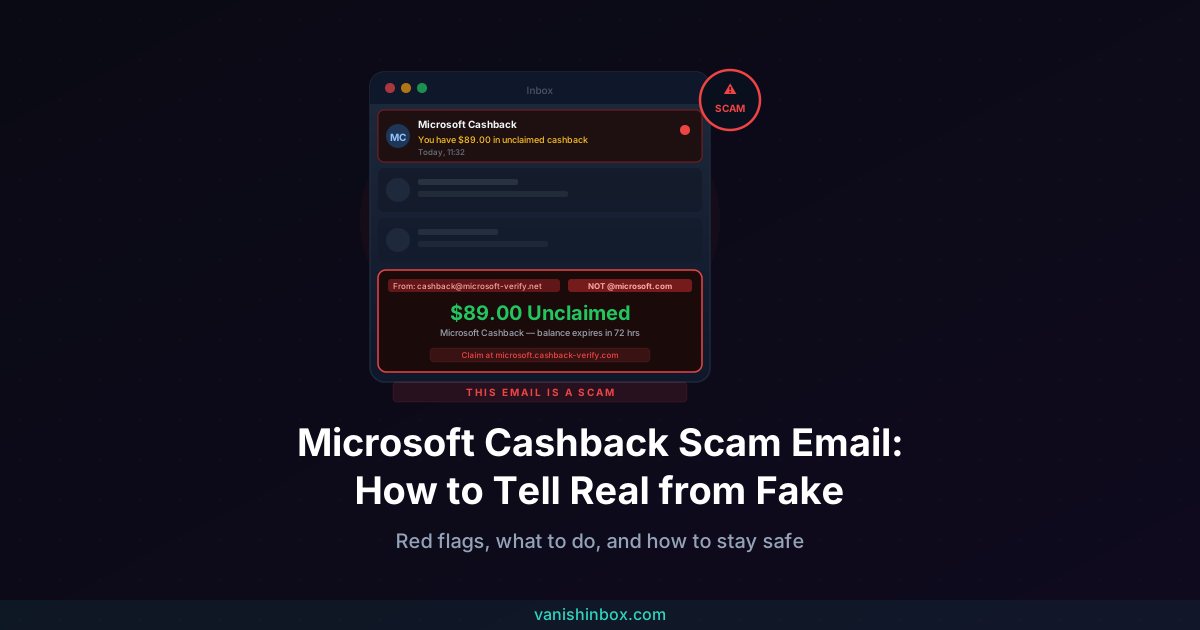
Check the sender address before you do anything else. Genuine Microsoft Cashback emails come from [email protected]. A Gmail address, a lookalike like microsoft-cashback.net, or any domain other than microsoft.com after the @ symbol means the email is a phishing attempt. Delete it without clicking any links.
If the sender passes that check, the email may be legitimate: Microsoft Cashback is a real program, and Microsoft does send genuine policy and account emails for it. The sections below explain how the real program works, what the fake versions look like, and what to do whether you caught it in time or already engaged.
Is That Microsoft Cashback Email Real?
Possibly. Microsoft Cashback is a genuine shopping rewards scheme tied to Microsoft Rewards and Microsoft Edge. Users earn cashback on purchases made through affiliated retailers via Bing. Microsoft sends legitimate emails to members covering policy updates, account notices, and reward confirmations.
The sender address is the only reliable check. Genuine Microsoft Cashback correspondence comes from [email protected]. Every phishing variant uses a different domain. Clicking the display name in your email client reveals the full address. If the domain after the @ symbol is not microsoft.com, the email is fake.
The complication: scammers target this program because its name carries Microsoft's credibility. A recipient who has used Edge's shopping rewards will find an email about it plausible. Recipients who have never enrolled are targeted too. Scammers send in bulk, counting on a percentage of recipients to have a Microsoft account and be uncertain whether they're enrolled.
What Is the Microsoft Cashback Scam Email?
Microsoft Cashback (previously known as Bing Rebates) is a real Microsoft program. Scammers borrow its name to build phishing emails that harvest Microsoft account credentials.
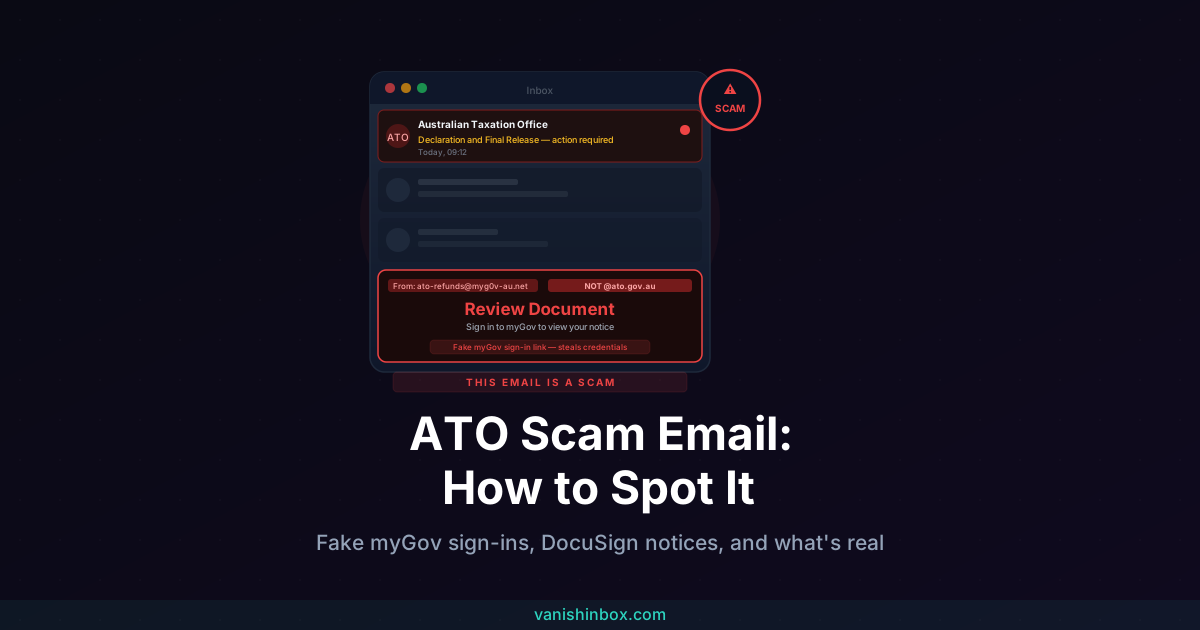
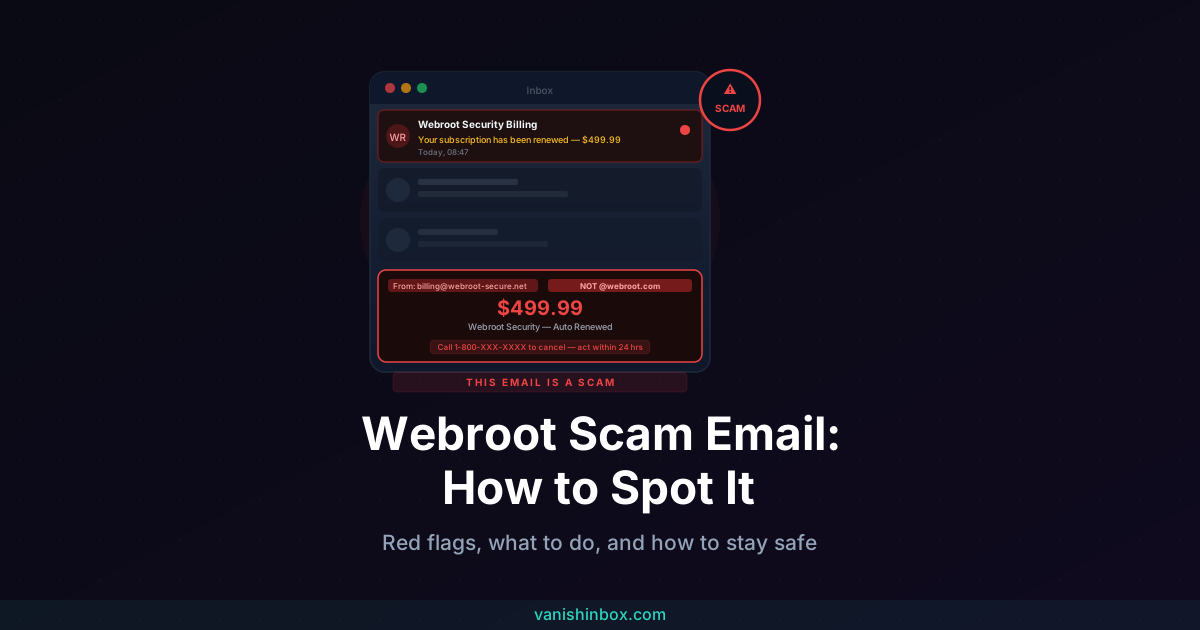
The approach differs from renewal-panic phishing like the Geek Squad scam email or Webroot scam email. Those impersonate brands charging you money you owe. The Microsoft Cashback version uses the reverse: it offers money you've supposedly earned. A reward is waiting. An unclaimed balance is about to expire. An account fee will cut into your earnings unless you act. These prompts create pressure through gain rather than fear, and they all resolve the same way: a login page that sends your Microsoft credentials to a scammer.
The same call centres running renewal-scam campaigns rotate through available brand names, and Microsoft's shopping program has been part of that rotation since 2024.
The Four Main Variants
Unclaimed rewards or expiring balance
The most common version. The email claims you have unclaimed Microsoft Cashback, with amounts like $47, $89, or $100 appearing in confirmed reports, and warns the balance will expire or be forfeited unless you log in to claim it. The link leads to a convincing fake Microsoft login page. Your username and password go to the scammer.
Account maintenance fee threat
Subject lines in this variant include things like "Action required: avoid monthly fees on your Microsoft Cashback balance." The email invents a maintenance fee that will reduce or eliminate your cashback unless you verify your account. A fabricated deadline, often 48 hours, pushes you toward the link before you stop to check whether Microsoft charges fees on cashback balances (it does not).
Account suspension warning
This version claims your Microsoft Cashback account has been suspended due to unusual activity or a failed verification step. It directs you to reactivate by logging in. The login page captures your Microsoft password.
PayPal or bank account linking prompt
An email claims you need to link or confirm a PayPal account to receive your cashback balance. Confirmed subject lines include "Confirm your PayPal account to receive Microsoft Cashback." This variant targets payment credentials alongside Microsoft account access.
How the Scam Works
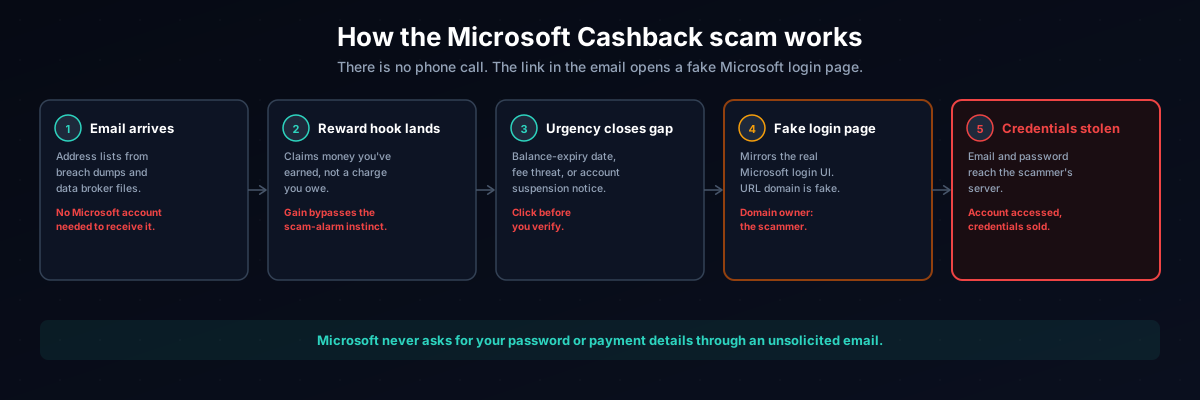
Step 1: The email arrives. Scammers compile address lists from data breaches, data broker databases, and scraped sign-up records. The emails go out in bulk. No prior relationship with Microsoft or Microsoft Cashback is needed to receive one.
Step 2: The reward hook replaces the panic hook. Renewal scams scare you with a charge. This version draws you in with money you've supposedly already earned. That framing bypasses the scepticism a fake invoice would trigger. A claim about existing rewards feels like a gain, and gains don't set off the same alarm.
Step 3: Urgency closes the gap. A balance-expiry deadline, a fee notice, or a suspension warning adds pressure. The goal is to get you clicking before you verify.
Step 4: The link leads to a fake Microsoft login page. The phishing page mirrors the real Microsoft login interface. URLs look plausible at a glance. Something like microsoft.cashback-verify.com reads as Microsoft at first, but the domain belongs to the scammer. In any URL, the real owner is the domain immediately before .com. In that example, the owner is cashback-verify, not Microsoft.
Step 5: Credentials are harvested. Your email address and password go to the scammer's server. From there, the scammer can access your Microsoft account to retrieve stored payment methods, change your password, reach other linked Microsoft services, or sell the credentials in bulk.
Microsoft will never ask you to confirm your password, payment details, or PayPal account through an unsolicited email. Navigate to microsoft.com directly and check your account from there. Any genuine notice will be visible without clicking anything from the email.
Six Red Flags to Spot a Fake Microsoft Cashback Email
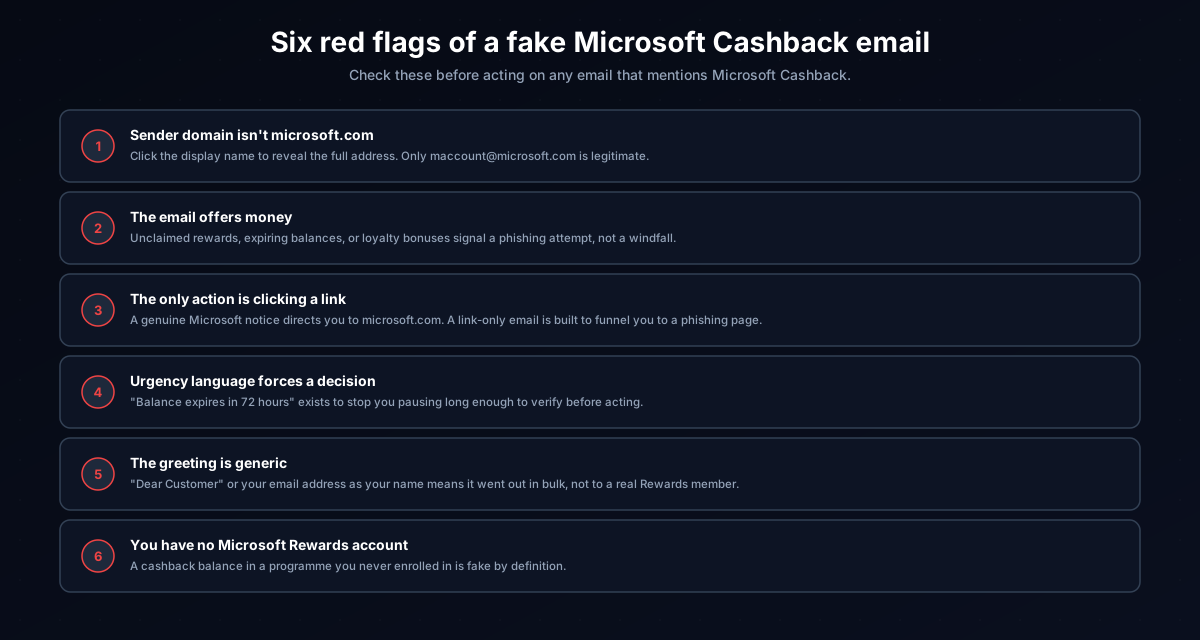
1. The sender domain is not microsoft.com. Click the display name to reveal the full email address. Legitimate Microsoft Cashback emails come from [email protected]. A Gmail address, a lookalike domain like microsoft-cashback.net, or any domain other than microsoft.com after the @ symbol is the tell.
2. The email offers money. Surprise cashback balances, unclaimed rewards, and loyalty bonuses are a reliable scam signal. Scammers know a reward hook bypasses the caution a fake invoice would trigger.
3. The only action is clicking a link. Genuine Microsoft account correspondence directs you to sign in at microsoft.com in your browser. An email that offers no path other than clicking a specific link is built to funnel you to a phishing page.
4. Urgency language forces a decision. "Balance expires in 72 hours," "confirm within 24 hours," "avoid monthly fees now." This phrasing is designed to override the instinct to verify before acting.
5. The greeting is generic. "Dear Customer," "Dear Microsoft User," or your email address standing in for your name signals a bulk mailing. Real Microsoft Cashback emails address you by the name on your Microsoft account.
6. You have no Microsoft Rewards account. A cashback balance in a programme you never enrolled in is a clear fake. Scammers send to everyone on a list regardless of whether the recipient has ever used Microsoft Edge or Bing Shopping.
What to Do If You Received One
If the email arrived and you have not clicked any links:
1. Do not click any links or open any attachments. Links lead to phishing pages built to capture your Microsoft login. Attachments may carry malware.
2. Verify through Microsoft's site, not through the email. Open a new browser tab and navigate to microsoft.com directly. Log in and check your Rewards or Cashback dashboard. Any real balance, notice, or account issue will be visible there.
3. Report it as phishing to your email provider. In Gmail, open the email, click the three-dot menu, and select "Report phishing." In Outlook, right-click the message, choose "Report," then "Report phishing."
4. Forward it to Microsoft. Send the email to [email protected], Microsoft's dedicated phishing report address.
5. Report it to the FTC. File at reportfraud.ftc.gov.
6. File with the IC3 if money was involved. The Internet Crime Complaint Center at ic3.gov handles reports involving financial harm from cybercrime.
7. Mark it as spam and delete it.
What to Do If You Already Fell For It
If you clicked the link, the action required depends on what you entered.
If you clicked but entered nothing: Run an antivirus scan as a precaution and monitor your accounts for unusual activity over the following week.
If you entered your Microsoft login credentials: Change your Microsoft account password immediately from a device that was not used to visit the phishing page. Enable two-factor authentication if it is not already active: go to account.microsoft.com, navigate to Security, and add an authenticator app. Check your account's connected apps and remove any you don't recognise. Microsoft Support can assist at support.microsoft.com if the account has already been accessed by someone else.
If the same password is used elsewhere: Change it on every service where it appears. Scammers who acquire Microsoft logins attempt the same credentials on other sites as a standard next step, targeting banking and email accounts first.
If you entered PayPal or bank details: Contact PayPal and your bank immediately and ask them to flag the account for suspicious activity.
Report to the FTC and IC3 regardless. A filed report creates an official record that supports any account dispute and helps investigators connect this campaign to others running the same operation.
How a Disposable Email Address Prevents This
Scammers don't guess your address. They buy or compile lists from data breaches and data broker databases, built from the trail of registrations your real email address has accumulated over time.
Every sign-up where you hand over your primary address adds another entry point. Using a disposable address for registrations where you don't need a long-term inbox keeps your real address off those lists. VanishInbox generates a working inbox in seconds, with no account required. Your real address never enters that service's database, which means it's never part of the breach when that database leaks.
For the full mechanics of how an email address moves from a sign-up form to a scammer's targeting list, see what actually happens when a website sells your email address.
Frequently Asked Questions
Is the Microsoft Cashback email a scam?
Some Microsoft Cashback emails are legitimate. Microsoft sends genuine policy updates and account notices from [email protected]. If the sender domain in your email is anything other than microsoft.com, the message is a phishing attempt. Check the full sending address before taking any action.
Does Microsoft send cashback emails?
Yes. Genuine Microsoft Cashback emails come from [email protected] and cover terms updates, reward confirmations, and account notices. They address you by your account name and direct you to log in at microsoft.com, not through a link embedded in the email.
What is Microsoft Cashback?
Microsoft Cashback is a shopping rewards programme tied to Microsoft Rewards and Microsoft Edge. Users earn cashback on purchases made through affiliated retailers via the Bing shopping engine. It was previously known as Bing Rebates. Participation requires a Microsoft Rewards account and shopping through Edge's cashback feature.
What happens if I click a link in a Microsoft Cashback scam email?
The link leads to a phishing page that mimics the Microsoft login interface. Entering your credentials hands them to the scammer. If you clicked but entered nothing, run an antivirus scan and monitor your accounts. If you entered your Microsoft password, change it immediately, enable two-factor authentication, and change it anywhere else you reused it.
How do I tell if a Microsoft Cashback email is real?
Click the display name in your email client to reveal the full sender address. If the domain after the @ symbol is not microsoft.com, the email is fake. To verify further, navigate directly to microsoft.com in a new browser tab and review your Rewards or Cashback dashboard. Any genuine notice will be visible there without clicking anything from the email.
Why am I getting Microsoft Cashback emails if I have never used Microsoft Edge?
The emails go out in bulk to purchased or scraped address lists, not to verified Microsoft Rewards members. No prior relationship with Microsoft Cashback is needed to receive one.
How can I stop getting scam emails like this?
Using a disposable email address for sign-ups where you don't need a lasting relationship keeps your primary address out of the databases these campaigns draw from. VanishInbox creates a temporary inbox in seconds for exactly that purpose.
The same credential-theft structure runs under other Microsoft brand names. Our cloud services scam guide covers fake OneDrive and storage-limit alerts that follow the same click-to-fake-login sequence. For renewal-panic scams built around a fake charge rather than a fake reward, see our Geek Squad scam email and Webroot scam email guides. For a broader look at how phishing works across email, see how to spot a phishing email. To verify a sender's domain and read authentication headers yourself, see how to tell if an email is legitimate.