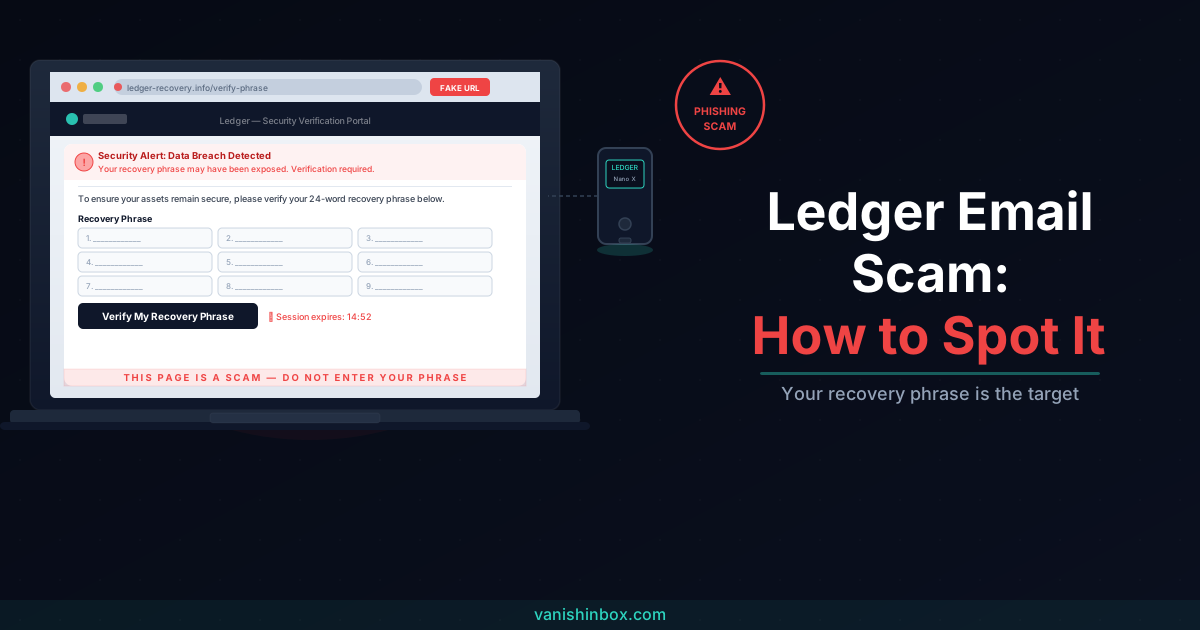
You receive an email from Ledger. Your recovery phrase may have been exposed in a data breach. Click the button to verify it's still secure.
Stop. Do not click anything.
This is a phishing scam, a well-funded, professionally executed one that has targeted Ledger customers continuously since 2020. The emails are polished, the fake websites look real, and the threat feels urgent. That is by design. Your recovery phrase is fine. Your wallet is fine. The email is not from Ledger.
Is the Ledger Email Real?
No. If an email asks you to enter, verify, or "validate" your 24-word recovery phrase anywhere, on a website, in a form, over the phone, it is a scam, no exceptions.
Ledger will never ask for your recovery phrase. Not by email, not by phone, not by letter, not through any channel under any circumstances. A recovery phrase is the master key to your crypto wallet. Anyone who has those 24 words has complete, irreversible access to every asset stored on that device. Ledger's own engineers cannot access your wallet without it, which is precisely why scammers want it.
The only time you ever enter your recovery phrase is directly into your physical Ledger device. Never into a website, app, or form of any kind.
If the email you received does not ask for your recovery phrase but claims to be from Ledger about something else, check the sender domain. Legitimate Ledger emails come exclusively from @ledger.com or @ledger.fr. Anything else is not from Ledger, however convincing the logo or language looks.
Why Ledger Users Are Targeted So Relentlessly
The targeting is not random. It is driven by a specific, well-documented data breach history that handed scammers exactly what they needed to run convincing impersonation campaigns.
In July 2020, attackers accessed Ledger's e-commerce and marketing database through an exposed API key. The breach exposed over 1.1 million email addresses and detailed personal records, including full names, phone numbers, and home addresses, for around 272,000 customers. That data was dumped online publicly in December 2020. It has been circulating in breach databases and on dark web marketplaces ever since.
Then in January 2026, a second exposure hit. Blockchain researcher ZachXBT revealed that Ledger customer data had been accessed through a breach at Global-e, a third-party payment processor Ledger uses for its online store. Names, email addresses, phone numbers, and order details were exposed again.
Within hours of both disclosures, users reported surges in phishing emails exploiting the leaked information. The 2020 breach is still fuelling campaigns today; scammers who bought those records years ago keep finding new ways to use them.
What makes these attacks more dangerous than generic phishing is that scammers know you own a Ledger. They know your name, your address, and in many cases what model you bought and when. An email that addresses you correctly, references your purchase, and carries Ledger's logo is much harder to dismiss than one starting "Dear Customer."
Security researchers also note that anyone known to own a hardware wallet becomes a target, even if their personal data was not in a specific breach. Hardware wallet ownership signals crypto holdings. That alone is enough to put you on a list.
The Active Scam Variants
The goal is always the same: get your 24-word recovery phrase. The delivery method changes.
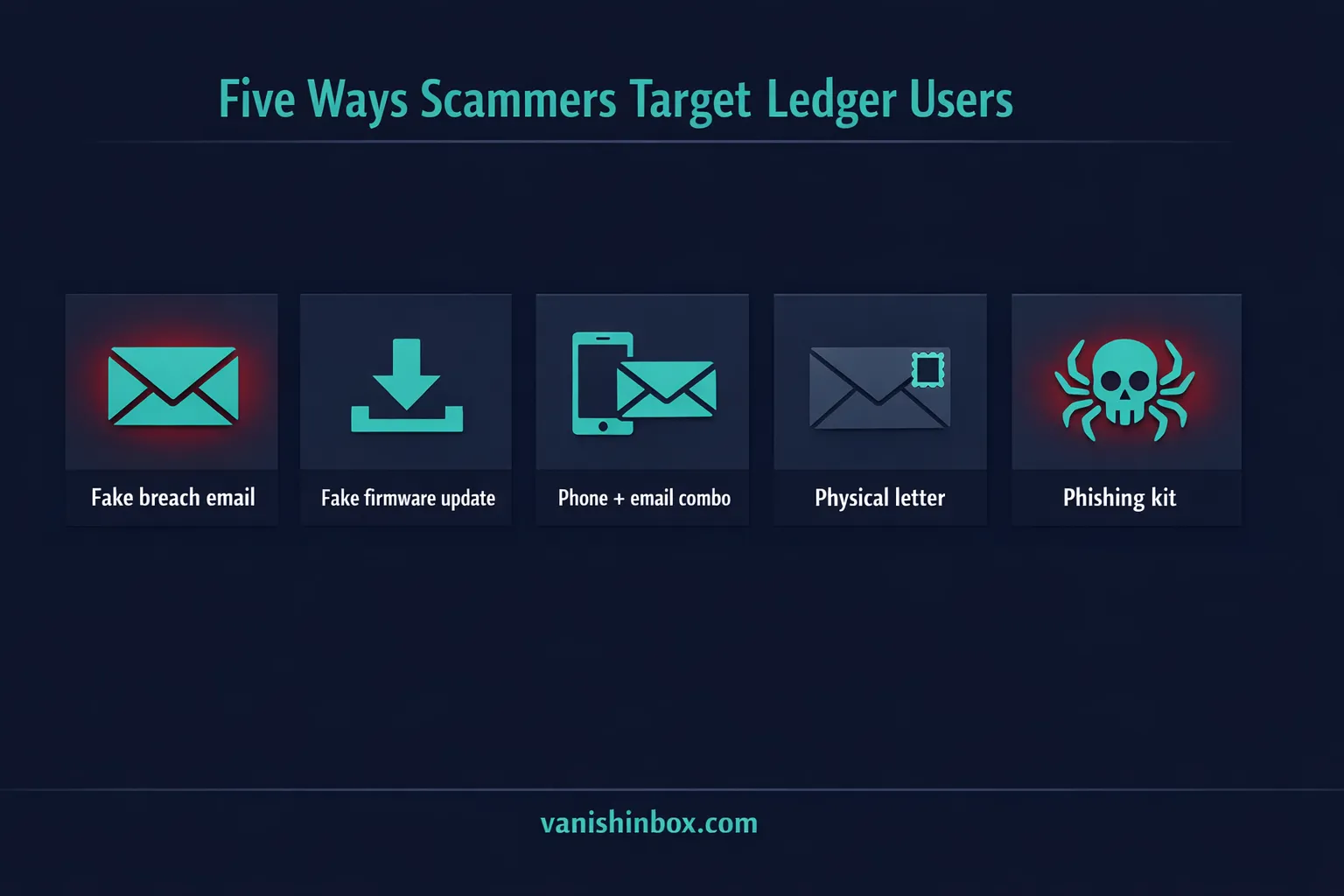
Fake Data Breach Notification
The most common variant by volume. The email claims Ledger has suffered a data breach and that your recovery phrase "may have been exposed." To check whether yours is compromised, it asks you to visit a verification page and enter your words.
The subject line is typically something like "Action Required: Ledger Data Breach — Check Your Recovery Phrase." The email carries Ledger's branding, an apology for the inconvenience, and a prominent button labelled "Verify My Recovery Phrase."
The button routes through an Amazon AWS-hosted file, a deliberate technique to make the link look legitimate and bypass corporate spam filters, before redirecting to a phishing domain like ledger-recovery[.]info or portal-sign-ledger[.]com. The site impersonates Ledger's interface and prompts you to select your device and enter your recovery phrase.
There is a particularly deceptive detail built into these sites: whatever recovery phrase you enter, the page tells you it is invalid. This is not an error. The site is designed to make you assume you've typed something incorrectly and try again, which confirms you are entering the actual words rather than testing random input. The scammers collect every attempt.
Fake Firmware Update Email
This variant is technically more sophisticated. Scammers send a polished email warning of a "critical security vulnerability" in your device's firmware that requires an immediate update. The emails have been sent via SendGrid, a legitimate bulk email platform, which gives them a credible sender reputation and helps them clear spam filters that would catch messages from unknown servers.
The email directs you to a professionally designed website that mimics Ledger's interface, complete with device selection menus, a functional-looking support chat, and branding that is hard to distinguish from the real thing. The site's entire purpose is a single form: enter your recovery phrase to begin the firmware verification process.
The only reliable red flags on these pages are the domain, which has no connection to ledger.com, and the request itself, which Ledger would never make.
The Phone Plus Email Combo
This variant exploits Ledger's own support ticketing system. The scammer opens a support case at support.ledger.com using your email address, which triggers a genuine automated confirmation email from Ledger's ticketing system. Seconds later, they call you, referencing the real email as proof they are Ledger support.
Ledger offers no phone support. If someone calls you claiming to be from Ledger, they are not from Ledger. Hang up immediately.
If you receive an unsolicited automated confirmation email for a support ticket you did not open, reply to that email to let Ledger's team know you did not initiate the request, then ignore any calls that follow.
Physical Letters with QR Codes
This one involves no email at all. Scammers mail printed letters to physical addresses sourced from the 2020 breach, which included home addresses for hundreds of thousands of customers.
The letters carry Ledger's branding, a Paris address, a fake reference number, and an official-looking security notice. Earlier versions claimed a "mandatory Transaction Check" was required. More recent versions reference a "Quantum Resistance Update" or "mandatory Authentication Check." All include a QR code and a deadline, often a specific date weeks away, warning that ignoring it will cause transaction problems or restricted access.
Scanning the QR code leads to a fake domain like ledger.setuptransactioncheck.com or authorize-ledger.com, which prompts the same outcome: enter your recovery phrase to complete the process.
The physical letters make plain how long the consequences of the 2020 breach linger. Those home addresses were leaked six years ago. Scammers still have them and are still using them.
Dark Web Phishing Kits
For context on the scale of the ecosystem: security researchers at SOCRadar documented threat actors selling a "Ledger Wallet 2025 Smart Scampage Inferno Multichain" phishing kit on dark web marketplaces. The kit replicates Ledger's interface with a redesigned 2025 UI, anti-bot protection, responsive mobile design, and seed phrase capture functionality. It is sold to anyone willing to pay. The campaigns you receive are often not the work of a single individual but of buyers running the same kit across many targets at once.
Seven Red Flags to Check Before You Do Anything
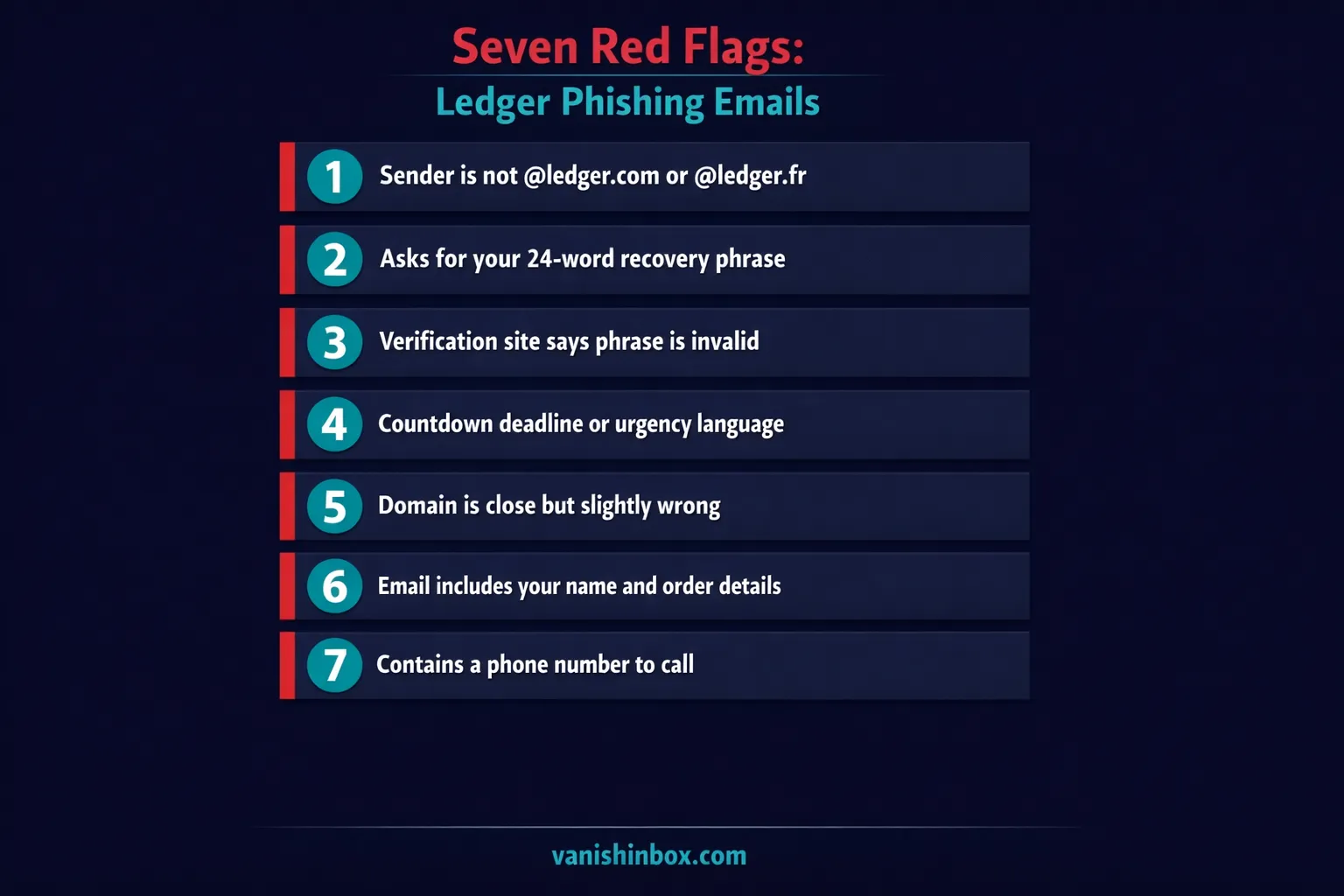
Run through these whenever a Ledger-branded message appears in your inbox, your post box, or your phone.
1. The sender domain is not @ledger.com or @ledger.fr.
Click on the sender's display name to reveal the full email address. Ledger's legitimate sender addresses include [email protected], [email protected], [email protected], [email protected], and addresses ending in @ledger.fr. Any domain that is not one of these, even a close one like ledger-support.com or secure-ledger.net, is not from Ledger.
2. It asks for your recovery phrase. This is binary. Ledger will never ask for your 24-word phrase through any channel. A message asking for it is a scam, regardless of how official everything else looks.
3. The verification site says your phrase is invalid. If you have already reached a site and it keeps rejecting your recovery phrase, the site is working as designed. It is collecting your input and flagging it as wrong to get you to try more variations. Close the browser immediately.
4. Urgency language with a specific deadline. "Your funds are at risk," "validate by October 15th," "failure to act will restrict your transactions": this language is engineered to stop you thinking clearly. Real Ledger communications about account matters are calm, specific, and do not carry countdown deadlines threatening fund loss.
5. The domain is close but wrong.
Scam domains spotted in active campaigns include ledger-recovery[.]info, authorize-ledger[.]com, portal-sign-ledger[.]com, and ledger.setuptransactioncheck[.]com. Legitimate Ledger domains are ledger.com, ledger.fr, and support.ledger.com. Ledger also flags lookalikes like legder, leqder, ledqer, and lèdger as known fakes.
6. Your name and order details are included. Personalisation in a Ledger email is not proof of legitimacy. It's proof your data was in one of the breach databases. The 2020 breach included names, addresses, phone numbers, and purchase details for hundreds of thousands of customers. Scammers use that information to make their messages feel targeted rather than generic.
7. There is a phone number to call. Ledger has no phone support. If any message, email, letter, or otherwise, includes a phone number and asks you to call it to resolve a Ledger issue, that number connects to a scammer.
What Ledger Will and Won't Do
Knowing Ledger's actual communication behaviour makes every scam obvious right away.
Ledger communicates via email and official social media only. Any contact via text message, WhatsApp, Telegram, phone call, or postal letter should be treated as a phishing attempt by default.
Ledger's legitimate email addresses include [email protected], [email protected], transactional addresses at [email protected] and [email protected], and support addresses under @ledger.fr. Delivery emails come from [email protected].
Ledger will never:
- Ask for your 24-word recovery phrase through any channel
- Contact you by phone (Ledger has no phone support line)
- Ask you to enter your recovery phrase on any website
- Send you a physical letter requesting wallet validation
- Ask you to download software to resolve a security issue
- Request remote access to your device
Ledger will sometimes send marketing emails, order confirmations, shipping updates, and responses to support tickets you have opened yourself. These all come from the domains listed above and do not ask for sensitive information.
If you receive a support ticket confirmation for a ticket you did not open, reply to that email to alert Ledger's team, then disregard any follow-up calls.
What to Do If You Received a Ledger Scam Email
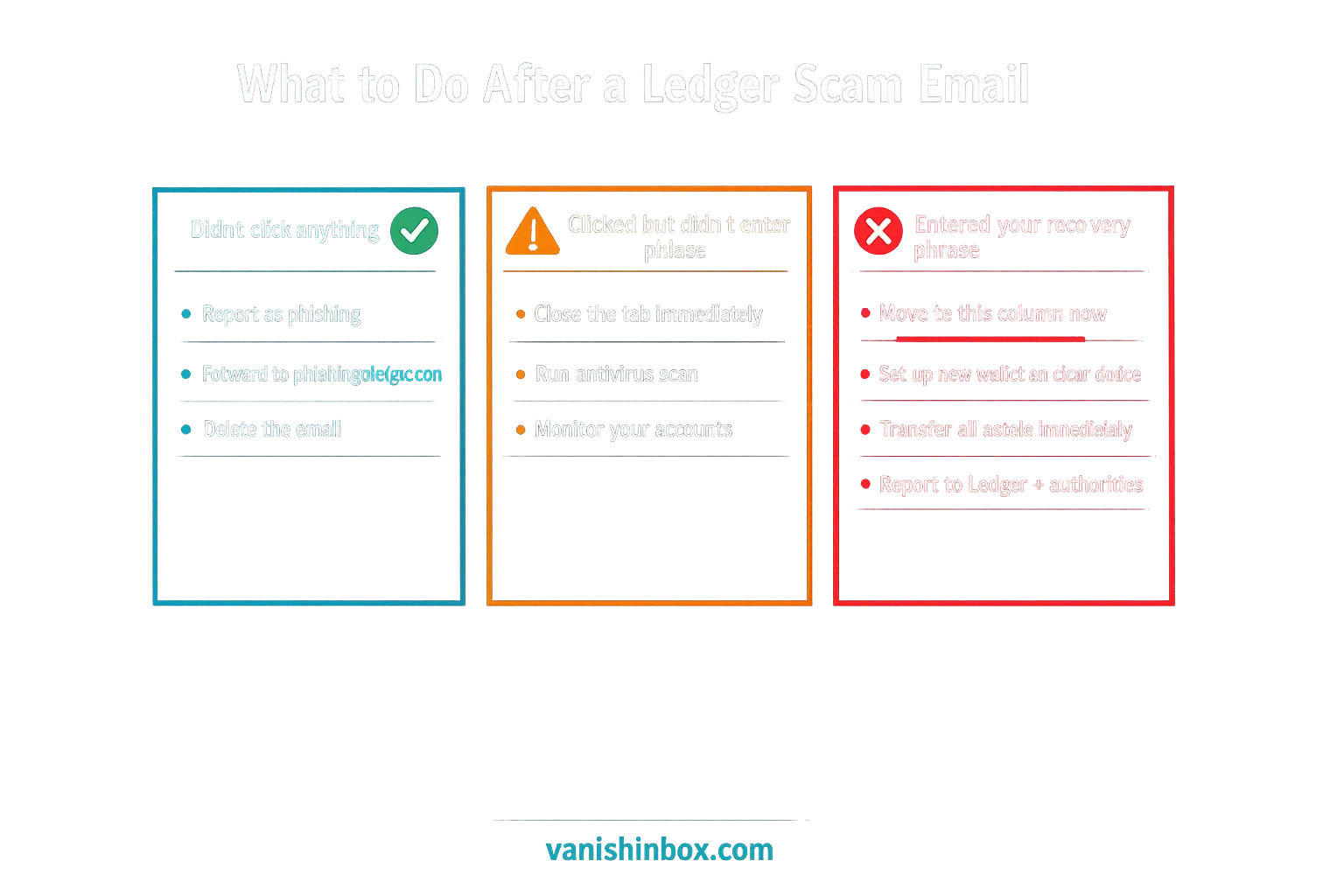
If you have not clicked anything:
Do not click any link, call any number, or scan any QR code. Mark the email as phishing in your email client (Gmail, Outlook, and Apple Mail all have a built-in reporting option). If you want to report it to Ledger directly, forward the email as an .eml or .html file attachment to [email protected], since Ledger cannot process screenshots or PDFs. Delete the email. If you received a physical letter, photograph it for your records, then discard it.
If you clicked a link but did not enter your recovery phrase:
Close the browser tab. Run a full antivirus scan on the device you used. Monitor your accounts for unusual activity over the following days. Your wallet is safe as long as your recovery phrase was not entered, but some phishing pages attempt drive-by exploits on visit, so the scan is worth running.
If you entered your recovery phrase:
Your wallet is compromised. Move fast; the window between entry and fund drainage can be minutes.
On a clean device you have not used on the phishing site, set up a new Ledger wallet and generate a new recovery phrase. Transfer every asset from your compromised wallet to the new wallet right away, before the scammer has a chance to act. Once your funds are moved, treat the old wallet as fully compromised and abandon it.
Do not use the device on which you entered the phrase until you have run a full security scan. The phishing site may have attempted to install additional malware.
Report the incident to Ledger at [email protected], to Action Fraud if you are in the UK (actionfraud.police.uk), or to the FTC in the US (reportfraud.ftc.gov). Recovery of stolen cryptocurrency is rarely possible once funds have been moved, but reporting creates a record and helps investigators track the wallets used across campaigns.
How a Disposable Email Address Reduces Your Risk
Both major Ledger breach events, 2020 and 2026, involved email addresses and personal data collected at the point of purchase. The customers targeted most persistently are those whose details entered Ledger's systems through their online store.
Using a disposable email address when purchasing hardware or signing up for any crypto-related service means your real email never enters that retailer's database. When that database is breached, as Ledger's was, twice, your real address is not in it. It cannot be sold to data brokers, bundled into dark web listings, or used to target you in the campaigns that follow every major breach.
This does not protect email addresses already in circulation. If your real address was in the 2020 breach, it will continue appearing on phishing lists regardless of what you do going forward. But for any new account, a hardware wallet purchase, a crypto exchange sign-up, any service in the broader ecosystem, VanishInbox generates a working inbox in seconds with no account required. Use it, receive your order confirmation, and your real email stays out of the system entirely.
For a fuller look at how this protection works and what it covers, see can disposable emails prevent phishing. And for the mechanics of how email addresses move from sign-up to phishing list, see what actually happens when a website sells your email address.
Frequently Asked Questions
Is the Ledger email real?
If it is asking you to enter, verify, or confirm your 24-word recovery phrase, no, it is a scam. Ledger never asks for your recovery phrase through any channel. Check the sender's full email address: legitimate Ledger emails come only from @ledger.com or @ledger.fr. Anything else should be deleted.
What does a Ledger phishing email look like?
The most common version claims Ledger suffered a data breach and that your recovery phrase "may have been exposed." It uses Ledger's branding, an apology, and a button labelled "Verify My Recovery Phrase" that routes through a cloud storage link before landing on a fake Ledger site. Other variants warn of firmware vulnerabilities or mandatory account validation. All share the same goal: get you to enter your recovery phrase.
Will Ledger ever ask for my recovery phrase?
Never. Ledger states this plainly across all its security guidance: there is no legitimate scenario in which Ledger will ask for your 24-word recovery phrase by email, phone, letter, or any other channel. Your recovery phrase should only ever go directly into your physical Ledger device, never into any website or application.
Why does the verification site say my recovery phrase is invalid?
The site is built to do that. By telling you the phrase is wrong, it encourages you to re-enter it, which helps the scammers confirm they have captured the correct words rather than random guesses. If you reach a site that keeps rejecting your recovery phrase, close the browser immediately. Whether you entered one word or all 24, contact Ledger and move your assets to a new wallet.
What happens if I entered my seed phrase on a fake site?
Your wallet is compromised. On a clean device, create a new Ledger wallet with a new recovery phrase and transfer your assets right away. Do not use the device on which you entered the phrase until it has been fully scanned for malware. Report the incident to Ledger at [email protected] and to your national fraud reporting body.
How do I report a Ledger phishing email?
Forward the email to Ledger as an .eml or .html file attachment (not a screenshot) to [email protected]. Also report it as phishing using your email client's built-in option. In the UK, forward it to the NCSC at [email protected]. In the US, report to the FTC at reportfraud.ftc.gov.
Can I recover funds stolen through a Ledger scam?
Cryptocurrency transactions are irreversible. Once funds are moved from your wallet, they cannot be recalled. Report to Action Fraud (UK) or the FTC (US) regardless, as these reports support ongoing investigations and occasionally help track wallet addresses used across multiple attacks. But act fast: moving funds to a new wallet before the scammer acts is the only reliable protection once a phrase has been entered.
I received a physical Ledger letter. Is that real?
No. Ledger does not send physical letters requesting wallet validation, QR codes to scan, or recovery phrase entry. These letters are scams exploiting home address data from the 2020 breach. Photograph the letter for reporting purposes and discard it without scanning any QR code or visiting any URL mentioned in it.
For a broader look at how phishing works across email and other channels, see how to spot a phishing email. If you have received scam emails impersonating tech support services, our guide to the Geek Squad scam email covers the same psychological playbook applied to fake renewal billing. If you hold crypto on an exchange as well as a hardware wallet, the Uphold scam email guide covers the fake data breach notices pushing account holders toward scam phone lines. And if an email landed in your inbox appearing to come from your own address, see the note to self email scam explained.