You open your inbox and see an email from yourself. One you never sent. The subject line says "Note to self" or something like it, and the message inside claims a hacker has been inside your account, watching you, recording you, reading your messages. Pay up in Bitcoin within 48 hours or they'll send the footage to everyone in your contacts.
Before you do anything: stop. You have not been hacked. Your webcam has not been compromised. The threatening email is a scam, a well-documented one, and the people who sent it are counting on fear making you act before you think.
This guide explains exactly what is happening, why the email looks the way it does, and what you should do.
What to Do First
The most important thing to know is that this scam only works if you react to it. Do this right now:
1. Do not pay anything, ever. There is nothing to pay for. The threat is entirely hollow. Paying only encourages scammers to try again.
2. Do not reply. Replying confirms your email address is active and monitored, which makes it more valuable to scammers for future attempts.
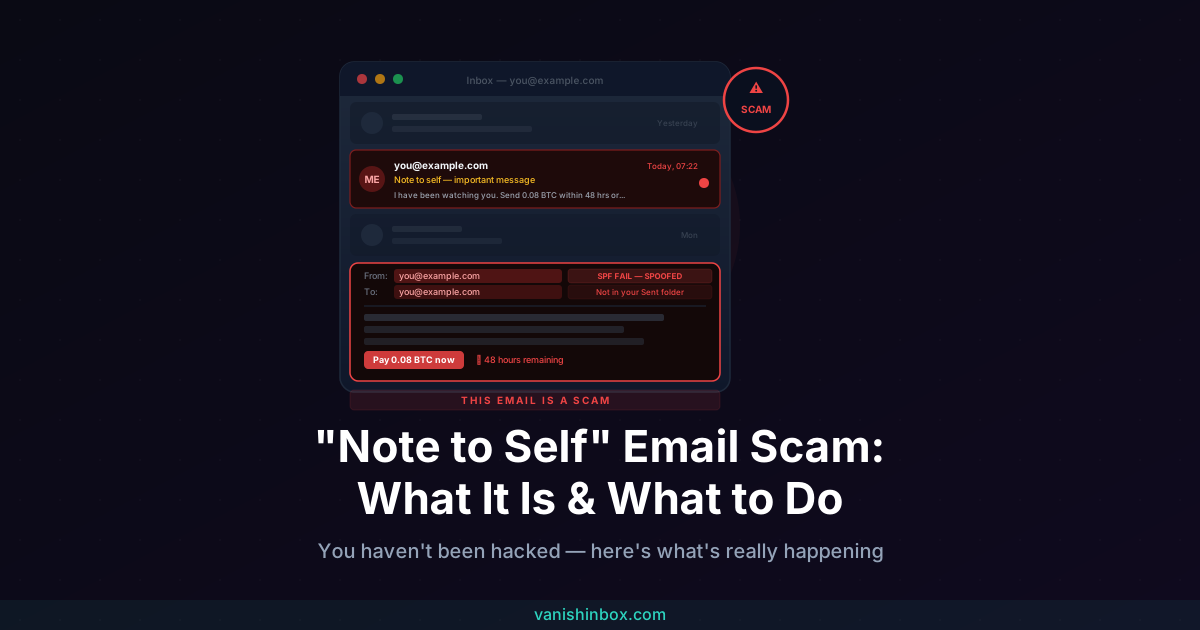
3. Check your Sent folder. Because this email was spoofed from an external server rather than sent from your account, it will not appear in your Sent items. This is the fastest proof the email is fake.
4. Do not click any links in the email. Even curiosity clicks can be risky. Some scam emails contain links that track whether you've opened them, or that lead to phishing pages.
5. Mark it as spam or junk. This helps train your email provider's filters to catch similar messages in future.
6. Change your email password anyway. Not because you've been hacked, but as a sensible precaution. Enable two-factor authentication (2FA) while you're there.
7. Report it. In the UK, forward it to the NCSC at [email protected]. In the US, report to the FTC at reportfraud.ftc.gov.
If you already clicked a link or entered information, skip to the section below specifically for that.
What Is the "Note to Self" Email Scam?
Most email services let you send a message to yourself, a quick note, a reminder, something you want to find later. The email appears in your inbox showing your own address as both sender and recipient. It's a handy feature that most people use at some point.
Scammers exploit this familiar format. They spoof your email address, forging the "From" field to display your own address, and send a threatening message designed to look like you sent it to yourself from inside your own account. The implication they want you to draw is that they must already be inside your account if they can send from it.
They can't. Spoofing an email address requires no access to the account whatsoever.
The message then typically claims one or more of the following: they installed spyware on your device, they have webcam footage of you watching adult content, they've been reading your messages and files for weeks, and they'll share everything with your contacts unless you send a specific amount of cryptocurrency to a wallet address within a tight deadline, usually 24 to 48 hours.
None of it is true. The threat is manufactured entirely from a spoofed email and your own alarm response.
The Common Variants
The core mechanic is always the same: spoofed sender, alarming claim, ransom demand. The framing shifts across different versions.
Sextortion variant. The most common. The scammer claims they recorded you via your webcam while you visited adult websites and will share the footage with your contact list unless you pay in Bitcoin. This version sometimes includes your name or an old password to seem more credible.
"Pegasus" malware variant. The email claims sophisticated spyware, often named specifically as Pegasus, a real piece of software that has been used by state actors, was installed on your device. The scammer claims they can access your camera, microphone, messages, and stored passwords. The mention of a real technology is designed to make the claim feel more plausible.
Old password variant. The email contains a password you actually used at some point. This is sourced from a publicly available data breach database (sites like Have I Been Pwned list tens of billions of leaked credentials) and is included to make you believe the scammer has access to your accounts. They don't. The password came from a breach, not from your device.
Fake service notification variant. Some versions are dressed up as account alerts or service notifications, Netflix, TV Licensing, or a similar brand, but "sent from you" in order to slip past spam filters. These are usually credential phishing rather than ransom demands.
Why Does It Look Like It Came from My Own Address?
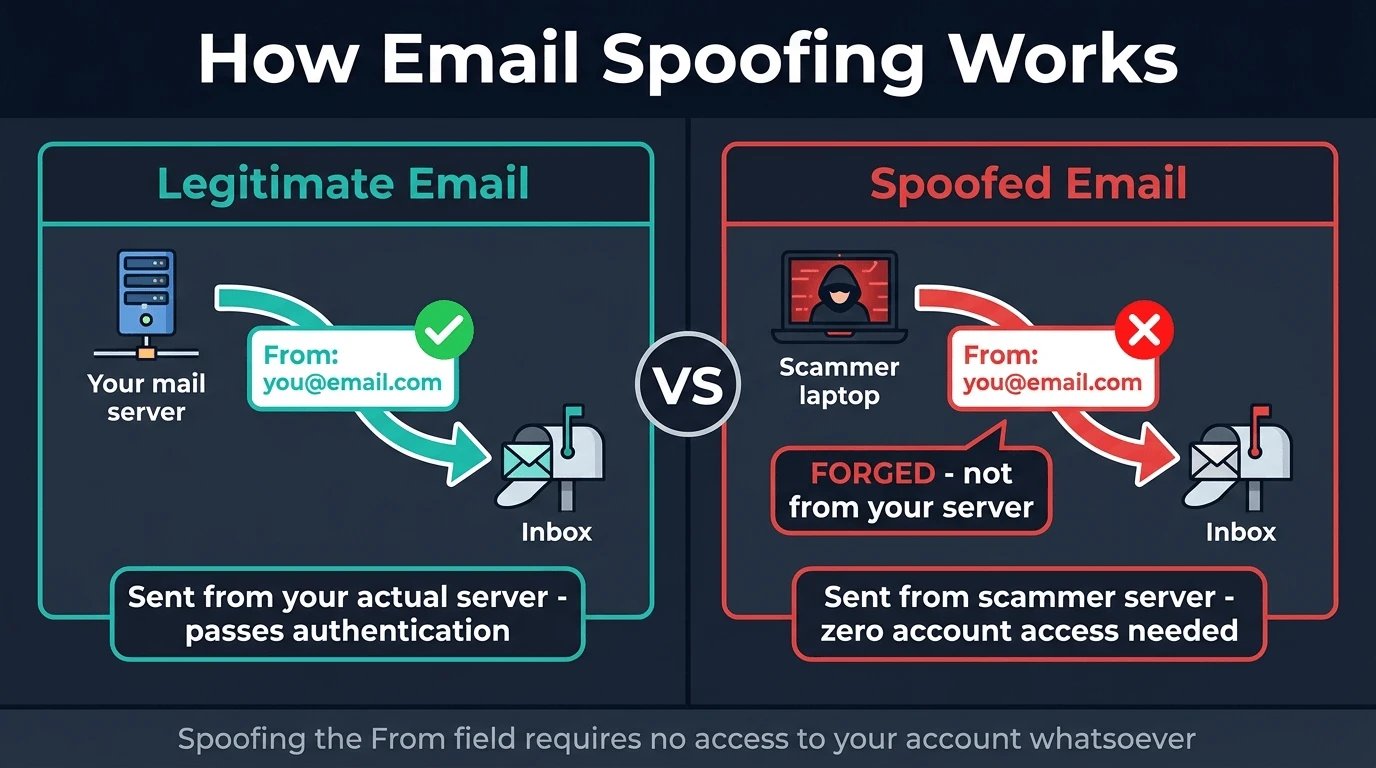
This is the part that makes the scam convincing, so it's worth understanding clearly.
Email was designed in an era when the internet was small and trust was assumed. The protocol that moves email between servers, called SMTP, does not require a sender to prove they own the address they're sending from. The "From" field in an email header is like a return address you write on an envelope: anyone can write anything there. The postal service (or in this case, the receiving email server) doesn't always check.
This is called email spoofing, and it requires no access to your account. The scammer sends the email from their own server, sets the "From" field to your address, and your inbox receives it appearing to come from yourself.
Three authentication technologies were developed specifically to stop this:
SPF (Sender Policy Framework) checks whether the server that sent an email is actually authorised to send on behalf of that domain. If a scammer sends a spoofed email from an unauthorised server, SPF fails.
DKIM (DomainKeys Identified Mail) adds a cryptographic signature to legitimate outgoing email. A receiving server can verify that signature against a public key; if the email was tampered with or sent from an unauthorised source, the signature won't match.
DMARC ties SPF and DKIM together and tells receiving servers what to do when email fails those checks: reject it, quarantine it, or let it through with a warning.
When all three are properly implemented, spoofed email gets blocked before it reaches your inbox. Many major email providers, including Gmail and Outlook, enforce these checks, which is why these scam emails often land in spam. When one slips through to your inbox, it usually means the sending domain passed a weak check or your provider's implementation has a gap.
If you see a warning banner in your email client saying the message couldn't be verified or that the sender couldn't be confirmed, that is the authentication system telling you something is wrong. It is confirmation the email is spoofed.
How to Verify It's Fake in Thirty Seconds
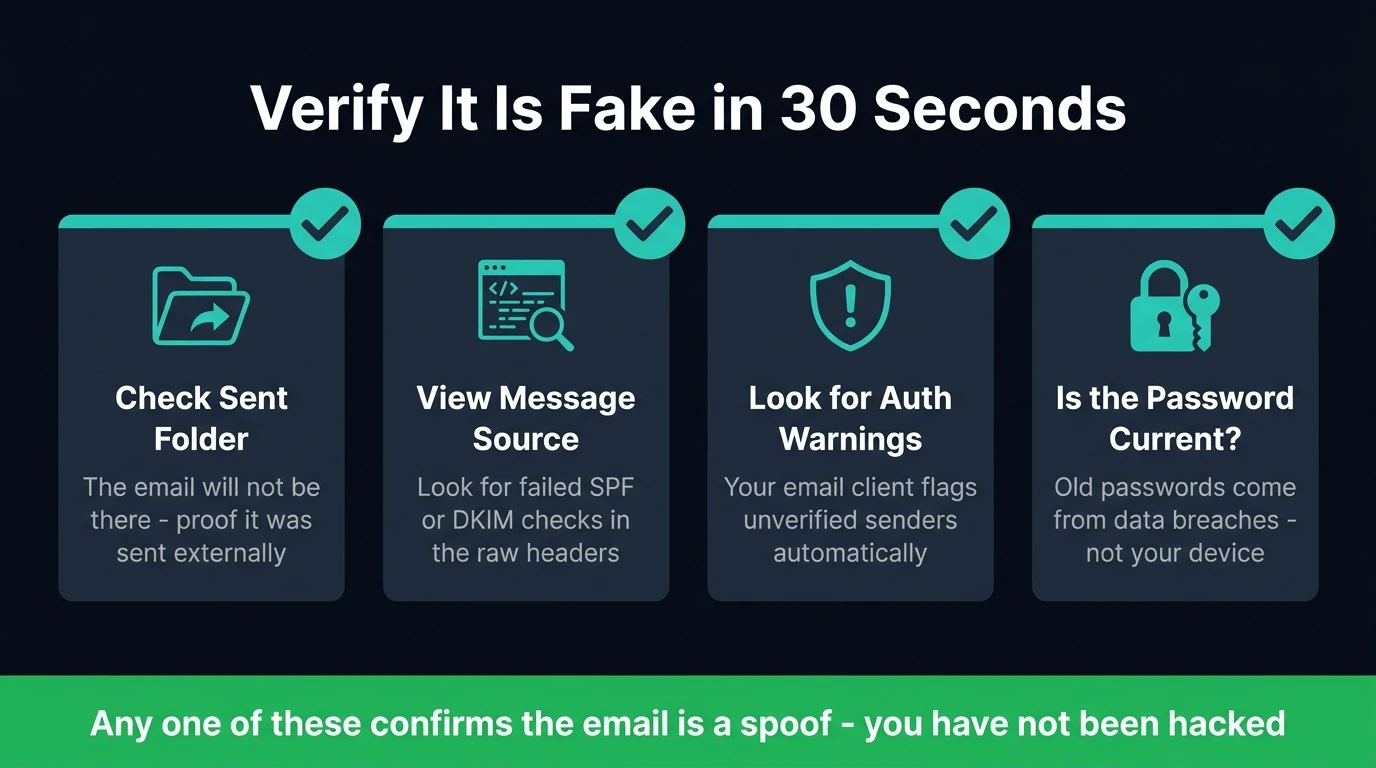
You don't need to take anyone's word for it. Check these yourself:
Check your Sent folder. If you sent this email, it would appear there. It won't.
View the message source. In Gmail, open the email, click the three-dot menu, and select "Show original." In Outlook, go to File > Properties. The raw headers will show the actual IP address the email was sent from and whether SPF, DKIM, and DMARC checks passed or failed. A failed SPF check alongside a "From" address showing your own email is definitive proof of spoofing.
Look for authentication warnings. Most modern email clients display a banner or alert when an email fails authentication checks. If you see one on this message, it's a red flag the client has already flagged for you.
Check if the password they quote is current. Scammers using old breach data often quote passwords you haven't used in years. If the password in the email is one you no longer use anywhere, it came from a breach, not from your device.
If You Already Clicked a Link
Clicking happens, especially when an email creates panic. Here's what to do based on how far you went.
If you clicked but didn't enter any information:
The risk is lower, but not zero. Some phishing pages deliver tracking code or attempt browser-based exploits from a visit alone. Disconnect from the internet, run a full scan with reputable antivirus software, and monitor your accounts for any unusual activity over the following days. If your device behaves strangely, unexpected slowdowns, unusual battery drain, unfamiliar processes, take it to a professional.
If you entered your email login credentials:
Change your password right away, and do it from a different device if possible, in case malware was installed on the one you used. Once you've changed the password, check your account's recovery options: the email address and phone number linked to the account, any backup codes, and whether any email forwarding rules have been added without your knowledge. Scammers who get into an account often set up forwarding to a separate address so they retain access even after you change the password. Enable 2FA if it isn't already active.
If you entered financial information:
Call your bank right away and explain what happened. Ask them to flag the account for fraud and issue a new card. Also file a report with Action Fraud (UK: actionfraud.police.uk) or the FTC (US: reportfraud.ftc.gov) to create an official record that supports any dispute or reimbursement claim.
If you sent cryptocurrency:
Unfortunately, cryptocurrency transactions are irreversible. Report to Action Fraud or the FTC, and to the National Cyber Security Centre. While recovery of funds is unlikely, reporting helps investigators track the wallets used in these campaigns.
How to Spot This Scam Instantly in Future
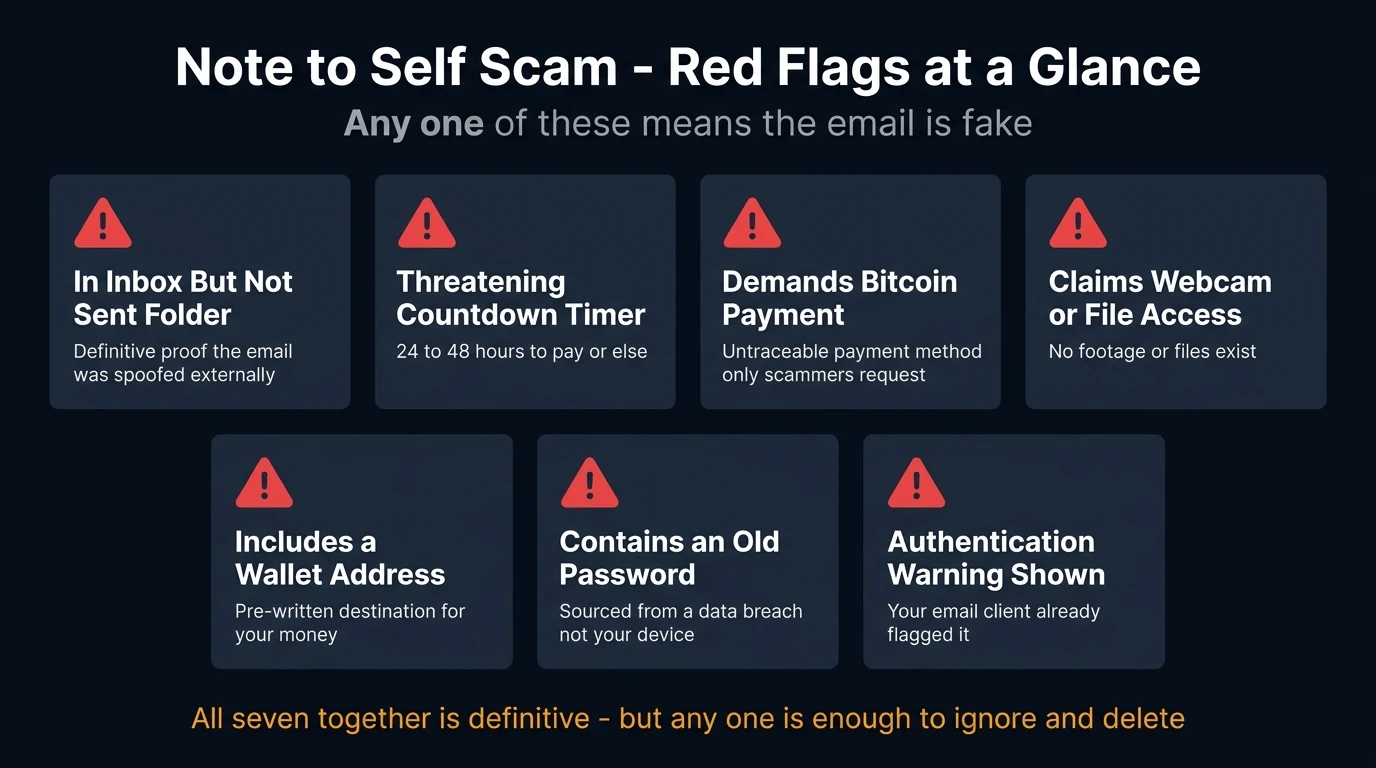
Once you know the pattern, these emails are easy to identify:
- The email is in your inbox but not in your Sent folder
- The tone is threatening, urgent, and involves a countdown
- It demands payment in cryptocurrency, Bitcoin specifically, almost always
- It claims access to your webcam, files, or browsing history
- There is a specific wallet address to send funds to
- It includes an old password of yours as "proof" of access
- Your email client shows an authentication warning or unverified sender notice
Any one of these is a red flag. All of them together is definitive.
Protecting Yourself Going Forward
A few habits make a meaningful difference to how exposed you are to scams like this one.
Use a strong, unique password for your email account. Your email is the master key: whoever controls it can reset access to almost everything else. It deserves the strongest password you have and should not be reused anywhere.
Enable two-factor authentication on your email. Even if a scammer had your password, 2FA means they can't access the account without the second factor. Most email providers offer this as an option in account security settings.
Check haveibeenpwned.com. Enter your email address to see which data breaches have included your credentials. If any current passwords appear in breach data, change them immediately.
Use a disposable email address for sign-ups you're unsure about. Your real email address accumulates exposure every time you use it to register for a service. When those services are breached or sell their data, your address ends up in the lists that scammers buy. VanishInbox generates a working temporary inbox in seconds, no account required. Use it for any sign-up where you don't need a long-term relationship, and your real address never enters that service's database. For more on how this data pipeline works, see what actually happens when a website sells your email address.
Don't reuse passwords. A password manager makes unique passwords for every account practical. It also won't auto-fill your credentials on a fake domain, which adds a second layer of protection against phishing pages.
For a broader look at identifying phishing attempts across email and other channels, see how to spot a phishing email.
Frequently Asked Questions
Why did I get an email from myself that I didn't send?
A scammer spoofed your email address: they forged the "From" field to display your address without having any access to your account. Email spoofing requires no login credentials or account access. Check your Sent folder: the email won't be there, which confirms it was sent from outside your account.
Is the "note to self" email real? Have I been hacked?
No. These emails are a mass-produced scam sent to millions of addresses. The claims inside, webcam footage, installed spyware, access to your files, are false. The scammer has no footage, no access, and no malware on your device. The email is designed entirely around fear. Your account has not been compromised.
They have my old password in the email. How is that possible?
That password came from a data breach, not from your device. Scammers buy and download leaked credential databases, collections of usernames and passwords exposed in past breaches of websites and services. Including an old password makes the threat seem credible, but it proves only that you used that password somewhere that was later breached, not that anyone has access to your device or accounts. Visit haveibeenpwned.com to see which breaches included your email address.
What should I do if I get a "note to self" scam email?
Don't pay, don't reply, and don't click any links. Check your Sent folder to confirm the email wasn't sent from your account (it won't be there). Mark it as spam and delete it. Change your email password and enable 2FA as a precaution. Report it to the NCSC ([email protected] in the UK) or the FTC (reportfraud.ftc.gov in the US).
Can scammers send emails from my own address?
Yes, the email address in the "From" field can be set to anything by whoever sends the email. This is called spoofing. It requires no access to your account. Modern authentication standards (SPF, DKIM, DMARC) exist specifically to catch these spoofed messages, which is why many of them land in spam. When one reaches your inbox, it means the authentication check wasn't fully enforced for that particular message.
I clicked the link in the email. What should I do?
If you clicked but entered no information, run an antivirus scan and monitor your accounts for unusual activity. If you entered login credentials, change those passwords right away from a different device, check your account's recovery options and forwarding rules, and enable 2FA. If you entered financial details, call your bank right away and report to Action Fraud or the FTC.
Should I pay the ransom?
Never. The threat is not real. No footage exists. No files have been accessed. Paying achieves nothing except confirming to the scammer that you respond to pressure, which makes you a target for future attempts. Paying also directly funds campaigns that target other people.
How do I stop getting emails like this?
You can't fully prevent spoofed emails from being sent to your address, since spoofing is an external action that doesn't require your involvement. What you can do is limit how widely your primary email address circulates. Using a disposable address for online sign-ups keeps your real email out of the databases these campaigns draw from. The fewer places your real address appears, the less likely it is to appear on a scammer's targeting list.
If you've received scam messages by text as well, see our guides to the DPD text message scam and DWP scam texts, the same psychological playbook applied to different contexts. For a practical guide to spotting phishing across all channels, see how to spot a phishing email. And if you want to verify whether any email you receive is from who it claims, see how to tell if an email is legitimate, including how to check authentication results in Gmail in under a minute.