You didn't sign up for any of it. But every morning there they are — offers for supplements you've never heard of, alerts from banks you don't use, newsletters from companies you've never visited. Your inbox gets so much spam that marking things as junk doesn't seem to slow it down.
That's not bad luck. There are specific reasons your email address ends up on these lists, and most of them happen without you ever noticing. The systems behind your spam folder are working exactly as intended.
Here's where it comes from and what you can actually do about it.
How Your Email Address Ends Up on Spam Lists
Sign-Up Forms and Free Trials
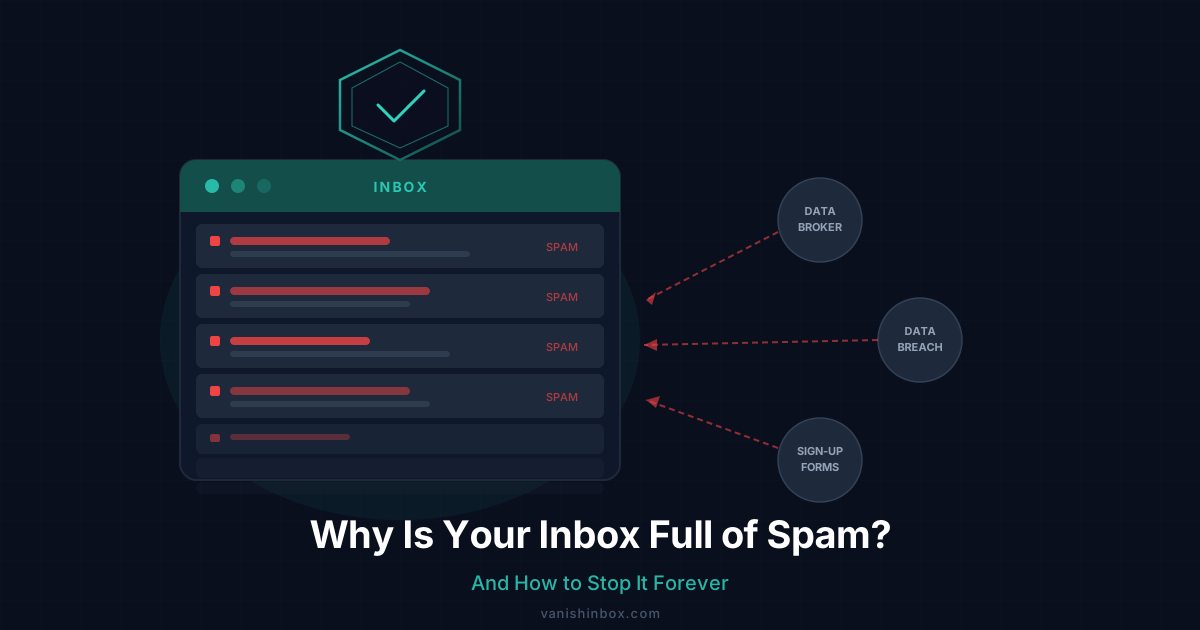
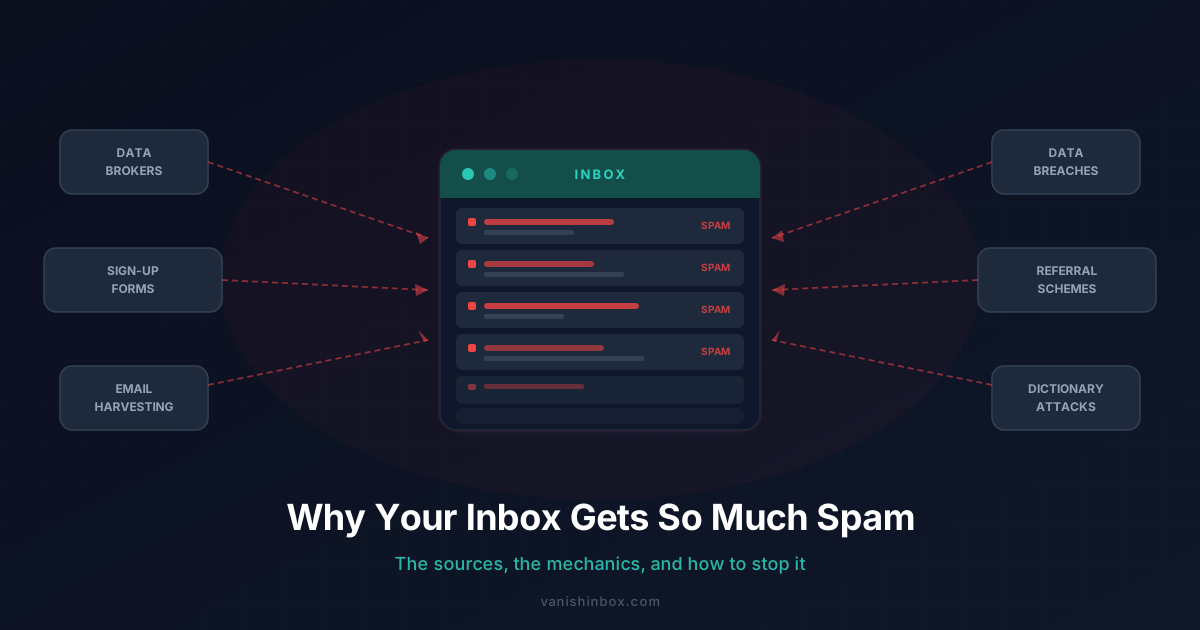
This is the most common source by a significant margin. Every time you enter your email on a website — to access a discount code, download a free guide, start a free trial, or read a gated article — that address enters a database. What happens next depends on the site's privacy policy, which almost nobody reads.
Most policies contain language about sharing data with "trusted third-party partners" or "advertising networks." That's the legal cover for selling your email. You consented when you clicked agree, even if you never read paragraph twelve. The result: your address gets bundled with other data about you and sold, sometimes within hours of you submitting the form.
Data Brokers Reselling Your Address
Once your email enters the data broker ecosystem, it rarely leaves. Companies like Acxiom, Experian Marketing Services, and Oracle Data Cloud use your email as a cross-referencing key — linking your activity across different websites, apps, and devices to build a profile that includes your name, address, purchase history, and browsing behaviour.
That profile gets sold again and again to email marketing platforms, lead generation companies, ad networks, and other brokers. By the time spam arrives, your address may exist in dozens of separate databases, each one a fresh source of junk mail. Here's the full chain of events that unfolds after a website sells your email address — the timeline is faster than most people expect.
Data Breaches
Every database your email lives in is a potential breach point. When a company gets hacked, stolen email lists end up on dark web marketplaces where spammers buy them in bulk. You may have been exposed by breaches at sites you used years ago and barely remember.
This is why spam sometimes arrives from categories completely unrelated to anything you've ever signed up for. Your address reached that sender not through a recent visit, but through a breach at a site from several years back. You can check how many breaches have exposed your email at Have I Been Pwned.
Email Harvesting
Automated bots crawl the web constantly, scraping any email address that appears in plain text — forum posts, GitHub commits, business directories, social media profiles, and contact pages. If your email has appeared publicly anywhere, it has almost certainly been harvested and added to bulk lists.
This is one of the oldest spam vectors and it still works because people still post addresses openly. It requires no breach, no sign-up, and no data broker — just a public email and a bot that found it.
Referral Schemes and Newsletter Sponsorships
Some sites capture your email through referral mechanics. If someone enters your address in a "refer a friend" form, you're now in that company's system without ever directly interacting with them. Similarly, newsletters often have commercial arrangements with sponsors that involve sharing subscriber lists. You subscribed to one newsletter; three months later you're receiving emails from companies you've never heard of. The hidden cost of free newsletters covers exactly how this works.
Dictionary Attacks
Spammers also guess. Automated tools generate millions of common address patterns — [email protected], [email protected], [email protected] — and send to all of them. Addresses that don't bounce stay on the list permanently. If your address follows a predictable pattern, it may be on spam lists even if it has never been harvested or breached.
Why Unsubscribing Sometimes Makes Spam Worse
This is counterintuitive, but it matters. Clicking unsubscribe on spam from an unknown sender frequently does more harm than good.
Legitimate companies — ones operating within email marketing regulations — honour unsubscribe requests. For newsletters and marketing from brands you recognise and have a genuine relationship with, unsubscribing works.
But spam operators aren't legitimate. When you click unsubscribe on an email from an unknown sender, you confirm two things: your address is active, and you monitor it. Your address then gets marked as a verified live inbox and sold at a higher price to other senders. The result is often more spam, not less.
The rule: unsubscribe only from senders you recognise and chose to receive email from. For anything else, mark as spam and don't click anything inside the email — not the unsubscribe link, not any links at all.
Why Spam Filters Can't Solve the Problem
Spam filters have improved significantly. Gmail, Outlook, and Apple Mail all use machine learning to catch the majority of junk before it reaches your inbox. But spam operators have adapted in parallel.
Modern spam is increasingly personalised — it includes your name, references your approximate location, or mentions topics related to your browsing history. That personalisation comes from your data profile, and it helps spam pass through filters because it resembles legitimate correspondence.
Filters are a useful last line of defence. They're not a solution. The problem is upstream, in how widely your email address has been distributed in the first place.
There's also a subtler issue. Even emails that reach your inbox without being flagged are often tracking you. Most marketing emails contain invisible 1×1 tracking pixels that fire when you open them, confirming your address is active and sending back your device type, approximate location, and the time you opened the email. This data feeds your profile and can increase how frequently you're targeted. For the full breakdown of how this works, see how companies track you through your email.
What's Causing Spam in Your Inbox Right Now
Most inbox spam traces back to a small number of sources. This table shows how common each one is and what actually stops it:
| Source | How Common | Prevention |
|---|---|---|
| Sign-up forms and free trials | Very common | Disposable email address |
| Data broker reselling | Very common | Disposable email + broker opt-outs |
| Data breaches | Common | Unique email per service |
| Email harvesting | Moderate | Never post your real address publicly |
| Referral / newsletter sponsorship | Moderate | Disposable email address |
| Dictionary attacks | Less common | Unpredictable address format |
How to Actually Reduce Spam
There are reactive approaches — unsubscribing, filtering — and preventative ones. Reactive approaches manage the symptom. Preventative ones address the cause: your real email address getting into too many systems you can't control.
Use a Disposable Email Address for Sign-Ups
This is the most effective single change you can make. Instead of giving your real address to every website you encounter, use a temporary disposable address for anything you're uncertain about: free trials, one-time downloads, competitions, first-time sign-ups.
When the disposable address expires, spam sent to it goes nowhere. Even if it's sold to a data broker, the address no longer exists — it can't be used to track you, build a profile on you, or flood your inbox. The underlying logic is covered in one rule that keeps your inbox permanently clean: your real address for contacts that genuinely need it, a disposable address for everything else.
VanishInbox generates a free disposable address instantly — no account required. It receives email in real time and expires automatically after 10 minutes, deleting everything at the database level.
Create a Dedicated Secondary Address
For services you'll actually use but don't fully trust with your primary inbox, maintain a separate email address for lower-priority sign-ups. Keep your main address for things that genuinely matter — work, banking, government services. When the secondary address becomes too noisy, abandon it and create a fresh one.
Opt Out of Data Brokers
Major data brokers offer opt-out mechanisms, though the process is tedious — there are hundreds of brokers, each with its own form. Working through the largest ones systematically (Acxiom, Experian, Oracle Data Cloud, WhitePages, Spokeo) reduces how widely your existing data profile circulates. Services like DeleteMe or Privacy Bee automate this for a fee.
Enable Tracking Protection
If you use Apple Mail, enabling Mail Privacy Protection (Settings → Mail → Privacy Protection) masks your IP address and prevents senders from knowing when you've opened an email. Other email clients offer image-blocking options that achieve a similar effect. This limits how effectively you can be profiled, even through emails you do open.
Never Click Unsubscribe on Unknown Senders
For any sender you don't recognise and didn't directly sign up with, mark as spam and move on. Clicking anything inside the email confirms your address is live.
Frequently Asked Questions
Why am I getting so much spam all of a sudden?
A sudden increase usually means one of three things: a data breach at a site you use exposed your address, a service you recently signed up with sold your data, or an address you posted publicly was harvested. Check Have I Been Pwned to see if your email appears in any known breach datasets. If you recently signed up for something free — a tool, a newsletter, a competition — that's often the trigger.
How do spammers get my email address without me giving it to them?
Several ways. A site you did give your address to may have sold it to a data broker, who resold it to a marketing company. Your address may have been exposed in a data breach. Bots may have scraped it from a public page. Or a service you used shared its subscriber list with commercial partners. In most cases, your address reached them through an indirect chain, not because you gave it to them directly.
Does marking emails as spam stop them?
It improves your spam filter's ability to catch similar emails in future. It doesn't stop the sender from continuing to email you, and it doesn't remove your address from their list. Marking as spam is a filter improvement, not a sender block.
Will using a VPN reduce spam?
No. A VPN protects your network traffic and hides your IP address from websites. It doesn't prevent sites from storing your email address, and it doesn't stop that address being sold. For a full comparison of what a VPN does versus what a disposable email does, see temp email vs VPN — which one do you actually need.
Is it possible to stop spam completely?
No — but it's possible to reduce it dramatically. The realistic goal is to stop new spam from accumulating while filters handle what already exists. Using a disposable address for every uncertain sign-up from this point forward cuts off the main supply routes. You won't eliminate what's already in circulation, but you stop adding to it.
Can I remove my email from spam lists?
Not directly. You can opt out of data broker databases (a slow, manual process), unsubscribe from legitimate senders, and mark unrecognised senders as spam. But there's no central registry, no universal opt-out, and no way to reach every list your address is on. Preventative measures are more effective than trying to clean up after the fact.
Why does personalised spam get through filters?
Spam filters look for signals that an email is unsolicited or suspicious. Personalised spam — which includes your name, location, or a relevant topic — resembles legitimate correspondence closely enough to pass those checks. The personalisation comes from your data profile, built using your email as a cross-referencing key across multiple databases.
Spam persists because it's profitable. The economics only change when your email address becomes difficult to abuse — which means controlling who has access to your real one in the first place. Every sign-up where you use a disposable address instead is one fewer entry point for junk mail to reach you.